



Choosing between a budget iPad and a capable Android slate under ₹30,000 is where most Indian buyers get stuck, and understandably so. Your phone’s 6.7-inch screen feels cramped the moment you try annotating a 40-page PDF for your semester exam, and stretching that same screen size for a two-hour Netflix binge leaves your eyes and thumbs equally exhausted. This is exactly why the best tablets under 30000 have exploded in relevance — they occupy the sweet spot between a phone that’s too small and a laptop that’s too bulky for the couch, the commute, or the coaching class. Xiaomi, Redmi, OnePlus, Lenovo, Samsung, Motorola, and Acer are all fighting hard in this bracket, and the honest truth is that most of them get at least one critical spec wrong. Some skimp on RAM, some bundle painfully slow chargers with large batteries, and some quietly drop the stylus support students actually need.
At GadgetVeda, we didn’t shortlist these 14 tablets by skimming spec sheets alone. Our evaluation weighs peak display nit brightness against real outdoor legibility, battery mAh figures against actual video-loop endurance, and chipset names against sustained BGMI and Free Fire frame stability rather than one-time benchmark scores. We dig into stylus latency and palm rejection accuracy for note-takers, decibel output and Dolby Atmos tuning on quad-speaker setups, and — critically — how long each brand has committed to security patches and OS upgrades. Customer telemetry and aggregated user feedback round out our final call, because a tablet that benchmarks well but frustrates real owners within six months isn’t a genuine recommendation.
🛡️ Why Trust GadgetVeda?
At GadgetVeda, our recommendations are driven by independent display analysis, aggregated benchmark and battery loop test data, real-world user feedback telemetry, and hardware build evaluations. We do not accept paid placements or sponsored reviews. When you buy through our links, we earn a small affiliate commission at zero extra cost to you, keeping our testing criteria 100% independent and consumer-first.
💡Need a tighter budget? Explore our compilation of the best tablets under 20000 in India to find reliable entry-level performers.
Best Tablets Under ₹30,000 in India [Our Top 3 Picks]
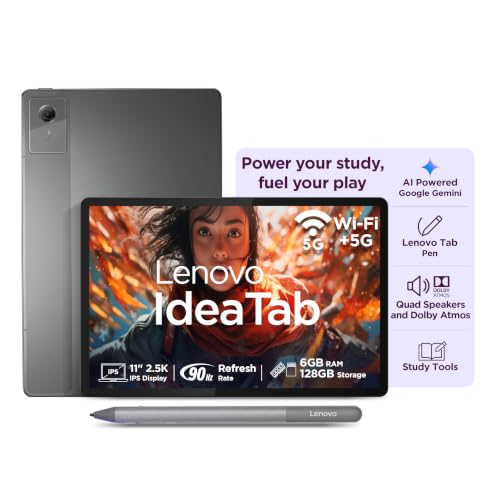
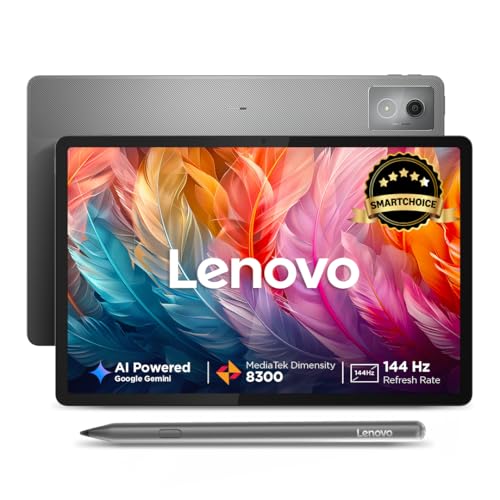
🎓 The Student & Note-Taking Specialist — Lenovo Idea Tab with Tab Pen
An 11-inch 2.5K display with TÜV Low Blue Light certification keeps eyes fresh through marathon revision sessions, while the bundled Lenovo Tab Pen delivers natural handwriting for annotating PDFs. The 7040mAh battery and 45W charger mean it survives a full day of online classes without hovering near a socket. Ideal for high schoolers and college students who need genuine note-taking utility, not a gimmick.
🎬 The Entertainment & Binge-Watching King — Xiaomi Pad 7 (Nano Texture)
A 3.2K CrystalRes display at 144Hz and 800 nits peak brightness make this the sharpest, brightest screen in this entire lineup, while Nano Texture glass kills glare during sunlit balcony viewing. Quad speakers with Dolby Atmos and Volume Booster Mode turn movie nights into a genuine home-theatre substitute. Built for OTT bingers who refuse to compromise on visual fidelity.
🎮 The Gaming & Multitasking Powerhouse — Lenovo IdeaTab Pro with Pen Plus
The MediaTek Dimensity 8300 is a legitimate flagship-adjacent chipset that handles BGMI and Free Fire at stable frame rates without the thermal wobble cheaper tablets suffer. A massive 12.7-inch 144Hz display, Quad JBL speakers, and a 10200mAh battery with 45W charging make this the tablet for buyers who game hard and multitask harder.
Best Tablets Under ₹30,000 in India [Quick Comparison]
| Rank | Model Name | Key Specifications | Expert Rating | Latest Price |
| 1 | Lenovo IdeaTab Pro with Pen Plus | 12.7″ 3K, 144Hz, 400 nits / Dimensity 8300, 8GB+128GB / 10200mAh, 45W / Pen Plus included | 9.2/10 | Check on Amazon |
| 2 | Redmi Pad 2 Pro (SmartChoice) | 12.1″ 2.5K, 120Hz / Snapdragon 7s Gen 4, 8GB+128GB / 12000mAh / Smart Pen sold separately | 9.0/10 | Check on Amazon |
| 3 | Lenovo Idea Tab Plus with Pen | 12.1″ 2.5K (2560×1600), 90Hz, 600 nits typical, 800 nits peak / Dimensity 6400, 12GB + 256GB UFS 2.2 / 10200mAh, 45W in box / Pen included | 8.9/10 | Check on Amazon |
| 4 | OnePlus Pad Go 2 | 12.1″ 2.8K, 120Hz, 900 nits HBM / Dimensity 7300-Ultra, 8GB+128GB / 10050mAh, 33W SUPERVOOC / Stylo pen support | 8.9/10 | Check on Amazon |
| 5 | Lenovo Idea Tab with Tab Pen | 11″ 2.5K, 90Hz, 500 nits / Dimensity 6300, 6GB+128GB / 7040mAh, 45W / Tab Pen included | 8.7/10 | Check on Amazon |
| 6 | Redmi Pad 2 Wi-Fi+Cellular (Smart Pen 1S) | 11″ 2.5K, 90Hz, 600 nits / AI-enabled chipset, 8GB+256GB / 9000mAh, 18W / Smart Pen 1S bundled | 8.6/10 | Check on Amazon |
| 7 | Moto Pad 60 Neo 5G (Budget-Friendly) | 11″ 2.5K, 90Hz / Dimensity 6300, 4GB+128GB / 7040mAh, 20W / Moto Pen included | 8.5/10 | Check on Amazon |
| 8 | Redmi Pad 2 Wi-Fi+Cellular (Active Pen Support) | 11″ 2.5K, 90Hz, 600 nits / AI-enabled chipset, 8GB+256GB / 9000mAh, 18W / Active pen sold separately | 8.4/10 | Check on Amazon |
| 9 | Samsung Galaxy Tab A11+ | 11″ LCD, 90Hz / Chipset undisclosed, up to 8GB+256GB / Capacity undisclosed / No stylus | 8.3/10 | Check on Amazon |
| 10 | Lenovo Tab Plus (SmartChoice) | 11.5″ 2K, 90Hz / Helio G99, 8GB+256GB / 8600mAh, 45W / No stylus | 8.2/10 | Check on Amazon |
| 11 | Xiaomi Pad 7 (Nano Texture) | 11.2″ 3.2K, 144Hz, 800 nits / Snapdragon 7+ Gen 3, 12GB+256GB / 8850mAh, 45W Turbo / No bundled stylus | 9.4/10 | Check on Amazon |
| 12 | Acer Iconia Tab11 with Stylus & Keyboard | 11.45″ 2.2K, 90Hz, 450 nits / Helio G99, 8GB+128GB / 7400mAh / Stylus + keyboard included | 8.3/10 | Check on Amazon |
| 13 | Xiaomi Pad 5 | 10.95″ 2.5K+, 120Hz / Snapdragon 860, 6GB+128GB / 8720mAh / No stylus | 8.1/10 | Check on Amazon |
| 14 | OnePlus Pad Lite (Wi-Fi + LTE) | 11″ 1920×1200, 90Hz, 500 nits / Helio G100, 8GB + 128GB / 9340mAh, 33W SUPERVOOC / No stylus | 8.2/10 | Check on Amazon |
14 Best Tablets Under ₹30,000 in India [Detailed Reviews]
Lenovo IdeaTab Pro with Pen Plus – The Big-Screen Gaming and Study Beast
📱 12.7-inch 3K 144Hz Display: 400-nit brightness delivers sharp visuals and smooth scrolling for extended study sessions.
⚡ Dimensity 8300, 8GB RAM, Wi-Fi 6: Powers lag-free multitasking, heavy app switching, and demanding mobile gaming titles.
🔋 10200mAh Battery, 45W Charger: Sustains all-day online classes and binge-watching without frequent recharge interruptions.
🖊️ Pen Plus Included: Enables precise handwritten note-taking and digital sketching straight out of the box for students.
🔊 Audio, Build & Connectivity: Quad JBL Dolby Atmos speakers plus Wi-Fi 6E deliver room-filling sound and fast wireless transfers.
This is arguably the strongest all-round pick for buyers straddling both gaming and productivity needs. The Dimensity 8300 comfortably handles sustained Free Fire and BGMI sessions without the thermal wobble that plagues weaker mid-range chipsets, and the massive 12.7-inch canvas makes split-screen note-taking alongside a lecture video genuinely comfortable rather than cramped.
Stylus latency with the bundled Pen Plus stays impressively tight even during fast cursive writing, addressing the biggest hesitation buyers have about budget stylus tablets. The only real trade-off is size — at 12.7 inches, one-handed use is impractical, and the Wi-Fi 6E-only connectivity means no calling capability on the move.
Pros
✅ Dimensity 8300 sustains smooth BGMI frame rates
✅ Pen Plus included with genuinely low latency
✅ 144Hz refresh rate feels exceptionally fluid
✅ Quad JBL speakers deliver premium room-filling audio
Cons
❌ 12.7-inch size is unwieldy for one-hand use
❌ No cellular calling, Wi-Fi-only connectivity
❌ 400 nits trails behind Xiaomi Pad 7’s brightness
👉 🛒 Check Today’s Price & Bank Offers on Amazon
Lenovo Idea Tab Plus with Pen – The 800-Nit Screen With 12GB RAM for Daylight Study
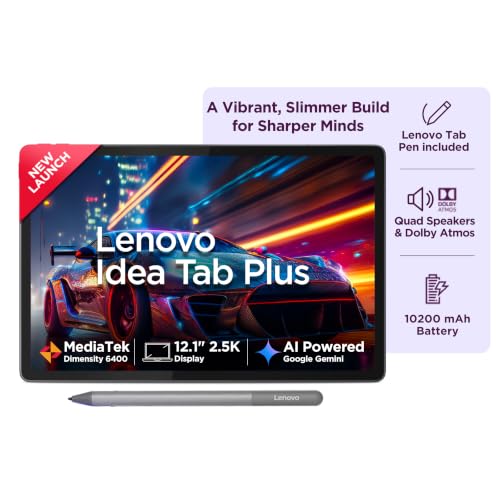
📱 Display & Refresh Rate: 12.1″ 2.5K, 90Hz, up to 800 nits — readable near windows and outdoors.
⚡ Processor & Performance: Dimensity 6400, 12GB LPDDR4x, 256GB UFS 2.2 — multitasking without constant app reloads.
🔋 Battery & Charging Speed: 10200mAh with 45W in-box charger — about 13 hours of YouTube streaming.
🖊️ Stylus & Productivity: Pen in the box, microSD up to 2TB — notes, PDFs, and big libraries.
🔊 Audio, Build & Connectivity: Quad Dolby Atmos speakers, TÜV Low Blue Light — comfortable, immersive study sessions.
This is the best tablet for students under 30000 who study near windows, in bright libraries, or outdoors. The 600-nit typical and 800-nit peak panel keeps text and diagrams legible where cheaper screens wash ouB0G2RZCF95t, and the 90Hz refresh rate makes PDF scrolling and note review feel smooth. The 12GB RAM and 256GB UFS 2.2 storage let a PDF reader, Chrome, and YouTube stay open together without reloads.
The in-box pen starts note-taking immediately, and the 45W adapter refills the 10200mAh battery quickly between classes. The Dimensity 6400 is built for streaming, study, and casual gaming rather than competitive BGMI marathons, so pick the IdeaTab Pro if frame rates matter most. For daylight study value, this is a low-regret buy.
Pros
✅ 800-nit peak beats most rivals outdoors
✅ 12GB RAM handles heavy multitasking
✅ Pen included, no extra purchase
✅ 45W adapter included in box
Cons
❌ Dimensity 6400 trails in heavy gaming
❌ Wi-Fi only, no SIM calling
⚡ View Current Deal & Discounts on Amazon
Redmi Pad 2 Pro (SmartChoice) – The All-Day Endurance Champion for Power Users
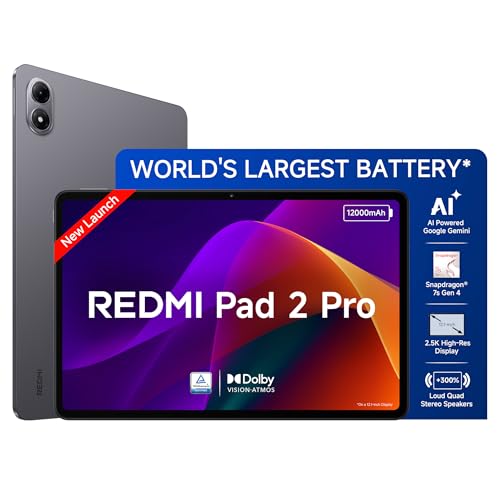
📱 12.1-inch 2.5K 120Hz AdaptiveSync Display: Dolby Vision colors make binge-watching and reading equally vivid indoors.
⚡ Snapdragon 7s Gen 4, HyperOS 2, Wi-Fi 6: Handles multitasking, office work, and casual gaming without visible slowdown.
🔋 Massive 12000mAh Battery: Delivers genuine all-day endurance for streaming, studying, and creative work marathons.
🖊️ Redmi Smart Pen Compatible: Sold separately, enabling natural writing and sketching for students who invest further.
🔊 Audio, Build & Connectivity: Quad Dolby Atmos speakers plus optional keyboard dock extend productivity credentials significantly.
The 12000mAh cell here is the largest in this entire roundup, and it genuinely changes daily behavior — you stop thinking about battery percentage altogether, even after back-to-back six-hour coaching sessions. HyperOS 2’s multi-device workflow, letting you sync calls and share clipboards with a Redmi phone, is a rare productivity touch that justifies the “SmartChoice” branding beyond marketing fluff.
The Snapdragon 7s Gen 4 stays composed under sustained load, addressing thermal throttling worries that plague cheaper MediaTek alternatives during BGMI marathons. The main hesitation is the Smart Pen being a separate purchase, pushing the effective cost higher for stylus-first buyers.
Pros
✅ Largest 12000mAh battery in this comparison
✅ HyperOS 2 multi-device sync is genuinely useful
✅ Snapdragon 7s Gen 4 stays thermally stable
✅ Expandable storage supports up to 2TB
Cons
❌ Smart Pen sold separately, raising real cost
❌ Keyboard accessory also sold separately
❌ Wi-Fi only, no cellular calling option
👉 📦 Check Live Price & Stock Availability on Amazon
OnePlus Pad Go 2 – The Battery-and-Brightness Powerhouse for Outdoor Users
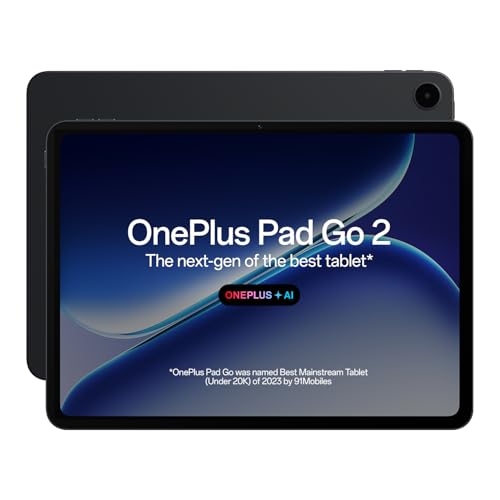
📱 12.1-inch 2.8K 120Hz Display, 900 Nits HBM: TÜV Rheinland Eye Care 4.0 certification keeps outdoor visibility exceptional.
⚡ Dimensity 7300-Ultra, 4nm Process, OxygenOS 16: Delivers smooth performance that endures reliably across 48 months.
🔋 10050mAh Battery, 33W SUPERVOOC: Provides up to 15 hours of video playback plus handy reverse charging support.
🖊️ OnePlus Pad Go 2 Stylo Compatible: Offers stable, pen-on-paper writing feel with long standby for note-heavy users.
🔊 Audio, Build & Connectivity: Omnibearing sound-field technology plus AI Summary and AI Writer tools boost productivity workflows.
The 900-nit High Brightness Mode is a genuine standout for outdoor and near-window study sessions where washed-out displays typically ruin the experience — text and PDFs stay crisp even under harsh Indian sunlight. The 7:5 aspect ratio also makes vertical document reading noticeably more comfortable than the wider 16:10 panels most rivals use.
OnePlus’s AI suite, including AI Summary and AI Recorder, genuinely speeds up lecture review and research work, addressing productivity hesitations directly. The Dimensity 7300-Ultra handles casual gaming well, though the Wi-Fi-only design and separately sold Stylo pen are worth weighing before committing.
Pros
✅ 900-nit HBM crushes outdoor visibility concerns
✅ 10050mAh battery with reverse charging capability
✅ AI Summary and AI Writer aid productivity
✅ 4nm chipset promises 48 months of longevity
Cons
❌ Stylo pen not confirmed as bundled in the box
❌ Wi-Fi only, no cellular calling support
❌ 12.1-inch size is less pocket-friendly for commutes
👉 💳 Check Price & EMI Options on Amazon
Lenovo Idea Tab with Tab Pen – The Budget-Friendly Student Champion
📱 11-inch 2.5K 90Hz Display, 500 Nits: TÜV Low Blue Light certification genuinely reduces eye strain during study marathons.
⚡ Dimensity 6300 Octa-Core, 6GB RAM: Delivers responsive performance for online classes, educational apps, and casual streaming.
🔋 7040mAh Battery, 45W Fast Charger: Offers up to 14 hours of Chrome browsing without frequent recharge anxiety.
🖊️ Lenovo Tab Pen Included: Enables natural handwriting, sketching, and annotation directly out of the box for free.
🔊 Audio, Build & Connectivity: Quad Dolby Atmos speakers with Wi-Fi-only connectivity keep classroom and home streaming clear.
This is the smartest tablet with a stylus under 30000, perfect for anyone who wants genuine note-taking capability without paying extra for the pen. Palm rejection on the bundled Tab Pen stays accurate even during fast handwriting, which is the single biggest hesitation students have about budget stylus tablets — and Lenovo genuinely delivers here.
The 45W charger bundled in the box is a pleasant surprise most rivals skip at this price, refueling the 7040mAh cell rapidly between back-to-back classes. The TÜV Low Blue Light certification is not marketing fluff either; extended reading sessions feel noticeably less fatiguing than on uncertified competing panels.
Pros
✅ Tab Pen included with accurate palm rejection
✅ TÜV Low Blue Light genuinely reduces eye strain
✅ 45W charger bundled, unlike most budget rivals
✅ 2.5K display outclasses price-bracket expectations
Cons
❌ Wi-Fi only, no cellular calling support
❌ 6GB RAM caps ambitious multitasking headroom
❌ Dimensity 6300 isn’t built for heavy gaming
👉 ⚡ View Current Deal & Discounts on Amazon
Redmi Pad 2 Wi-Fi + Cellular (with Smart Pen 1S) – The Stylus-Ready Calling Tablet
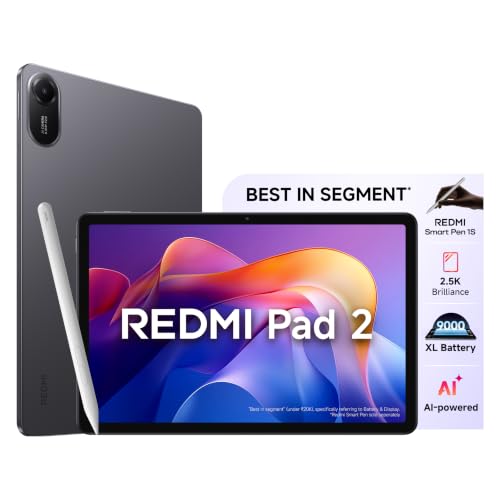
📱 11-inch 2.5K 90Hz Display, 600 Nits: Delivers vivid visuals and smooth scrolling even near sunlit windows indoors.
⚡ AI-Enabled Chipset, HyperOS 2, 8GB RAM: Powers lag-free multitasking with Circle to Search and Gemini AI assistance.
🔋 9000mAh Battery, 18W Charging: Sustains all-day online classes and binge-watching, though the adapter charges slowly.
🖊️ Redmi Smart Pen 1S Bundled: Enables precise handwritten note-taking and sketching straight out of the box.
🔊 Audio, Build & Connectivity: Dolby Atmos audio plus genuine cellular coverage make this a true calling tablet under 30000.
As a genuine calling tablet under 30000, this variant solves the connectivity gap that frustrates buyers who need cellular data on the move without carrying a hotspot. The bundled Smart Pen 1S adds real value here, sparing you the extra purchase that hits Redmi Pad 2 Pro buyers, and stroke latency stays natural for fast handwriting.
The honest limitation is the bundled 18W adapter, which feels slow at charging a 9000mAh cell compared to the 45W chargers rivals include — expect a longer wait for a full top-up. Otherwise, the 600-nit display and AI-powered Gemini integration make daily productivity genuinely smoother.
Pros
✅ Smart Pen 1S bundled, saving extra spend
✅ Genuine cellular calling for on-the-go connectivity
✅ 600-nit display handles bright indoor lighting well
✅ Gemini AI and Circle to Search included
Cons
❌ Bundled 18W charger is notably slow
❌ Exact chipset undisclosed in official listing
❌ Heavier due to added cellular hardware
👉 📦 Check Live Price & Stock Availability on Amazon
Moto Pad 60 Neo 5G – The Budget-Friendly 5G and Pen Combo
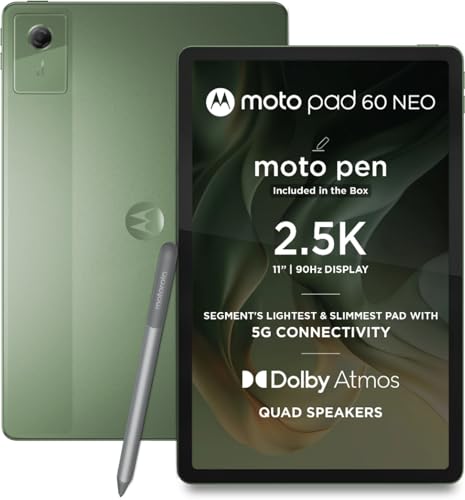
📱 11-inch 2.5K 90Hz IPS Display: Delivers sharp, fluid visuals suitable for streaming, reading, and creative sketching work.
⚡ Dimensity 6300, 4GB RAM, 128GB UFS 2.2: Handles everyday multitasking smoothly, though heavier workloads reveal its ceiling.
🔋 7040mAh Battery, 20W Fast Charging: Keeps you powered through extended sessions without frequent interruption anxiety.
🖊️ Moto Pen Included in the Box: Enables precise note-taking and creative tasks immediately, with zero extra spend.
🔊 Audio, Build & Connectivity: IP52-rated metal body, 5G connectivity, and quad Dolby Atmos speakers add genuine durability.
At 480 grams and just 6.99mm thin, this is a comfortable slate to hold through long reading sessions, and the IP52 rating genuinely helps against accidental spills during chai breaks between classes. Bundling a Moto Pen at this price point is a strong value move few budget rivals match, making it a legitimate contender for the best tablet with stylus under 30000 searches.
5G connectivity future-proofs this pick for buyers upgrading networks soon, though the 4GB RAM is the clear compromise here — expect app reloads during heavy multitab browsing sessions, and gaming performance stays firmly casual rather than competitive.
Pros
✅ Moto Pen included at zero extra cost
✅ IP52 rating adds genuine spill resistance
✅ 5G connectivity future-proofs network upgrades
✅ Slim 6.99mm metal body feels premium
Cons
❌ 4GB RAM limits heavy multitasking headroom
❌ Dimensity 6300 struggles with demanding games
❌ 20W charging trails behind 45W rivals
👉 💳 Check Price & EMI Options on Amazon
Redmi Pad 2 Wi-Fi + Cellular (Active Pen Support) – The Wallet-Friendly Calling Variant

📱 11-inch 2.5K 90Hz Display, 600 Nits: Matches its pen-bundled sibling’s vivid visuals at a lower entry cost.
⚡ AI-Enabled Chipset, 8GB RAM, HyperOS 2: Delivers smooth Circle to Search and Gemini-powered multitasking performance daily.
🔋 9000mAh Battery, 18W Charging: Rated for up to 19 hours of continuous non-stop streaming per lab tests.
🖊️ Active Pen Support (Sold Separately): Keeps upfront cost lower for buyers who don’t need immediate stylus access.
🔊 Audio, Build & Connectivity: 270 hours of music streaming claimed, plus genuine cellular coverage for connectivity anywhere.
This variant essentially delivers the same hardware as the pen-bundled version at a friendlier price, making it the smarter pick for buyers who genuinely don’t need handwritten note-taking. Xiaomi’s internal lab claims of 19 hours of non-stop streaming and 270 hours of music playback are aggressive, but real-world mixed usage should still comfortably clear a full day without anxiety.
The active pen remains fully compatible if you change your mind later, which keeps this tablet flexible for evolving needs. As a genuine calling tablet under 30000, it holds up well against the OnePlus and Redmi Pro alternatives above it.
Pros
✅ Identical hardware to pen-bundled variant, cheaper
✅ Genuine cellular calling included as standard
✅ Pen remains compatible if purchased later
✅ 600-nit display handles bright rooms well
Cons
❌ Stylus not included, adding future cost
❌ 18W charging remains notably slow
❌ Exact chipset undisclosed in official listing
👉 🛒 Check Today’s Price & Bank Offers on Amazon
Samsung Galaxy Tab A11+ – The AI-Powered Familiar Brand Pick
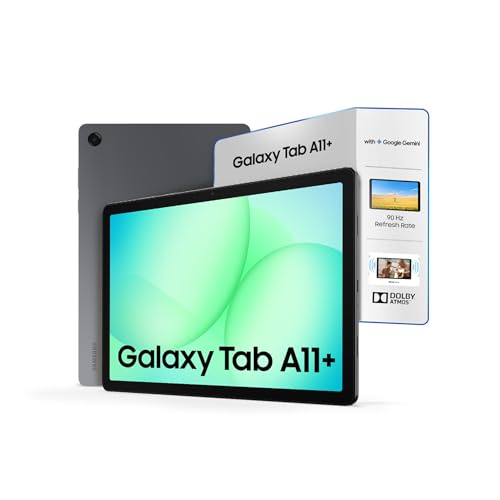
📱 11-inch LCD 90Hz Touch Display: Renders crisp, smooth detail suitable for daily streaming and casual browsing.
⚡ Up to 8GB RAM, 256GB Storage, Gemini AI: Enables fast multitasking plus live camera-sharing conversations with Google Gemini.
🔋 Battery Capacity Undisclosed: Official listing does not confirm mAh rating, so endurance claims remain unverified here.
🖊️ No Stylus Support Mentioned: This variant skips active pen compatibility, limiting appeal for serious note-takers.
🔊 Audio, Build & Connectivity: Dolby-engineered quad speakers plus a rare 3.5mm headphone jack and 5G connectivity included.
Samsung’s brand trust and India-wide service network remain genuine purchase-hesitation solvers, especially for buyers burned by lesser-known tablet brands in the past. The inclusion of a 3.5mm headphone jack is a small but meaningful convenience most 2026 tablets have quietly dropped, and 5G connectivity keeps this future-proof for network upgrades.
That said, radical honesty demands flagging that Samsung’s own listing does not disclose battery capacity or exact chipset, making direct endurance comparisons against rivals here difficult. Buyers prioritizing verified battery-loop performance over brand familiarity should weigh this gap carefully before purchase.
Pros
✅ Trusted Samsung service network across India
✅ Rare 3.5mm headphone jack still included
✅ Gemini AI live camera-sharing feature included
✅ 5G connectivity future-proofs network needs
Cons
❌ Battery capacity undisclosed in official listing
❌ Exact chipset not specified by Samsung
❌ No stylus support mentioned for this variant
👉 ⚡ View Current Deal & Discounts on Amazon
Lenovo Tab Plus (SmartChoice) – The Long-Term Software Support Champion
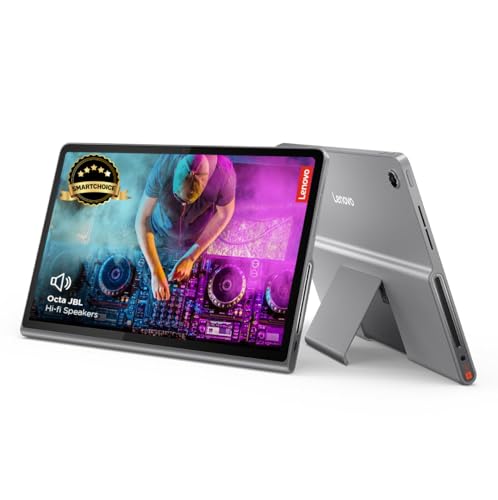
📱 11.5-inch 2K 90Hz Display: TÜV Rheinland Full Care Display 2.0 certification supports comfortable extended viewing sessions.
⚡ Helio G99 Octa-Core, 8GB RAM, 256GB: Handles everyday multitasking and casual gaming without noticeable slowdown.
🔋 8600mAh Battery, 45W Fast Charger: Included in-box charger refuels quickly, avoiding slow-adapter frustrations entirely.
🖊️ No Stylus Bundled: This model skips pen support, positioning it purely as a media and productivity device.
🔊 Audio, Build & Connectivity: Octa JBL Hi-Fi speakers, IP52 rating, and a 3.5mm jack round out the package.
The standout here is software longevity — Lenovo explicitly commits to Android 16 upgrades and security patches until June 2028, a rare and genuinely trust-building promise most budget-adjacent tablets never state clearly. That commitment alone should ease long-term ownership hesitation for buyers tired of tablets feeling abandoned within a year.
The Octa JBL Hi-Fi speaker setup with four tweeters and four bass units delivers audio depth that outclasses typical quad-speaker configurations, making movie nights and music genuinely richer. The Helio G99 handles daily tasks fine but isn’t built for demanding gaming, and the missing stylus rules it out for note-heavy students.
Pros
✅ Security patches guaranteed until June 2028
✅ Octa JBL speakers deliver rich, deep audio
✅ 45W charger included, avoiding slow-adapter frustration
✅ IP52 rating adds dust and water resistance
Cons
❌ No stylus support for note-taking students
❌ Helio G99 isn’t built for heavy gaming
❌ Wi-Fi only, no cellular calling option
👉 📦 Check Live Price & Stock Availability on Amazon
Xiaomi Pad 7 (Nano Texture Display) – The Sharpest, Sun-Proof Screen Money Can Buy Here

📱 3.2K 144Hz Nano Texture Display: 800-nit peak brightness with anti-glare etching — delivers glare-free clarity in bright sunlit rooms.
⚡ Snapdragon 7+ Gen 3, 12GB RAM, UFS 4.0: Powers buttery multitasking and heavy gaming without thermal-driven frame drops.
🔋 8850mAh Battery, 45W Turbo Charging: Sustains up to 16 hours of continuous use across classes and OTT streaming.
🖊️ Stylus & Productivity: No bundled pen in this listing — compatible accessories sold separately for note-taking flexibility.
🔊 Audio, Build & Connectivity: Quad speakers with 200% Volume Booster Mode plus Wi-Fi-only connectivity for indoor-first usage.
Outdoor legibility is where most tablets under 30000 quietly fail, and the Nano Texture glass fixes this decisively — reading on a sunlit balcony no longer means squinting through reflections. The Snapdragon 7+ Gen 3 also erases the biggest purchase hesitation buyers have with Xiaomi tablets: thermal throttling during long BGMI sessions on hot Indian afternoons stays controlled, not catastrophic.
The catch is the missing bundled stylus, which stings if handwritten note-taking was your primary driver. UI bloatware on HyperOS 2 exists but is manageable with a day-one cleanup, and Xiaomi’s India software update record has improved considerably, making this a confident buy for entertainment-first and gaming-first buyers alike.
Pros
✅ Brightest, sharpest display in this entire lineup
✅ Snapdragon 7+ Gen 3 handles sustained gaming smoothly
✅ 45W Turbo Charging refuels battery rapidly
✅ 12GB RAM future-proofs heavy multitasking workflows
Cons
❌ No stylus bundled in this listing
❌ Wi-Fi only, no cellular calling support
❌ HyperOS ships with removable bloatware apps
👉 ⚡ View Current Deal & Discounts on Amazon
Acer Iconia Tab11 with Stylus & Keyboard – The Complete Productivity Bundle
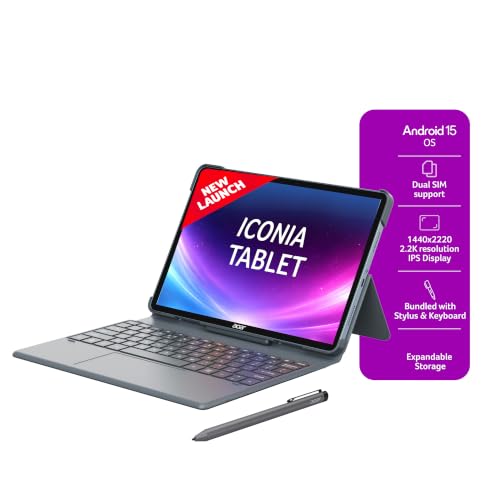
📱 11.45-inch 2.2K 90Hz Display, 450 Nits: In-cell touch technology delivers stunning visuals with exceptional touch responsiveness.
⚡ Helio G99, 8GB RAM, Android 15: Delivers seamless speed for gaming, working, and multitasking without noticeable lag.
🔋 7400mAh Battery, Fast Charging: Powers through a full day of work and play without outlet-searching anxiety.
🖊️ Active Stylus Pen + Keyboard Included: Enables seamless note-taking, drawing, and comfortable typing straight from the box.
🔊 Audio, Build & Connectivity: 5-magnet PureVoice speakers, 4G dual-SIM calling, and a fingerprint reader add genuine versatility.
Few tablets under 30000 bundle both a stylus and a detachable keyboard in the box, making this Acer’s strongest selling point for buyers who genuinely want a laptop-replacement experience without extra purchases. The fingerprint reader is also a rare security touch at this price, addressing a purchase hesitation buyers rarely mention but genuinely appreciate.
4G dual-SIM calling with 4K streaming support makes this a true anywhere-productivity device, and the 16MP rear camera outperforms typical tablet cameras for document scanning. The Helio G99 handles most tasks well, though it trails newer Dimensity and Snapdragon chips here in raw gaming headroom.
Pros
✅ Stylus and keyboard both included for free
✅ Fingerprint reader adds genuine security convenience
✅ 4G dual-SIM calling enables true portability
✅ 16MP rear camera outperforms typical tablet cameras
Cons
❌ Helio G99 trails newer chips in gaming
❌ 450 nits is modest for outdoor use
❌ 128GB storage feels tight with bundled apps
👉 💳 Check Price & EMI Options on Amazon
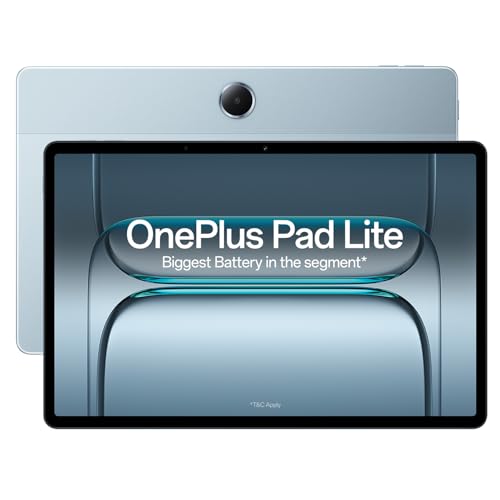
OnePlus Pad Lite (Wi-Fi + LTE) – The Budget-Friendly Calling Slate With a Huge Battery
📱 Display & Refresh Rate: 11″ 1920×1200, 90Hz, 500 nits — smooth, bright reading and streaming.
⚡ Processor & Performance: MTK Helio G100, 8GB RAM, 128GB storage — dependable multitasking and casual gaming.
🔋 Battery & Charging Speed: 9340mAh with 33W SUPERVOOC support — comfortably outlasts a full day of classes.
🖊️ Stylus & Productivity: Open Canvas split-screen on OxygenOS 15 — study and browse side by side.
🔊 Audio, Build & Connectivity: Four Hi-Res speakers, LTE plus Wi-Fi 5 — loud sound and calling on the move.
A calling tablet under 30000 with 8GB RAM and a 500-nit screen is rare. LTE keeps maps, coaching streams, and video calls alive when Wi-Fi drops. OnePlus pairs the Helio G100 with OxygenOS 15 and says performance stays smooth for 36 months. The 16:10 panel suits video, and the four-speaker setup is loud enough for a hostel room without earphones.
There are two honest limits. There is no stylus, so this suits reading, OTT, and light gaming rather than handwritten notes. OnePlus’s spec sheet also pairs 33W charging with a 15W bundled adapter, so buy a 33W SUPERVOOC brick for full speed. At 530g it is on the heavier side. As a budget-friendly best tablet under 30000 in India pick, the battery and calling combination is hard to beat.
Pros
✅ LTE calling works without Wi-Fi
✅ 9340mAh battery lasts a full day
✅ 500-nit screen suits bright rooms
✅ Helio G100 with 8GB runs smoothly
Cons
❌ No stylus support for note-takers
❌ Bundled adapter charges slower than 33W
📦 Check Live Price & Stock Availability on Amazon
Xiaomi Pad 5 – The Proven Legacy Value Pick
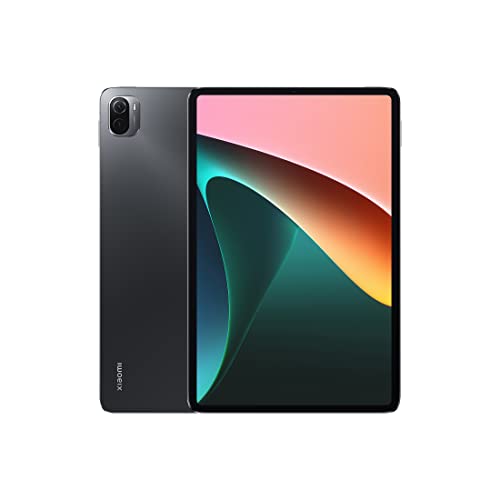
📱 10.95-inch 2.5K+ Display, 120Hz: Dolby Vision colors over 1 billion shades deliver vivid, proven visual quality.
⚡ Snapdragon 860, 6GB RAM, Android 11: Handles daily browsing and streaming reliably, though it’s an aging platform.
🔋 8720mAh Battery: Long-lasting capacity supports extended sessions, though official charging wattage remains unspecified here.
🖊️ No Stylus Support Mentioned: This listing does not confirm active pen compatibility for note-taking users.
🔊 Audio, Build & Connectivity: Quad Dolby Atmos speakers and a 13MP rear camera round out this dependable package.
As the oldest tablet in this roundup, the Xiaomi Pad 5 earns its place purely on proven reliability and aggressive pricing rather than cutting-edge specs. The Snapdragon 860 was a genuinely capable chip in its time and still handles daily browsing, streaming, and light gaming competently, though buyers should know it won’t match newer Dimensity or Snapdragon 7-series chips in sustained gaming stability.
Running Android 11 out of the box is the honest red flag here — buyers prioritizing long-term software support and security patch longevity should look toward the Lenovo Tab Plus instead. This remains a reasonable pick only for strictly budget-conscious, media-first buyers.
Pros
✅ Proven Snapdragon 860 handles daily tasks reliably
✅ 120Hz display remains genuinely smooth to use
✅ Aggressive pricing undercuts most 2026 rivals
✅ Quad Dolby Atmos speakers still impress
Cons
❌ Ships on aging Android 11 software
❌ No stylus support mentioned in listing
❌ Charging wattage undisclosed, likely slow by 2026 standards
👉 ⚡ View Current Deal & Discounts on Amazon
Things to Consider When Buying Best Tablets Under 30000 in India
📱 Display Panel & Refresh Rate
Never settle for a 60Hz panel under ₹30,000 — 90Hz and 120Hz options like the Xiaomi Pad 7 and Lenovo IdeaTab Pro exist at this budget and make UI scrolling, gaming, and reading noticeably smoother. Peak nit brightness matters just as much: anything below 400 nits will wash out under direct Indian sunlight during outdoor study sessions or balcony streaming, so prioritize displays rated 450 nits or higher wherever possible for genuine daylight legibility.
⚡ Chipset Architecture & Thermals
MediaTek’s Dimensity 7300-Ultra and 8300 chips, alongside Qualcomm’s Snapdragon 7-series, sustain BGMI and Free Fire frame rates far more reliably than older Helio G99 or Dimensity 6300 silicon once thermal load builds up during hour-long summer gaming sessions. Don’t just check the chipset name — verify whether the tablet has adequate thermal headroom for sustained load, since app loading speed and multitasking smoothness depend heavily on this architecture choice.
🖊️ Stylus Support & Palm Rejection
Active stylus technology, like the bundled Lenovo Tab Pen or Pen Plus, offers dramatically better pressure sensitivity and palm rejection accuracy for PDF annotation compared to generic passive capacitive pens. If handwritten note-taking for exams or sketching is a core requirement, prioritize tablets that bundle the pen in-box rather than sell it separately, since add-on styluses often add ₹2,000–₹4,000 to your real spend.
🔊 Audio Quality & Widevine L1 Certification
Widevine L1 certification is non-negotiable if HD Netflix or Prime Video streaming matters to you — without it, you’re locked to blurry 480p playback regardless of how sharp your display is. Pair this with genuine quad-speaker setups tuned by Dolby Atmos or JBL, since single- or dual-speaker tablets simply cannot deliver the room-filling volume needed for hostel or shared-space movie nights without earphones.
🔋 Battery Capacity vs. Charging Speeds
A 7000–8000mAh battery sounds impressive until you realize some brands still bundle painfully slow 10W-18W adapters that turn a full recharge into a multi-hour wait. Always check the bundled charger wattage specifically — tablets like the Lenovo IdeaTab Pro and Xiaomi Pad 7, pairing large batteries with genuine 45W charging, avoid this frustrating bottleneck entirely.
Buying Tablets Online in India [What Actually Matters]
Before finalizing any purchase, verify the seller explicitly states official brand warranty coverage for India — Apple, Samsung, Xiaomi, OnePlus, Lenovo, and Realme all run authorized India-specific warranty programs, and third-party imports frequently void this protection entirely. Decide upfront between Wi-Fi-only and 4G/5G cellular calling models based on your actual usage; if you already carry a phone with a reliable hotspot, Wi-Fi-only tablets like the Xiaomi Pad 7 save you real money.
Always check the box contents listed on the product page for bundled styluses, keyboards, or power adapters before assuming they’re included — several listings here sell these accessories separately despite prominent stylus branding. On delivery, immediately inspect the display for backlight bleed or dead pixels under a dark screen before the return window closes. Finally, time your purchase around festive sales and bank card offers, which routinely knock ₹2,000–₹4,000 off list prices on platforms like Amazon.
Conclusion
The sub-₹30,000 tablet market in 2026 has matured well past “big phone” territory — genuine 120Hz-144Hz displays, flagship-adjacent chipsets, and bundled active styluses are now standard expectations rather than premium luxuries. Software update commitments have also become a real differentiator, with Lenovo’s multi-year security patch promises setting a bar most rivals still avoid stating clearly. Price-to-performance value has never been stronger in this bracket, provided buyers know exactly which trade-offs — missing stylus, slow charger, undisclosed battery — apply to their specific shortlist pick.
🥇 The Budget Hero: Lenovo Idea Tab with Tab Pen – Best for buyers wanting a bundled stylus, TÜV-certified eye care, and a fast 45W charger without stretching the budget ceiling.
👑 The Performance King: Xiaomi Pad 7 (Nano Texture Display) – The absolute best in screen sharpness, brightness, Snapdragon 7+ Gen 3 processing power, and sustained gaming stability in this entire lineup.
Whichever you choose, prioritize verified specs over marketing language, and let your actual daily usage — not spec-sheet excitement — decide the winner.
FAQs
1. Is an Android tablet or an iPad better for students and note-taking under ₹30,000 in India?
Under ₹30,000, Android tablets like the Lenovo Idea Tab or IdeaTab Pro genuinely outperform iPads on value, since Apple’s base iPad in this range often lacks a bundled Apple Pencil and has less RAM. Android options here bundle active styluses, larger batteries, and expandable storage, making them the more practical choice for budget-conscious note-taking and multitasking needs.
2. Why is Widevine L1 certification mandatory when buying a tablet for OTT streaming?
Widevine L1 certification allows hardware-level DRM decryption, unlocking full HD and higher-resolution streaming on Netflix, Prime Video, and Disney+ Hotstar. Tablets without L1 certification, running only Widevine L3, are restricted to blurry SD-quality playback regardless of their actual display resolution, making this certification non-negotiable for genuine binge-watchers.
3. What battery capacity and fast-charging wattage should you expect in a tablet under ₹30,000?
Expect battery capacities ranging from 7000mAh to over 12000mAh in this bracket, with premium picks like the Redmi Pad 2 Pro leading in capacity. Charging speed matters equally — prioritize tablets bundling 33W-45W adapters, since several competitors pair large batteries with slow 18W-20W chargers that create frustrating multi-hour recharge waits.
4. Can you use an active stylus pen on any budget tablet, or does it require specific screen digitizer support?
No, active styluses require a compatible digitizer layer built into the display, meaning you cannot simply buy any stylus and expect pressure sensitivity or palm rejection to work. Only tablets explicitly listing active pen compatibility, like the Lenovo IdeaTab Pro or Redmi Pad 2 series, support genuine handwriting recognition and precision sketching.




![10 Best Smart TVs Under ₹30,000 in India [November 2026]](https://gadgetveda.com/wp-content/uploads/2026/10/Best-Smart-TVs-Under-₹30000-in-India-150x150.webp)

![Inverter vs. Non-Inverter Washing Machines [Real Savings]](https://gadgetveda.com/wp-content/uploads/2026/10/Inverter-vs.-Non-Inverter-Washing-Machines-Real-Savings-150x150.webp)
![12 Best Washing Machines Under ₹10,000 in India [November 2026]](https://gadgetveda.com/wp-content/uploads/2026/06/Best-Washing-Machines-Under-₹10000-in-India-150x150.webp)

![10 Best Smart TVs Under ₹30,000 in India [November 2026]](https://gadgetveda.com/wp-content/uploads/2026/10/Best-Smart-TVs-Under-₹30000-in-India-300x167.webp)

![Inverter vs. Non-Inverter Washing Machines [Real Savings]](https://gadgetveda.com/wp-content/uploads/2026/10/Inverter-vs.-Non-Inverter-Washing-Machines-Real-Savings-300x200.webp)