You hear the footsteps a beat after the enemy already rounds the corner. In BGMI or Free Fire, that beat is the difference between a clutch and a respawn screen. Cheap Bluetooth earbuds often cause it, and a box that says “Gaming Mode” does not always fix it.
This guide explains Low Latency Mode in plain terms: what the delay is made of, what SBC and AAC contribute, and what gaming mode changes inside the earbuds. You will also see how to read the sub-50ms claims on Indian listings, and how to test a pair yourself before the return window closes.
Quick Answer: What You Need to Know
👉 Low Latency Mode is a setting that makes earbuds play audio sooner by reducing buffering, so sound lines up better with the screen.
👉 SBC and AAC both usually sit in a delay range of well over 100 ms in published estimates. Neither is a gaming codec.
👉 Gaming mode often works at the firmware level, not by changing the codec. A pair can be AAC-only and still advertise 47ms.
👉 Your target: a published game-mode figure of about 50 ms or lower, then a real in-game check.
Low Latency Mode Meaning: What Is It?
Low Latency Mode, also sold as Game Mode or Gaming Mode, is a feature in wireless earbuds that reduces audio lag between your phone and your ears. The “latency” is the time between the game producing a sound and the earbuds playing it.
It matters most when you react to sound. Footsteps, reloads, and gunfire in BGMI or Free Fire are cues you act on within a split second.
The scale of the audience explains why brands push the feature. According to Sensor Tower data reviewed by TechCrunch, the Free Fire franchise had about 77.4 million monthly active users in India in June, compared with 20.8 million for BGMI. Free Fire is also returning to India with a localized version, four years after the ban on the original.
Why Bluetooth Audio Lags: The Delay Chain
Audio on Bluetooth is not played the instant it is made. It travels through several stages, and each adds time.
| Stage | What happens | Can gaming mode change it? |
| Phone audio mixing | The game’s sound is mixed by Android or iOS | No |
| Encoding | The phone compresses audio with a codec such as SBC or AAC | Only if the codec changes |
| Radio transmission | Compressed packets are sent over Bluetooth | Partly, through packet settings |
| Earbud buffer | Packets wait briefly so playback stays smooth | Yes, this is the main target |
| Decoding and playback | The earbuds decode and drive the speaker | No |
A phone compresses the sound, sends it in packets, and the earbuds buffer and decode it before playing. The buffer exists to prevent stutter. A bigger buffer means smoother music and a longer delay.
SBC vs AAC: Codec Delay Compared
A codec is the method used to compress audio for Bluetooth. SBC is the mandatory baseline that every Bluetooth audio device must support.
Published latency numbers vary by source and by test setup, so read them as ranges, not exact scores.
Is AAC better than SBC for gaming?
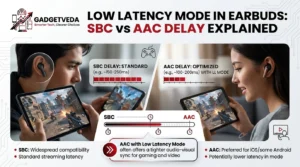
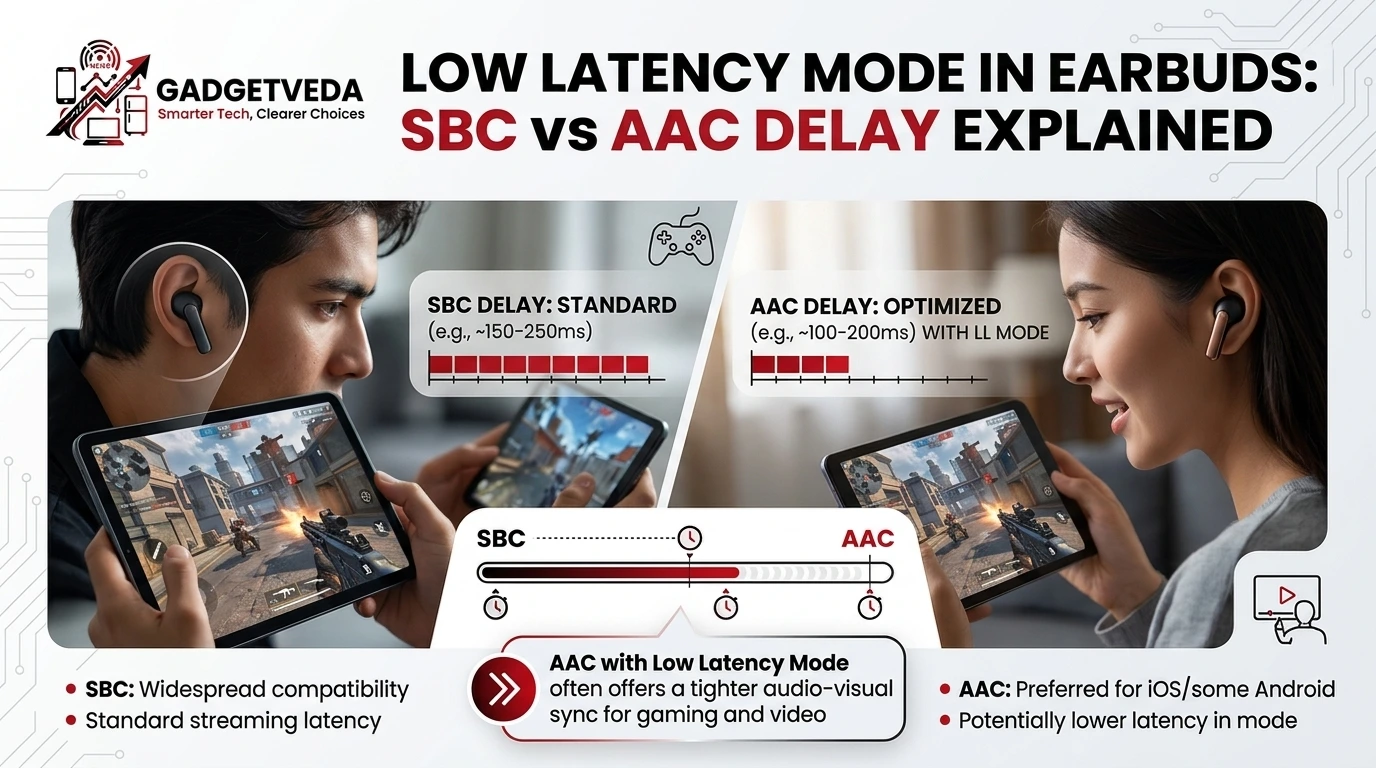
Slightly in some tests, but not enough to matter on its own. One comparison puts SBC and AAC in the same 150 to 250 ms band, and notes that AAC performance varies on Android because the phone’s encoder is not always well tuned. PCMag calls SBC high-latency and unsuitable for gaming.
So an AAC badge is not a gaming feature. It mostly signals better sound quality at a given data rate.
What Android and iPhone support
Android 8.0 added support for AAC, aptX, aptX HD and LDAC in addition to SBC, and manufacturers choose which codecs a phone tries first. Apple devices support only AAC and SBC. That is why a budget earbud with only AAC and SBC cannot use the faster aptX family, whichever phone you own.
How to check your codec on Android
➡️ Pair your earbuds and start playing audio.
➡️ Go to Settings, About phone, and tap Build number seven times to unlock Developer options.
➡️ Open Developer options and find Bluetooth Audio Codec.
➡️ See which codec is active. Codecs your earbuds do not support are grayed out.
How Low Latency Mode Works Inside Earbuds
Low Latency Mode usually attacks the buffer, not the codec. Reducing buffer size lets audio play sooner, at the risk of occasional dropouts or slightly lower sound quality.
Brands use a few approaches:
👉 Smaller buffer. The earbuds wait for less data before playing.
👉 Faster packet handling. Some designs change how often packets are sent. One explainer says a higher sample rate fills buffers faster and sends more packets per second.
👉 Chipset-level modes. Some gaming modes need a matching chipset in the earbuds and the phone, such as MediaTek or Qualcomm platforms.
👉 Codec switch. A few pairs change to a lower-latency codec, though this is not the norm in budget models.
What you give up
Gaming mode is a trade-off, not a free upgrade. Depending on the model, expect one or more of these:
➡️ More dropouts if your phone is far away or the radio environment is crowded.
➡️ Slightly flatter sound, since the buffer that smooths playback is smaller.
➡️ Reduced ANC or other features on some designs.
This is why we suggest switching it on for matches and off for music. If your earbuds also offer noise cancellation, our guide to ANC vs ENC in earbuds explains which feature helps you hear footsteps and which helps squadmates hear you.
How Much Delay Is Too Much for BGMI and Free Fire?
Sources disagree on exact thresholds, which is itself useful to know. One headphone-testing site says audio delay below 30 ms is practically indistinguishable to humans. Another says viewers tolerate audio lagging video by up to about 45 ms before noticing a mismatch, while interactive gaming can feel sluggish beyond roughly 25 ms. Delays over 100 ms create noticeable lip-sync problems.
Put together, the picture is practical:
| Delay | What it means for you |
| Under about 30 ms | Hard to notice |
| About 40 to 50 ms | Good for earbuds, fine for most casual and ranked play |
| About 80 to 100 ms | Noticeable on gunfire and footsteps |
| 150 ms or more | Standard Bluetooth behavior, clearly late in fast games |
Be careful with the numbers on a listing. In our OnePlus Nord Buds 4 review, the 47ms game mode is a claimed lab figure, and we describe it as good for earbuds but not wired-level. The same earbuds support only AAC and SBC, which shows that a low-latency figure and a basic codec list can coexist.
Which Earbuds Have Low Latency Mode in India?
Use the specs we have recorded in our guides as a starting point. Verify current prices and firmware on the live listing.
| Budget | What we found | Guide |
| Under ₹1,000 | Basic pairs for students and backup use. Check for a published game-mode figure before assuming one exists. | Best Wireless Earbuds Under 1000 |
| Under ₹2,000 | realme Buds T200x lists 45ms, Noise Buds N1 Pro lists 40ms, and iQOO TWS 1e lists 88ms. Philips TAT1150 lists no dedicated gaming mode. | Best Wireless Earbuds Under 2000 |
| Under ₹3,000 | realme Earbuds Air 7 lists 45ms and OnePlus Nord Buds 3 Pro lists 47ms. | Best Earbuds Under 3000 |
The spread inside the under-₹2,000 bracket is the lesson. Two pairs at similar prices can differ by almost double, so the label “gaming earbuds” tells you little. Read the millisecond figure.
For a closer look at a specific pair, our OnePlus Nord Buds 4 review covers its 47ms mode, its AAC and SBC codec list, and how gaming mode is switched on for non-OnePlus phones.
How to Get the Lowest Delay in Practice
👉 Turn on Low Latency Mode before you launch the game. Use the app, a gesture, or a long press, as the manual describes.
👉 Check the active codec in Developer options on Android.
👉 Keep the phone close and avoid a crowded pocket or bag. Dropouts rise when signal is weak.
👉 Use both earbuds unless the manual says otherwise.
👉 Update the earbud firmware in the companion app if one exists.
👉 Test in training mode. Fire a weapon and listen. Toggle gaming mode on and off and compare the gap between the shot and the sound.
Common mistakes
➡️ Trusting the Bluetooth version. A higher version number does not, by itself, state the delay. Look for the published game-mode figure.
➡️ Judging by sound quality. A punchy sound signature says nothing about lag.
➡️ Skipping the return window test. Claimed numbers come from the brand’s own tests. If gunfire feels late, return the pair while you can.
Who Should Care About Low Latency Mode?
Choose a pair with a published game-mode figure if you play fast shooters, watch videos on the same earbuds, or are sensitive to lip-sync. If you mostly play slower games or listen to music, a basic pair with good battery and fit is enough.
If competitive precision matters most, wired audio or a dedicated low-latency adapter will beat any Bluetooth earbuds. Earbuds are a convenient compromise, not a zero-delay solution.
FAQs
1. What is the meaning of Low Latency Mode in earbuds?
Low Latency Mode is a setting that reduces the delay between your phone and your earbuds, usually by shrinking the audio buffer so sound plays sooner.
2. How does Low Latency Mode work?
It typically reduces buffering and, in some designs, changes packet handling or uses chipset-specific modes. The trade-off is a higher chance of dropouts or slightly lower audio quality.
3. Is SBC or AAC better for gaming?
Neither is built for gaming. Published estimates put both well above 100 ms, and AAC performance can vary on Android. Look for a game-mode figure instead.
4. Does AAC have lower latency than SBC?
Sometimes slightly, but the ranges overlap. Phone encoder quality, earbud design, and the environment matter as much as the codec name.
5. What latency is good for BGMI and Free Fire?
A published figure of about 50 ms or lower is a sensible target for earbuds. Verify with an in-game test, since brand figures come from lab conditions.
6. Can I check which Bluetooth codec my earbuds use?
On Android, unlock Developer options and open Bluetooth Audio Codec. iPhones use AAC or SBC only.
7. Is a 47ms gaming mode the same as wired audio?
No. Wired audio has far less delay. A 47ms earbud mode is good for Bluetooth, not equal to wired.