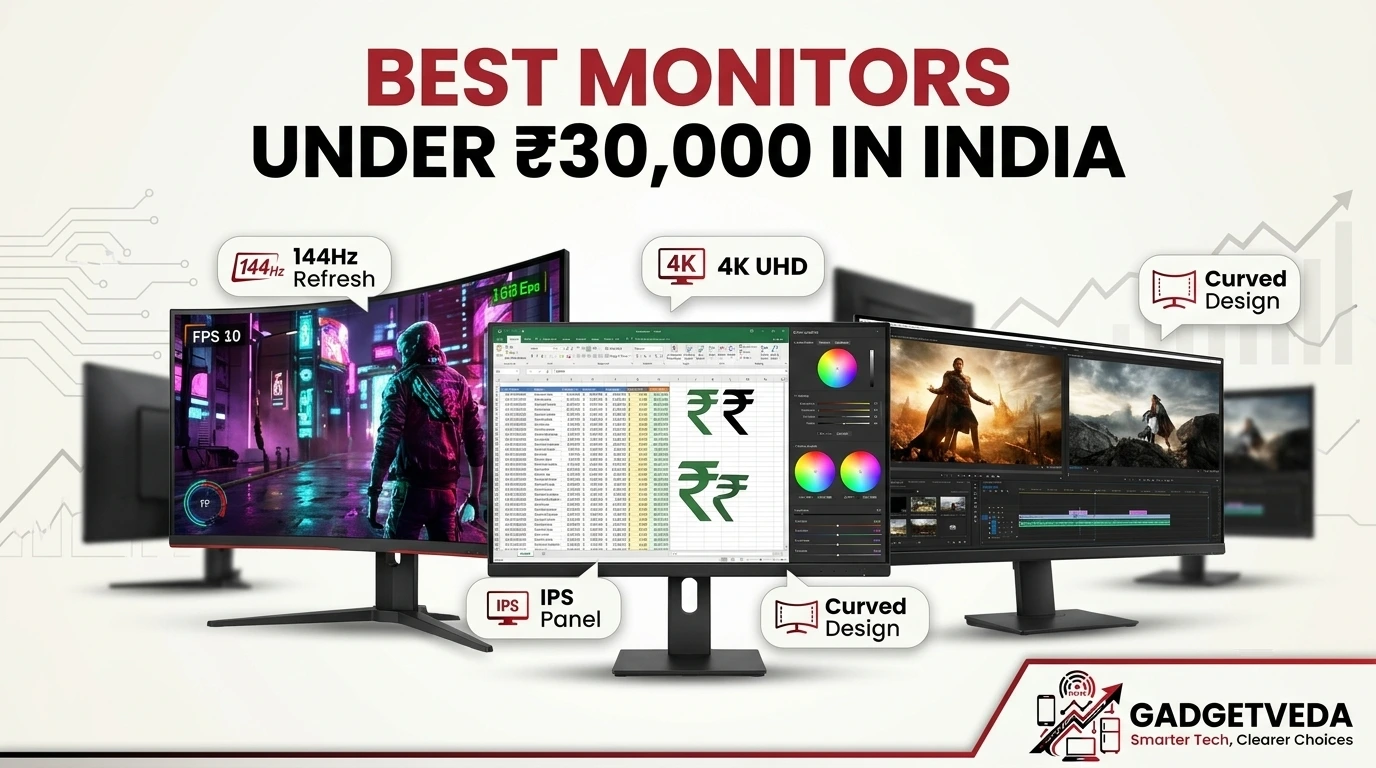
For most buyers, the best monitor under 30000 in India is the Dell S2725DSM, a balanced 144Hz QHD IPS panel with a fully adjustable stand. The Alienware AW2726DL is the pick for fast gaming, and the BenQ RD270Q is the pick for developers.
Why This Budget Is So Confusing
A ₹30,000 budget used to buy a decent 24-inch Full HD screen. Today it can buy a 280Hz QHD gaming panel, a USB-C monitor that charges your laptop over one cable, or a genuine 4K IPS display with wide-gamut color. Listings all quote similar-sounding numbers, so it is easy to pay for features you will never use. Buyers hunting for the best monitors under 30000 for gaming, creative work, and office use often discover the mismatch only after unboxing. Examples are tiny 4K text at 100% scaling, a 60Hz panel that feels sluggish after a gaming-first upgrade, or a tilt-only stand that strains the neck after eight hours. A 4K monitor under 30000 also looks different from a QHD gaming panel in daily use, even though both sit in the same price band.
GadgetVeda built this list by comparing each monitor on these points:
👉 Panel type (IPS or VA)
👉 Resolution and pixel density
👉 Color gamut (sRGB and DCI-P3 coverage)
👉 Refresh rate and response time
👉 Eye-care features, including TÜV-linked certifications
👉 Stand ergonomics
👉 Port selection
We rely on listed specifications, and we say so when a figure is a brand claim. We grouped the picks by use case: coding, 4K editing, console and PC gaming, and smart-monitor convenience. That way, anyone searching for the best monitor under 30000 can jump to their section. We hope this guide helps you shortlist the best monitors under 30000 in India without paying for specs you will not use.
Best Monitors Under ₹30,000 in India [Our Top 3 Picks]


Quick Comparison: Best Monitors Under ₹30,000 for Gaming, Coding & Office
| Model Name | Key Specs | Expert Rating | Check Price |
| 1. Dell S2725DSM – Best Overall | 27″ QHD IPS, 144Hz, 1ms MPRT, TÜV 4-Star, 6W speakers | 9.3/10 | Check on Amazon |
| 2. Alienware AW2726DL – Best for Gaming | 27″ QHD IPS, 280Hz, 1ms GTG, 93% DCI-P3, FreeSync Premium | 9.2/10 | Check on Amazon |
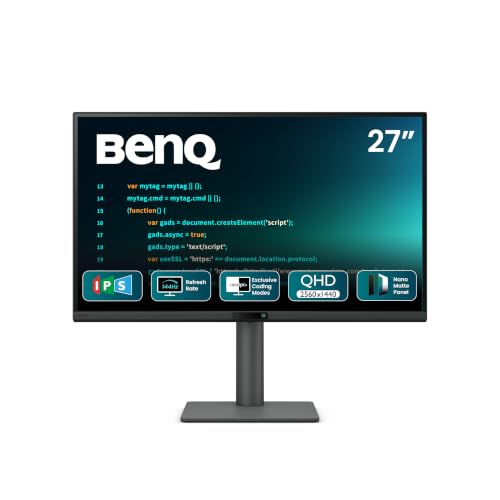
| 3. BenQ RD270Q – Best for Coding | 27″ QHD IPS, 144Hz, USB-C 65W, Coding Modes, TÜV-certified | 9.2/10 | Check on Amazon |
| 4. MSI Modern MD271UL – Best Premium Office & Color | 27″ 4K IPS, 60Hz, 99% DCI-P3, USB-C 65W | 9.0/10 | Check on Amazon |
| 5. Samsung ViewFinity S8 (LS27H800) – Best 4K with Full Ergonomics | 27″ 4K IPS, 60Hz, 99% sRGB, 120mm height, USB hub | 8.8/10 | Check on Amazon |
| 6. BenQ GW2790QT – Best USB-C Daisy-Chain Pick | 27″ QHD IPS, 75Hz, USB-C 65W, daisy chain, mic | 8.7/10 | Check on Amazon |
| 7. LG UltraGear 34G600A – Best Ultrawide Gaming | 34″ curved WQHD VA, 160Hz, 1ms MBR, FreeSync Premium | 8.6/10 | Check on Amazon |
| 8. LG 32U721SB – Best 32-Inch Smart 4K | 31.5″ 4K UHD, webOS, USB-C 65W, AirPlay 2 | 8.4/10 | Check on Amazon |
| 9. Samsung ViewFinity S5 (LS34H550) – Best Budget Ultrawide | 34″ curved UWQHD, 120Hz, FreeSync Premium, 99% sRGB | 8.3/10 | Check on Amazon |
| 10. Samsung M7 (LS32FM701U) – Best Smart Monitor | 32″ 4K UHD, 60Hz, USB-C 65W, 10W speaker, Wi-Fi | 8.3/10 | Check on Amazon |
10 Best Monitors Under ₹30,000 for Gaming, Coding & Office [Detailed Reviews]
Dell S2725DSM 27-Inch QHD Monitor – Best Overall Pick Under 30000
🖥️ Display & Panel Quality: 27-inch IPS, QHD 2560×1440, 350 nits, 1500:1 contrast. QHD carries about 1.8x the pixels of Full HD, so code and spreadsheets stay crisp.
⚡ Speed & Motion Clarity: 144Hz refresh with 1ms MPRT. Scrolling and window dragging look smoother than on 60Hz office panels, and casual gaming stays tear-free.
👁️ Eye Care & Comfort: TÜV Rheinland 4-star eye comfort cuts blue light emissions without dulling colors, which helps on 8+ hour workdays.
🔌 Connectivity & Audio: HDMI and DisplayPort, plus dual 3W speakers (6W total) with five sound profiles. That covers video calls without extra desk clutter.
🏗️ Build, Ergonomics & VESA: Tilt -5°/+21°, swivel up to 30°, pivot up to 90°, height up to 110mm. You can set eye level properly or rotate to portrait for code.
The Dell S2725DSM takes the overall spot because it avoids the usual compromises in this bracket. A 27-inch QHD IPS panel is the sweet spot for text: you see more code or spreadsheet columns than on Full HD, without the scaling hassle that can come with 4K. For most people, it is the best 27-inch 2 K monitor under 30000, because it combines speed, comfort, and sound in one box.
The 144Hz refresh rate makes everyday scrolling look fluid, which many users find less tiring over a long day. Built-in speakers handle meetings, and the height-adjustable stand lets you place the top edge of the screen near eye level. If you want one display for work, streaming, and weekend gaming, this is the safest of the best monitors under 30000 in India.
Pros
✅ QHD IPS with 1500:1 contrast gives sharp text and good depth
✅ 144Hz with 1ms MPRT keeps scrolling and casual gaming smooth
✅ Height, tilt, swivel, and pivot stand suits long desk hours
Cons
❌ Ports are limited to HDMI and DisplayPort, so no USB-C laptop charging
❌ 144Hz trails the 240Hz-plus panels that competitive players prefer
👉 Check Dell S2725DSM Latest Price on Amazon
Alienware AW2726DL 27-Inch QHD 280Hz – Best Monitor Under 30000 for Gaming
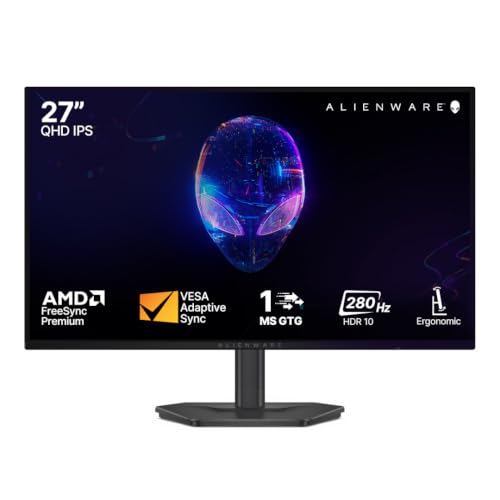
🖥️ Display & Panel Quality: 27-inch IPS, QHD 2560×1440, 400 nits, 93% DCI-P3. Colors stay consistent from every angle, so games look vivid even off-center.
⚡ Speed & Motion Clarity: 280Hz refresh, 1ms GTG Extreme, AMD FreeSync Premium, and VESA AdaptiveSync. Ghosting and tearing are minimal in fast shooters.
👁️ Eye Care & Comfort: TÜV Rheinland 3-star eye comfort and HDR10 support. This helps with long sessions without degrading color.
🔌 Connectivity & Audio: HDMI and DisplayPort 1.4. Use DisplayPort for the highest refresh rates.
🏗️ Build, Ergonomics & VESA: Height, tilt, swivel, and pivot adjustment for a proper competitive seating posture.
The Alienware AW2726DL is the speed champion of this list, and it is the strongest of the best monitors under 30000 for gaming here. At 280Hz with a 1ms GTG response, motion in fast shooters and racing games stays tight, and FreeSync Premium with AdaptiveSync keeps frame pacing smooth on any GPU.
QHD resolution means you get sharper detail than the 1080p esports panels many players still use. The 93% DCI-P3 coverage and 400 nits also make single-player games look lively. A full ergonomic stand lets you fine-tune posture for marathon sessions. If competitive play is your priority, this is the best monitor under 30000 for gaming in our lineup.
Pros
✅ 280Hz refresh with 1ms GTG delivers class-leading motion clarity
✅ 93% DCI-P3 and 400 nits make games look vivid
✅ TÜV 3-star comfort and a full ergonomic stand suit long sessions
Cons
❌ 280Hz only pays off if your GPU can sustain very high QHD frame rates
❌ Standard 1000:1 contrast means dark scenes look greyer than on VA panels
👉 Check Alienware AW2726DL Latest Price on Amazon
BenQ RD270Q 27-Inch 144Hz Programming Monitor – Best Monitor Under 30000 for Coding
🖥️ Display & Panel Quality: 27-inch IPS, QHD, 350 nits, 1300:1 contrast, 99% sRGB, Nano Matte panel with HDR10. The low-reflection coating keeps text clear under office lights.
⚡ Speed & Motion Clarity: 144Hz with 5ms response and AMD FreeSync. Scrolling through long files stays smooth.
👁️ Eye Care & Comfort: TÜV-certified Flicker-Free, Reflection-Free, Low Blue Light, Eye Comfort 2.0, and Eyesafe 2.0, plus Night Hours Protection. That makes late-night sessions easier on the eyes.
🔌 Connectivity & Audio: HDMI 2.0, DisplayPort 1.4, USB-C with 65W power delivery, a USB hub, and 2Wx2 speakers. A single cable can charge and connect your laptop.
🏗️ Build, Ergonomics & VESA: Tilt -5° to 20°, swivel 15°, pivot 90°, height 130mm. Portrait mode shows more lines of code.
The BenQ RD270Q is the best monitor under 30000 for coding because it is tuned for how developers actually work. A dedicated Coding Hotkey switches between modes tuned for dark and light editor themes, and Paper Color and ePaper modes make documentation easier to read. The Nano Matte panel cuts reflections, so you are not fighting window glare, and Night Hours Protection lowers brightness for after-dark debugging.
Display Pilot 2 runs on macOS, Windows, and Linux, which matters if your dev setup is not Windows. A 130mm height range and pivot mean you can rotate it to portrait for long files. For anyone choosing between gaming and productivity, this is firmly the work-first option.
Pros
✅ Dedicated Coding Hotkey and modes for dark and light editor themes
✅ USB-C with 65W power delivery simplifies laptop desks
✅ Extensive TÜV certifications and Night Hours Protection reduce fatigue
Cons
❌ 5ms response is slower than the gaming-focused panels here
❌ Built-in 2W speakers are modest, so use headphones for calls and music
👉 Check BenQ RD270Q Latest Price on Amazon
MSI Modern MD271UL 27-Inch 4K IPS – Best Premium Monitor Under 30000 for Office & 4K Editing
🖥️ Display & Panel Quality: 27-inch IPS, 4K UHD 3840×2160, 300 nits, 1000:1 contrast. The high pixel density gives very fine text and photo detail.
⚡ Speed & Motion Clarity: 60Hz with 4ms GTG and Adaptive Sync support. It suits office work and editing rather than fast games.
👁️ Eye Care & Comfort: TÜV Rheinland-certified low blue light and anti-flicker, an anti-glare surface, and Eye-Q Check software that nudges you to rest.
🔌 Connectivity & Audio: USB-C with DP Alt Mode and 65W power delivery, DisplayPort 1.2a, and two HDMI 2.0b ports, plus a headphone-out.
🏗️ Build, Ergonomics & VESA: A slim 1.17cm body and a tool-free, tilt-adjustable aluminum stand with cable management. It keeps cramped desks tidy.
The MSI Modern MD271UL has a Red Dot Design Award 2023 on its record and the color range to back it up. It covers 99% DCI-P3, 95% Adobe RGB, and 139% sRGB, which gives photo and video editors a wide, accurate canvas. That wide-gamut color and USB-C power delivery position it as the best premium monitor under 30000 for office desks that also handle creative work.
At 27 inches, 4K gives noticeably finer text and detail than QHD, though you will likely use display scaling. The tilt-only aluminum stand keeps a clean look, and the 90° rear cable connection makes tidy wiring easier. Skip it if you want high-refresh gaming. You may also like exploring our guide on Best Monitors Under 20000 and Best Monitors Under 15000 for office work, video editing, coding, and gaming.
Pros
✅ 99% DCI-P3 and 139% sRGB give a very wide color gamut for editing
✅ 4K UHD plus USB-C 65W suits clean laptop-centered workspaces
✅ TÜV-certified eye comfort with Eye-Q Check software
Cons
❌ 60Hz refresh is not suited to fast gaming
❌ Tilt-only stand lacks height or pivot adjustment
👉 Check MSI Modern MD271UL Latest Price on Amazon
Samsung ViewFinity S8 (LS27H800EAWXXL) – Best 4K Monitor Under 30000 with Full Ergonomics
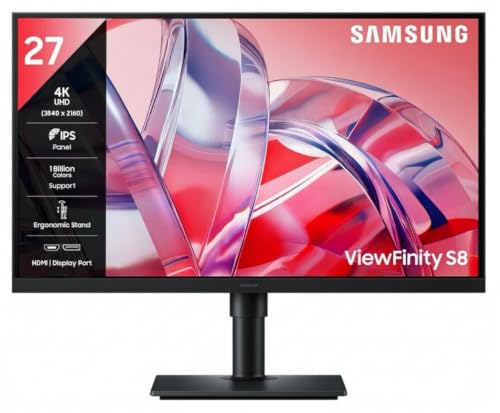
🖥️ Display & Panel Quality: 27-inch IPS, 4K UHD, 350 nits, 99% sRGB, 1.07 billion colors, HDR10. Sharp detail for design and document work.
⚡ Speed & Motion Clarity: 60Hz, 5ms GTG. Fine for office and creative tasks; not meant for fast gaming.
👁️ Eye Care & Comfort: TÜV-certified Eye Saver Mode and reduced screen flickering to reduce blue light and flicker.
🔌 Connectivity & Audio: DisplayPort 1.2, HDMI 2.0, three USB-A 3.2 Gen1 downstream ports, a USB-B upstream, and a headphone jack. It doubles as a USB hub.
🏗️ Build, Ergonomics & VESA: 120mm height, tilt -3° to 25°, swivel ±45°, pivot ±92°, wall mountable, plus PIP/PBP for two sources.
For buyers who want the best 4K monitor under 30000 with a genuinely adjustable stand, the ViewFinity S8 is the clearest answer on this list. The stand’s 120mm height range, swivel, and 90° pivot let you set the screen at eye level or turn it vertical to read long documents with less scrolling.
Picture-in-Picture and Picture-by-Picture let you show two sources at once, which helps when you are comparing a reference and a work file. The built-in USB hub keeps a keyboard, mouse, and drive within reach. It is the best monitor under 30000 for people who want 4K sharpness without paying for a smart-TV layer.
Pros
✅ 4K UHD IPS with 99% sRGB suits design, photos, and documents
✅ Height, tilt, swivel, and pivot stand supports a healthy posture
✅ USB hub plus PIP/PBP simplify multi-device desks
Cons
❌ 60Hz refresh rate limits gaming and high-motion use
❌ No USB-C port, so laptops cannot charge over a single cable
👉 Check Samsung ViewFinity S8 Latest Price on Amazon
BenQ GW2790QT 27-Inch QHD – Best USB-C Daisy-Chain Monitor Under 30000

🖥️ Display & Panel Quality: 27-inch ultra-slim IPS, QHD 2560×1440, 350 nits, 99% sRGB. Clean text for coding and spreadsheets.
⚡ Speed & Motion Clarity: 75Hz with 5ms response. This is fine for productivity, though not a gaming refresh rate.
👁️ Eye Care & Comfort: Brightness Intelligence Plus, Low Blue Light Plus, flicker-free technology, e-Paper Mode, and Eye-CareU reminders.
🔌 Connectivity & Audio: USB-C 65W PD, HDMI, DisplayPort, a USB hub, 2Wx2 noise-filter speakers, and a noise-cancelling microphone. Handy for video calls.
🏗️ Build, Ergonomics & VESA: Height, tilt, pivot, and swivel adjustment plus daisy-chain support. Multiple screens run from one source cable.
The GW2790QT’s strength is how it handles a crowded workspace. USB-C with 65W power delivery charges your laptop, and daisy-chain support lets you connect additional monitors through a single source output. That decluttered setup is why it is a smart buy for hybrid workers.
The integrated microphone and speakers help on video calls, and Coding Mode tunes colors and contrast for developers. The 75Hz panel is the slowest QHD option here, so choose this one for work rather than play. Among USB-C displays, it is a strong value pick for people who live on calls and spreadsheets.
Pros
✅ USB-C 65W PD and daisy-chain support reduce cable clutter
✅ Built-in microphone and speakers help with video meetings
✅ Full ergonomic stand with height, tilt, pivot, and swivel
Cons
❌ 75Hz refresh rate is the lowest among the QHD panels here
❌ The 2W speakers are modest for music or media
👉 Check BenQ GW2790QT Latest Price on Amazon
LG UltraGear 34G600A 34-Inch Curved WQHD – Best Ultrawide Gaming Monitor Under 30000
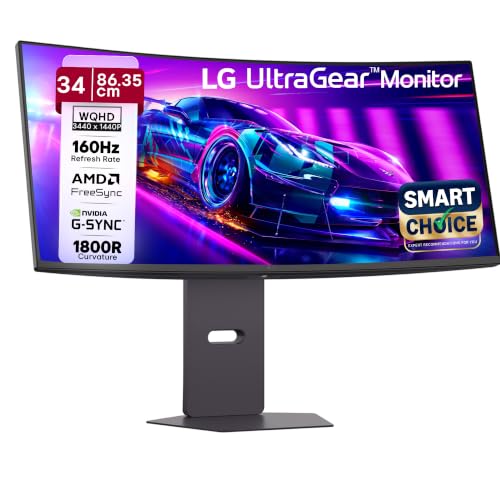
🖥️ Display & Panel Quality: 34-inch curved (1800R) VA, WQHD 3440×1440, 21:9, 300 nits, 4000:1 contrast. Deep blacks suit dark game scenes and movies.
⚡ Speed & Motion Clarity: 160Hz, 1ms MBR, AMD FreeSync Premium, plus Dynamic Action Sync and Black Stabilizer.
👁️ Eye Care & Comfort: Flicker Safe and Reader Mode, with HDR10 and 99% sRGB.
🔌 Connectivity & Audio: HDMI 2.0 (VRR 48 to 85Hz), DisplayPort, 5Wx2 speakers, and a headphone-out.
🏗️ Build, Ergonomics & VESA: A 3-side virtually borderless design with an L-stand that saves desk space, plus tilt, height, and swivel adjustment.
This ultrawide is a standout among the best monitors under 30000 for gaming if you want immersion over raw refresh rate. The 21:9 aspect ratio shows about 34% more horizontal view than a standard 16:9 screen, which helps in racing, strategy, and open-world games. A 160Hz refresh rate is still fast enough for smooth play, and the VA panel’s 4000:1 contrast produces deep blacks.
You also get 5W stereo speakers, so casual play needs no extra audio. One caution: the HDMI port’s VRR range tops out at 85Hz, so use DisplayPort to reach the full 160Hz. Work-wise, the extra width is great for side-by-side windows.
Pros
✅ Wide 21:9 WQHD view and 4000:1 contrast boost immersion
✅ 160Hz with 1ms MBR and FreeSync Premium keeps action smooth
✅ Built-in 5W x 2 speakers add convenience
Cons
❌ HDMI VRR is limited to 48 to 85Hz, so you need DisplayPort for 160Hz
❌ VA panels typically trade some viewing-angle consistency for contrast
👉 Check LG UltraGear 34G600A Latest Price on Amazon
LG 32U721SB 31.5-Inch 4K Smart Monitor – Best 32 Inch Monitor Under 30000 for Smart 4K Viewing
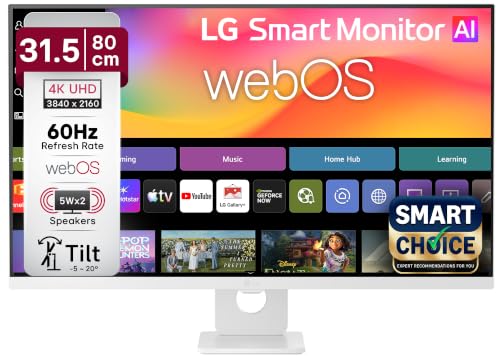
🖥️ Display & Panel Quality: 31.5-inch 4K UHD IPS (3840×2160), HDR10 Pro, alpha 5 AI Processor Gen9. A big canvas with sharp detail.
⚡ Speed & Motion Clarity: Tuned for streaming and productivity rather than competitive gaming.
👁️ Eye Care & Comfort: A slim, 3-side virtually borderless design on a large panel. Comfortable for long watching sessions.
🔌 Connectivity & Audio: USB-C 65W PD, two HDMI, two USB 2.0, Bluetooth, AirPlay 2, Miracast, and 5W x 2 speakers.
🏗️ Build, Ergonomics & VESA: Slim stand with tilt adjustment, webOS 26, and a Magic Remote for smart features without a PC.
If you want a large screen for work and entertainment, this is the best 32-inch monitor under 30000 in the smart-monitor class. webOS lets you stream without turning on a PC, and AirPlay 2 and Miracast make it easy to cast from phones and tablets.
USB-C with 65W power delivery lets a compatible laptop charge and connect through one cable. The 4K resolution is especially useful at 31.5 inches, where Full HD would look soft. Think of it as a hybrid between a work monitor and a small TV.
Pros
✅ Large 4K UHD canvas suits work and entertainment
✅ USB-C 65W PD plus AirPlay 2 and Miracast simplify connections
✅ webOS and Magic Remote make streaming PC-free
Cons
❌ Tilt-only stand offers no height or pivot adjustment
❌ The smart-TV software layer may be unnecessary on a pure work desk
👉 Check LG 32U721SB Latest Price on Amazon
Samsung ViewFinity S5 (LS34H550GAWXXL) 34-Inch Ultrawide – Best Budget Ultrawide Under 30000
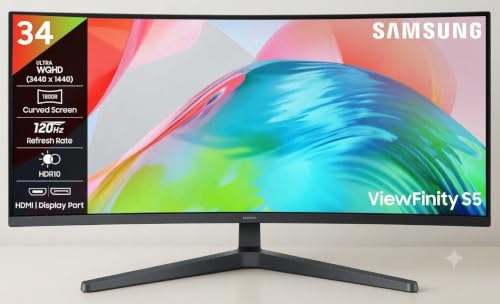
🖥️ Display & Panel Quality: 34-inch 1800R curved Ultra WQHD (3440×1440), 21:9, 300 nits, 3000:1 contrast, 99% sRGB.
⚡ Speed & Motion Clarity: 120Hz, 5ms, AMD FreeSync Premium. Smooth scrolling and tear-free casual gaming.
👁️ Eye Care & Comfort: TÜV-certified Eye Saver Mode and Less Screen Flickering, with HDR10 support.
🔌 Connectivity & Audio: DisplayPort 1.4, HDMI 2.0, and a headphone jack.
🏗️ Build, Ergonomics & VESA: Tilt-adjustable and wall-mountable, with PIP and PBP for split-screen work.
The ViewFinity S5 is the budget route into ultrawide. The 21:9 canvas lets you keep a code editor, browser, and chat window open without alt-tabbing, and the 1800R curve keeps the screen edges comfortable to look at.
At 120Hz with FreeSync Premium, everyday motion feels smoother than on typical 60Hz ultrawides. It is a sensible fit for creators and office users who value space and a bit of gaming smoothness. Expect a simpler stand and slower response than LG’s gaming-focused UltraGear.
Pros
✅ 21:9 Ultra WQHD gives large multitasking space
✅ 120Hz with FreeSync Premium smooths scrolling and casual gaming
✅ PIP/PBP and TÜV-certified Eye Saver Mode aid productivity
Cons
❌ Tilt-only stand lacks height and swivel adjustment
❌ 5ms response is slower than gaming-first ultrawides
👉 Check Samsung ViewFinity S5 Latest Price on Amazon
Samsung 32-Inch M7 Vision AI Smart Monitor (LS32FM701UWXXL) – Best Smart Monitor for Work & Streaming
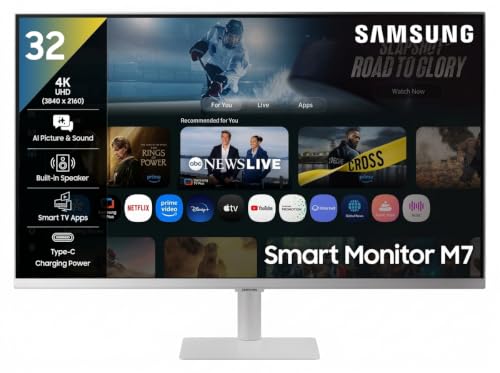
🖥️ Display & Panel Quality: 32-inch 4K UHD (3840×2160), 300 cd/m², 3000:1 contrast, HDR10, AI Picture Optimizer.
⚡ Speed & Motion Clarity: 60Hz with 4ms response, plus a Game Bar for casual play.
👁️ Eye Care & Comfort: Eye Saver Mode and Flicker Free technology for long viewing sessions.
🔌 Connectivity & Audio: USB-C 65W, two HDMI 2.0, three USB ports, Wi-Fi 5, Bluetooth 5.2, AirPlay, and a 10W speaker.
🏗️ Build, Ergonomics & VESA: Tilt stand with a remote, built-in Microsoft 365 apps, and SmartThings support.
The Samsung M7 is a monitor and a smart display in one. You can open Microsoft 365 or streaming apps directly, mirror an iPhone through AirPlay, or drag files across Samsung devices with Multi Control. A 10W speaker is notably stronger than typical monitor audio, so casual viewing needs no extra speakers.
Compared with another best 32-inch monitor under 30000, the LG 32U721SB, Samsung leans harder on its ecosystem. If you already use Galaxy phones or tablets, that is a real advantage. Pure PC users who want high refresh rates should look at the QHD options above.
Pros
✅ 4K UHD with HDR10 and a 10W speaker suits work and streaming
✅ USB-C 65W, Wi-Fi, AirPlay, and Multi Control add flexibility
✅ Built-in apps allow PC-free use
Cons
❌ 60Hz limits fast gaming
❌ Tilt-only stand lacks height and pivot adjustment
👉 Check Samsung M7 Smart Monitor Latest Price on Amazon
Conclusion
Whichever you choose from these best monitors under 30000 in India, match resolution and refresh rate to your workload. QHD at 144Hz suits most desks, while 4K rewards creators.
🥇 The Overall Winner: Dell S2725DSM – The best overall balance of QHD sharpness, 144Hz smoothness, TÜV 4-star eye comfort, built-in speakers, and a fully adjustable stand.
🥈 The Best for Gaming: Alienware AW2726DL – The fastest response time, highest refresh rate (280Hz), and best motion handling for competitive gaming.
🥉 The Best for Office, Coding & Productivity: BenQ RD270Q – Coding modes, USB-C 65W, and extensive eye-care certifications for developers and multi-monitor work desks.
FAQs
1. Which is the best monitor under 30000 for gaming?
The Alienware AW2726DL leads with 280Hz, 1ms GTG, and a full ergonomic stand. For ultrawide immersion, choose the LG UltraGear 34G600A at 160Hz.
2. Is a 27-inch QHD or 4K monitor better at this budget?
QHD at 144Hz or higher suits gaming and mixed use. A 4K monitor under 30000 gives finer text and photo detail, but most models here run at 60Hz.
3. Can I connect a monitor to my laptop with HDMI to get the full refresh rate?
HDMI 2.0 typically handles 1440p up to about 144Hz. Higher rates generally need DisplayPort or a capable USB-C port, so check your laptop’s output first.
4. What is backlight bleed, and is it normal in IPS panels?
Backlight bleed is uneven light leaking at screen edges in dark scenes. Mild bleed or “IPS glow” is common and rarely noticeable in normal use.
5. What is the difference between GTG and MPRT response times?
GTG measures how fast pixels change between shades. MPRT measures perceived motion blur. MPRT figures usually look lower, so compare like with like.