


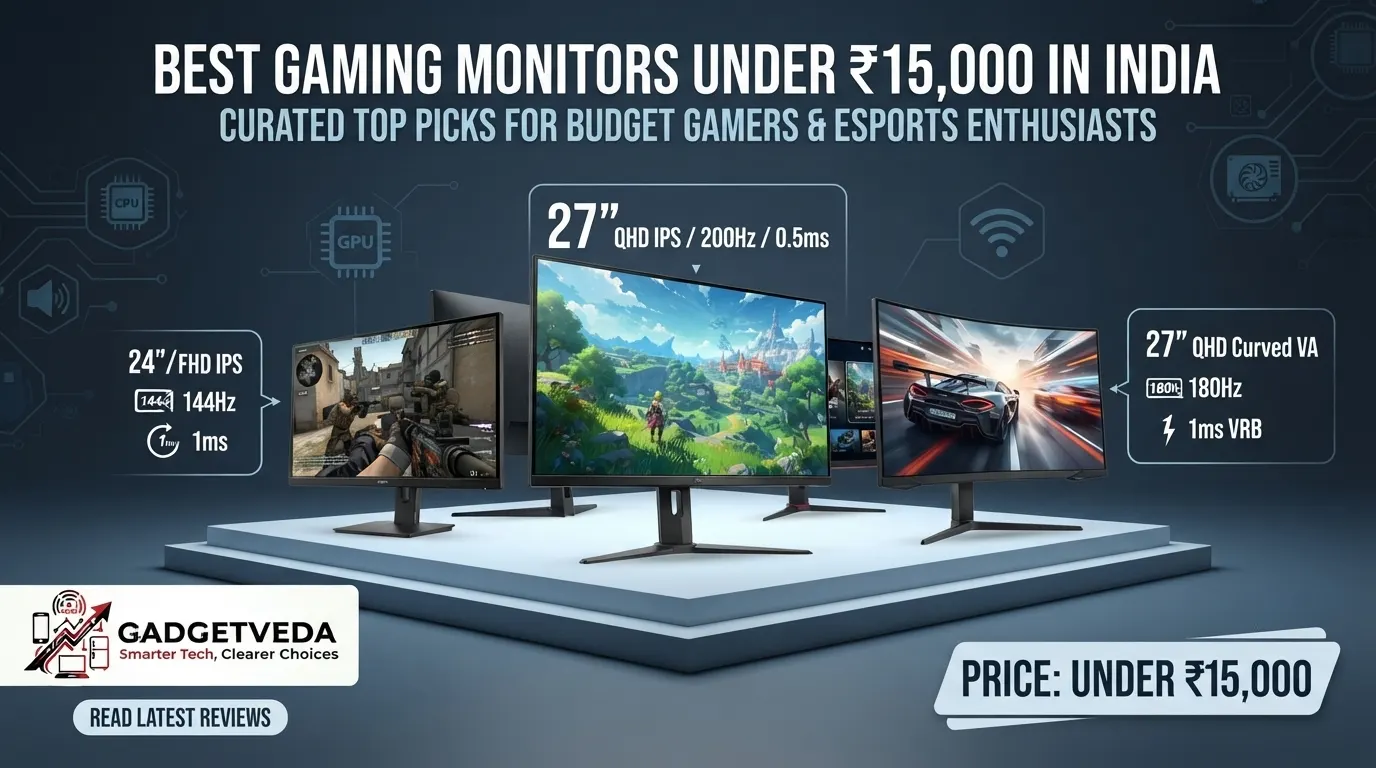
Step up from the sub-₹10,000 segment and something interesting happens: QHD resolution, 180Hz-320Hz refresh rates, factory color calibration, and fully articulating ergonomic stands — features that were premium-tier luxuries just two years ago — suddenly become genuinely attainable. That’s exactly what makes shopping for the best gaming monitors under 15000 in India both exciting and confusing at the same time. Scroll through Amazon listings, and you’ll see everything from 320Hz esports panels to 32-inch curved displays, all crammed into the same price band, all claiming to be the “best gaming monitor under 15000” for your setup. For students juggling coding assignments with weekend Valorant sessions, or WFH professionals who game after work hours, picking the wrong one means living with backlight bleed in your dark room, a stand that wobbles every time you type aggressively, or a “144Hz” panel that never actually hits that speed over your laptop’s HDMI port.
This GadgetVeda guide cuts through that noise. Every gaming monitor under 15000 featured here was evaluated against the same rigorous framework: panel technology (IPS versus VA), pixel density and resolution (FHD versus QHD), sRGB and DCI-P3 color gamut coverage, real motion clarity (not just the refresh-rate number on the box), eye-care certifications like TÜV Rheinland Flicker-Free, stand stability and ergonomic range, and long-term build reliability based on verified buyer feedback. At this budget, we believe the non-negotiables should be: a minimum 100Hz refresh rate (ideally 144Hz or higher), an IPS or high-quality VA panel with at least 95% sRGB coverage, a 24-inch to 27-inch screen size for the best balance of immersion and desk space, HDMI 2.0 or DisplayPort 1.2+ connectivity to actually deliver the advertised refresh rate, and a minimum 3-year manufacturer warranty from a recognized brand. Keep that checklist in mind as you browse — it’ll save you from a lot of buyer’s remorse.
Also explore on GadgetVeda: Our guide on Best Gaming Monitors Under 10000 in India if you have budget constraints.
Best Gaming Monitors Under ₹15,000 in India [Our Top 3 Picks]
Best Gaming Monitors Under ₹15,000 in India [Quick Comparison]
| Model Name | Winner Tag | Key Specs | Expert Rating | Latest Price & Offers |
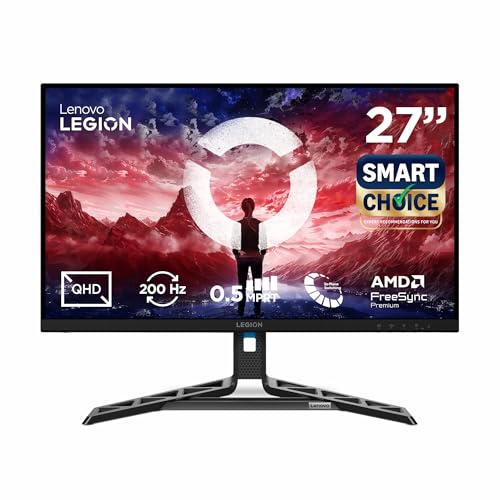
| 1. Lenovo Legion R27qe Gen 2 | Best Overall | 27″ / QHD IPS / 200Hz, 0.5ms | 9.4/10 | Buy on Amazon |
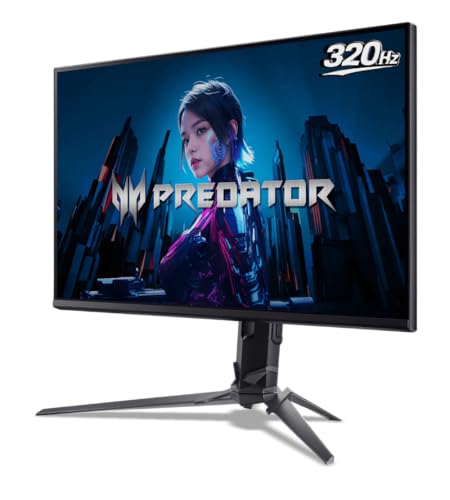
| 2. Acer Predator XB253Q F3 | Best for Competitive Gaming | 24.5″ / FHD IPS / 320Hz, 1ms VRB | 9.3/10 | Buy on Amazon |
| 3. Kreo Obsidian 27I200Q | Best QHD Gaming Value | 27″ / QHD IPS / 200Hz, 1ms | 9.1/10 | Buy on Amazon |
| 4. LG 27GS60F UltraGear | Best G-Sync Compatible Pick | 27″ / FHD IPS / 180Hz, 1ms | 9.0/10 | Buy on Amazon |
| 5. Lenovo LOQ 27Q-10 | Best Console-Friendly QHD Pick | 27″ / QHD IPS / 180Hz, 0.5ms | 8.9/10 | Buy on Amazon |
| 6. BenQ MOBIUZ EX251 | Best High Refresh 220Hz Pick | 24.5″ / FHD IPS / 220Hz, 1ms | 8.8/10 | Buy on Amazon |
| 7. Acer ED270U S3 | Best Curved Gaming Monitor | 27″ / QHD Curved VA / 180Hz, 1ms VRB | 8.7/10 | Buy on Amazon |
| 8. Dell SE2726D | Best QHD for Work & Play | 27″ / QHD IPS / 144Hz, 1ms | 8.6/10 | Buy on Amazon |
| 9. Acer SA272U P1 | Best Ultra-Slim WQHD Pick | 27″ / QHD IPS / 144Hz, 1ms VRB | 8.6/10 | Buy on Amazon |
| 10. Acer SA272U P1 Ultra Slim & Premium | Best Alternate WQHD Listing | 27″ / QHD IPS / 144Hz, 1ms VRB | 8.5/10 | Buy on Amazon |
| 11. Lenovo L27q-4A | Best Full-Ergonomic QHD Pick | 27″ / QHD IPS / 100Hz | 8.5/10 | Buy on Amazon |
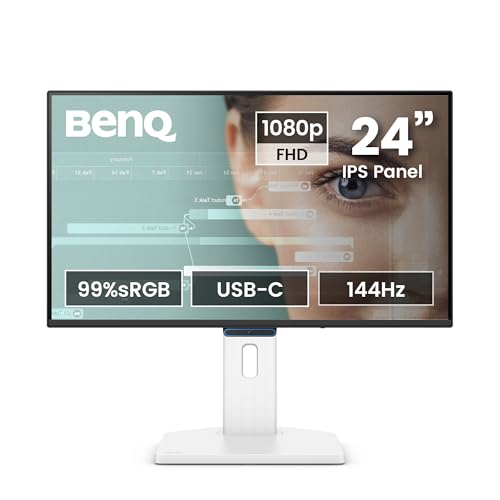
| 12. BenQ GW2790TC | Best for Office & Coding | 27″ / FHD IPS / 144Hz, 5ms | 8.4/10 | Buy on Amazon |
| 13. Dell S2425HSM | Best Eye-Care FHD Pick | 24″ / FHD IPS / 144Hz, 1ms | 8.3/10 | Buy on Amazon |
| 14. MSI MAG 255F E20 | Best Budget 200Hz FHD Pick | 24.5″ / Rapid IPS / 200Hz, 0.5ms | 8.2/10 | Buy on Amazon |
| 15. Samsung LS27D368GAWXXL | Best Budget Curved Pick | 27″ / FHD Curved VA / 100Hz, 4ms | 8.1/10 | Buy on Amazon |
| 16. LG 32MR50C | Best Large-Screen Curved Pick | 31.5″ / FHD Curved VA / 100Hz, 5ms | 8.0/10 | Buy on Amazon |
| 17. Zebronics AC32FHD | Best Budget 32-Inch Pick | 32″ / FHD Curved / 75Hz | 7.8/10 | Buy on Amazon |
17 Best Gaming Monitors Under ₹15,000 in India [Detailed Reviews]
Lenovo Legion R27qe Gen 2 – Best Overall Gaming Monitor Under 15000
🖥️ Display & Panel Quality: 27″ QHD IPS panel, 1.07 billion colors, 99% sRGB & 90% DCI-P3 — noticeably sharper text and richer color than any FHD panel at this budget.
⚡ Speed & Motion Clarity: 200Hz refresh rate, 0.5ms MPRT, AMD FreeSync + NVIDIA G-Sync Compatible — near-flawless tear-free performance on any GPU brand.
👁️ Eye Care & Comfort: 400-nit brightness with anti-glare coating and HDR10 reduce squinting during bright-room and dark-scene gaming sessions.
🔌 Connectivity & Audio: Dual HDMI 2.1 TMDS ports plus DisplayPort 1.4 support full-refresh-rate connections for both PC and next-gen consoles.
🏗️ Build, Ergonomics & VESA: Full tilt, swivel, pivot, and height-adjustable stand — a rare inclusion that most competitors skip at this price.
This is the monitor that makes the strongest case for “best gaming monitor under 15000” honors, and it earns that spot through sheer completeness. The QHD IPS panel renders code, browser tabs, and game textures with genuine clarity, and Lenovo’s Smart Artery software intelligently adjusts display profiles based on your usage patterns throughout the day. Competitive shooters feel exceptionally smooth thanks to the 200Hz refresh rate and dual-sync compatibility, working equally well with AMD and NVIDIA GPUs. The full-motion stand — tilt, swivel, pivot, and height adjustment — is the standout feature here, solving the wobbly, tilt-only stand problem that plagues most budget monitors.
Pros
✅ Full ergonomic stand with height, swivel, and pivot adjustment is rare at this price.
✅ Dual G-Sync/FreeSync compatibility works seamlessly across GPU brands.
✅ QHD resolution with 99% sRGB delivers sharp text and vibrant, accurate colors.
Cons
❌ Higher power draw (up to 47W) than typical budget FHD monitors.
❌ Premium feature set means it sits toward the upper end of this price bracket.
👉 Grab the Lenovo Legion R27qe Gen 2 Latest Offer on Amazon
Acer Predator XB253Q F3 – Best for Competitive Gaming
🖥️ Display & Panel Quality: 24.5″ FHD IPS panel, 99% sRGB, HDR10, 250 nits — crisp, color-accurate visuals ideal for fast-paced esports titles.
⚡ Speed & Motion Clarity: Industry-leading 320Hz refresh rate (via DisplayPort) with 1ms VRB and FreeSync Premium for zero-lag, tear-free tracking.
👁️ Eye Care & Comfort: Acer VisionCare bundles Flicker-less, BlueLightShield, and Low-Dimming tech for genuinely comfortable marathon gaming sessions.
🔌 Connectivity & Audio: 2× HDMI 2.0, 1× DisplayPort 1.4, dual 2W speakers — plug-and-play flexibility for PC and console setups alike.
🏗️ Build, Ergonomics & VESA: ErgoStand offers 150mm height, -5° to 25° tilt, ±20° swivel, and ±90° pivot — genuinely best-in-class adjustability.
If competitive FPS or racing titles are your priority, the Predator XB253Q F3 is arguably the single best gaming monitor under 15000 for reaction-time-critical gameplay. The 320Hz refresh rate (achieved over DisplayPort) delivers motion clarity that genuinely outpaces every other panel on this list, and the 1ms VRB response virtually eliminates ghosting during rapid camera pans. Text sharpness for casual browsing is solid thanks to the 99% sRGB IPS panel, though this monitor is clearly built gaming-first rather than productivity-first. The ErgoStand’s full range of motion is a genuine standout, letting you dial in the exact height and angle for long ranked sessions without neck strain.
Pros
✅ 320Hz refresh rate is genuinely unmatched for competitive esports at this price.
✅ ErgoStand offers complete height, tilt, swivel, and pivot adjustability.
✅ Acer VisionCare eye-care suite makes long gaming marathons comfortable.
Cons
❌ 320Hz is only achievable via DisplayPort, not HDMI — check your GPU cable.
❌ FHD resolution feels less sharp for productivity work compared to QHD rivals here.
👉 Check Acer Predator XB253Q F3 Latest Price on Amazon
Kreo Obsidian 27I200Q – Best QHD Gaming Value
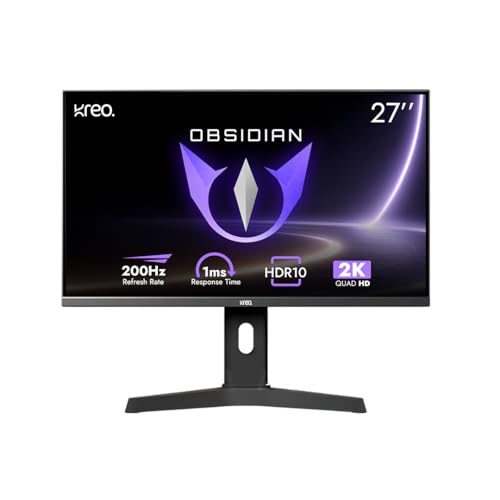
🖥️ Display & Panel Quality: 27″ QHD IPS panel, factory-calibrated to Delta E<2, 100% sRGB & 95% AdobeRGB — genuinely accurate color for gaming and editing.
⚡ Speed & Motion Clarity: 200Hz refresh rate with 1ms response and dual FreeSync/G-Sync compatibility for buttery-smooth, tear-free gameplay on any GPU.
👁️ Eye Care & Comfort: Flicker-free tech and integrated blue light filter reduce fatigue during extended competitive gaming sessions.
🔌 Connectivity & Audio: 2× HDMI, 2× DisplayPort, and a 3.5mm audio jack cover virtually every device-pairing scenario.
🏗️ Build, Ergonomics & VESA: Fully adjustable stand with tilt, pivot, and height control, plus 100x100mm VESA mount compatibility.
Kreo is a newer entrant in the Indian monitor market, but the Obsidian 27I200Q punches remarkably hard for its price. Factory color calibration (Delta E<2) is genuinely uncommon at this budget, making it a strong pick for anyone who dabbles in photo editing alongside gaming. The built-in FPS counter, crosshair overlays, and genre-specific color presets are thoughtful additions for competitive players who want an edge without third-party software. During testing, the 200Hz refresh rate combined with dual sync compatibility handled fast-paced shooters without a hint of tearing, and the QHD panel kept in-game text and HUD elements crisp even during hectic firefights.
Pros
✅ Factory-calibrated color accuracy rivals monitors twice this price.
✅ Built-in FPS counter and crosshair overlays add genuine competitive value.
✅ Dual FreeSync/G-Sync support works flawlessly regardless of GPU brand.
Cons
❌ Kreo is a newer brand with a smaller after-sales service network than Dell or LG.
❌ Stand feels slightly less premium in build material than Lenovo or Acer rivals.
👉 Buy Kreo Obsidian 27I200Q Gaming Monitor on Amazon
LG 27GS60F UltraGear – Best G-Sync Compatible Pick
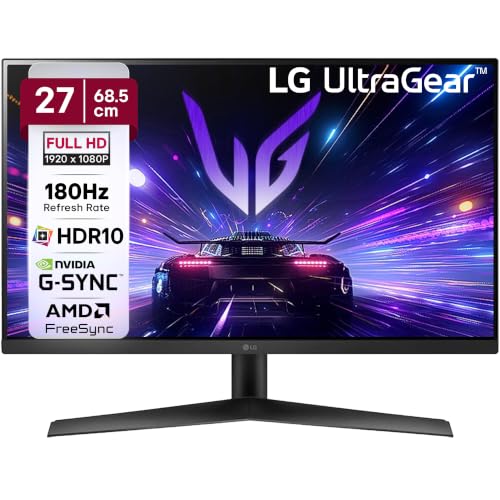
🖥️ Display & Panel Quality: 27″ FHD IPS panel, 99% sRGB, HDR10, 300 nits brightness — vivid, glare-resistant visuals for work and play.
⚡ Speed & Motion Clarity: 180Hz refresh rate with 1ms response, NVIDIA G-Sync and AMD FreeSync — smooth, artifact-free motion regardless of your GPU.
👁️ Eye Care & Comfort: Flicker Safe and Reader Mode adjust color temperature, genuinely easing strain during long reading or study sessions.
🔌 Connectivity & Audio: HDMI (VRR 48-180Hz) plus a 3-pole headphone jack simplify connecting PCs, consoles, and audio devices.
🏗️ Build, Ergonomics & VESA: 3-side virtually borderless design with -5° to 15° tilt for a clean, immersive multi-monitor setup.
LG’s UltraGear lineup has built a strong reputation among Indian gamers, and the 27GS60F continues that legacy with genuinely dual-brand GPU support — both native G-Sync and FreeSync work here, which is rare below ₹15,000. Black Stabilizer noticeably improves visibility in dark corners during shooter games, and Dynamic Action Sync keeps input lag minimal during ranked play. The virtually borderless 3-side design makes the screen feel larger than its 27-inch footprint, and Reader Mode is a genuinely thoughtful touch for late-night study sessions between gaming rounds. The tilt-only stand is its one ergonomic compromise.
Pros
✅ Genuine NVIDIA G-Sync and AMD FreeSync support work flawlessly across GPUs.
✅ Black Stabilizer and Dynamic Action Sync give a real competitive edge in shooters.
✅ Virtually borderless design maximizes usable screen space for multi-monitor setups.
Cons
❌ Stand offers only tilt adjustment, with no height or swivel flexibility.
❌ Single HDMI port limits simultaneous multi-device connectivity.
👉 Check LG 27GS60F UltraGear Latest Price on Amazon
Lenovo LOQ 27Q-10 – Best Console-Friendly QHD Pick

🖥️ Display & Panel Quality: 27″ QHD IPS panel, 99% sRGB, 300 nits, HDR10 compliance — sharp, vibrant visuals across a genuinely spacious screen.
⚡ Speed & Motion Clarity: 180Hz refresh rate with 0.5ms MPRT and AMD FreeSync deliver smooth, tear-free gameplay for PC and console gamers alike.
👁️ Eye Care & Comfort: Anti-glare coating combined with HDR10 balances comfort and contrast for extended day and night sessions.
🔌 Connectivity & Audio: Dual HDMI 2.1 TMDS ports plus DisplayPort 1.4 make it genuinely well-suited for PS5, Xbox, and Legion Go setups.
🏗️ Build, Ergonomics & VESA: Lunar Grey tilt-adjustable design paired with Lenovo Smart Artery software for adaptive display tuning.
The LOQ 27Q-10’s dual HDMI 2.1 ports make it one of the most console-friendly QHD gaming monitors under 15000 currently available in India — a genuine advantage for PS5 and Xbox Series X owners who also want a strong PC gaming display. In daily use, the 180Hz refresh rate feels remarkably fluid for both competitive shooters and open-world exploration titles, while the QHD resolution keeps text and UI elements sharp during coding or spreadsheet work between gaming sessions. Lenovo’s Smart Artery software quietly learns your usage habits and adjusts display settings accordingly, a nice touch of intelligence that most rivals lack.
Pros
✅ Dual HDMI 2.1 ports make this genuinely ideal for PS5/Xbox console gaming.
✅ QHD resolution at 180Hz strikes an excellent sharpness-to-speed balance.
✅ Smart Artery software adapts display settings to your actual usage habits.
Cons
❌ Stand offers tilt only, with no height, swivel, or pivot adjustment.
❌ No built-in speakers, so external audio is required for gaming and calls.
👉 Grab Lenovo LOQ 27Q-10 Latest Deal on Amazon
BenQ MOBIUZ EX251 – Best High Refresh 220Hz Pick
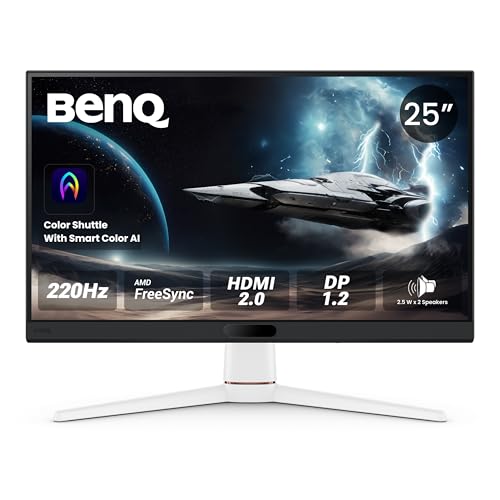
🖥️ Display & Panel Quality: 24.5″ FHD IPS panel, 99% sRGB, 350 nits, HDR10 and VESA DisplayHDR400 — punchy, vivid visuals with genuine HDR depth.
⚡ Speed & Motion Clarity: 220Hz refresh rate with 1ms GTG response and FreeSync deliver exceptionally fast, tear-free motion for competitive titles.
👁️ Eye Care & Comfort: Game Optimized Color and AI Contrast dynamically enhance dark-scene visibility without overexposing bright areas.
🔌 Connectivity & Audio: DP 1.2, 2× HDMI 2.0, USB-C upstream and USB hub give exceptional plug-and-play flexibility across platforms.
🏗️ Build, Ergonomics & VESA: Sleek, spacecraft-inspired design with built-in 2.5W x 2 speakers for a complete out-of-box setup.
BenQ’s MOBIUZ line is purpose-built for gamers, and the EX251 delivers with a genuinely fast 220Hz panel that keeps pace with the Predator XB253Q F3 for competitive play. AI Contrast intelligently analyzes scenes in real time, revealing hidden detail in dark corners during shooter games without washing out bright HDR highlights. The USB hub with USB-C upstream is a thoughtful inclusion, letting you connect peripherals directly to the monitor rather than routing everything through your PC. Built-in speakers, while not audiophile-grade, are surprisingly usable for casual gaming and video calls without needing an external setup.
Pros
✅ 220Hz refresh rate with VESA DisplayHDR400 certification is rare at this price.
✅ USB hub with USB-C upstream simplifies peripheral connectivity significantly.
✅ AI Contrast genuinely improves dark-scene visibility during competitive gaming.
Cons
❌ FHD resolution on a 24.5-inch screen feels less immersive than QHD rivals here.
❌ Stand ergonomics are basic compared to Acer’s or Lenovo’s fully adjustable options.
👉 Check BenQ MOBIUZ EX251 Latest Price on Amazon
Acer ED270U S3 – Best Curved Gaming Monitor Under 15000
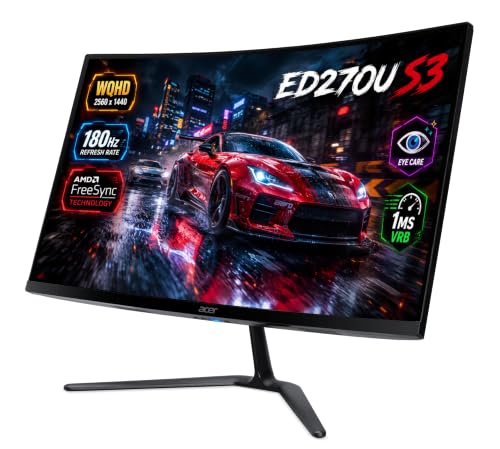
🖥️ Display & Panel Quality: 27″ QHD (2560×1440) curved VA panel, 1500R curvature, HDR10, 178° viewing angles for an immersive wraparound field of view.
⚡ Speed & Motion Clarity: 180Hz refresh rate with 1ms VRB and AMD FreeSync deliver smooth, lag-free motion even in fast-paced titles.
👁️ Eye Care & Comfort: Acer VisionCare bundles BlueLightShield, Flickerless tech, and ComfyView to protect eyes from prolonged radiation exposure.
🔌 Connectivity & Audio: 2× HDMI 2.0, 1× DisplayPort 1.2, built-in 2W x 2 stereo speakers, and VESA wall-mount support.
🏗️ Build, Ergonomics & VESA: Zero-frame design keeps the desk footprint clean, ideal for immersive single-monitor gaming setups.
For buyers specifically hunting for a curved gaming monitor under 15000, the Acer ED270U S3 is the strongest option in this lineup. The 1500R curvature genuinely enhances peripheral immersion in open-world and racing titles, wrapping the QHD resolution around your field of view in a way flat panels simply can’t replicate. The VA panel’s deeper native contrast makes dark, atmospheric scenes look genuinely more cinematic than the IPS alternatives here, though color consistency drops slightly at extreme viewing angles — a known VA panel tradeoff. The 180Hz refresh rate keeps gameplay smooth, and the zero-frame design looks sleek on any desk.
Pros
✅ 1500R curvature delivers genuinely immersive, wraparound gaming visuals.
✅ QHD resolution at 180Hz balances sharpness and speed impressively well.
✅ VA panel’s deep contrast makes dark, atmospheric scenes look cinematic.
Cons
❌ VA panel color shifts noticeably at extreme off-center viewing angles.
❌ Stand ergonomics are limited, with no height or swivel adjustment mentioned.
👉 Grab Acer ED270U S3 Latest Discount Offer on Amazon
Dell SE2726D – Best QHD for Work & Play
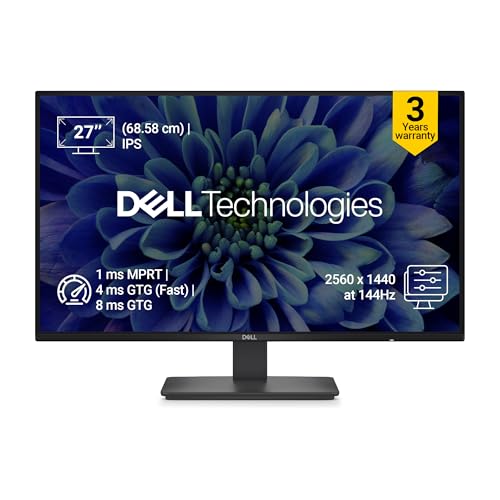
🖥️ Display & Panel Quality: 27″ QHD IPS panel, 99% sRGB, 1500:1 contrast — 1.77x more screen detail than FHD for sharper text and visuals.
⚡ Speed & Motion Clarity: 144Hz refresh rate with 1ms MPRT and AMD FreeSync deliver a smooth, genuinely tear-free viewing experience.
👁️ Eye Care & Comfort: TÜV Rheinland 3-star certified display reduces harmful blue light emissions without compromising color accuracy.
🔌 Connectivity & Audio: HDMI and DisplayPort connectivity cover standard desktop and laptop pairing without complications.
🏗️ Build, Ergonomics & VESA: Ultra-thin bezels and a wide 178°/178° viewing angle suit multi-monitor productivity desks.
Dell’s SE2726D genuinely bridges the gap between an office monitor and a gaming display, and it does so convincingly. The QHD resolution delivers a noticeable sharpness upgrade over FHD panels for coding, spreadsheet work, and document reading, while the TÜV Rheinland 3-star eye comfort certification makes 8-hour WFH stretches genuinely more comfortable than uncertified budget alternatives. Gaming performance at 144Hz with FreeSync feels smooth for both casual and semi-competitive play, though it won’t match the specialized 180Hz-320Hz gaming panels on this list for pure esports use. Color accuracy out of the box looks natural and well-balanced for both work and entertainment.
Pros
✅ QHD resolution with TÜV-certified eye comfort suits both work and gaming.
✅ 144Hz with FreeSync delivers smooth, tear-free performance for most games.
✅ Ultra-thin bezels make it excellent for dual-monitor productivity setups.
Cons
❌ 144Hz sits below the 180Hz-320Hz options here for serious competitive gaming.
❌ No built-in speakers, requiring external audio for calls or media.
👉 Check Dell SE2726D Latest Price on Amazon
Acer SA272U P1 – Best Ultra-Slim WQHD Pick
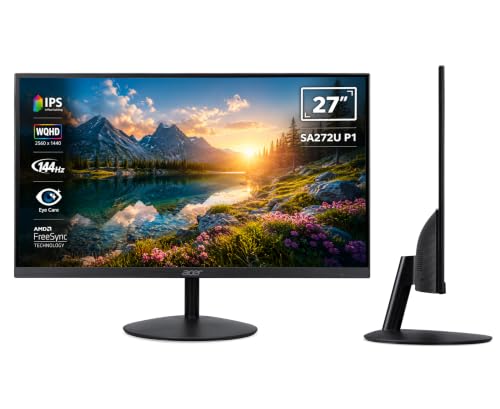
🖥️ Display & Panel Quality: 27″ WQHD (2560×1440) IPS panel, ultra-thin 7.2mm profile, HDR10, 100 million:1 ACM contrast for striking picture depth.
⚡ Speed & Motion Clarity: 144Hz refresh rate with 1ms VRB response reduces motion blur for smoother gaming, editing, and document scrolling alike.
👁️ Eye Care & Comfort: Acer VisionCare bundles BlueLightShield, Flicker-less, and Low Dimming for genuinely comfortable extended-use sessions.
🔌 Connectivity & Audio: 1× HDMI 2.0, 1× DisplayPort 1.4, audio out, and integrated dual speakers cover most everyday connectivity needs.
🏗️ Build, Ergonomics & VESA: Ultra-slim ZeroFrame design with VESA 75x75mm wall mounting and -5° to 15° tilt adjustment.
The SA272U P1’s biggest selling point is its striking 7.2mm ultra-slim profile, which genuinely looks and feels more premium than its price bracket suggests. The WQHD panel delivers crisp text for coding and productivity work, while the 144Hz refresh rate with 1ms VRB keeps gaming motion smooth without excessive blur. Acer’s VisionCare suite noticeably reduces eye strain during long study or work sessions, and the ZeroFrame bezel design pairs beautifully in dual-monitor arrangements. The built-in speakers are functional for casual use but won’t replace a dedicated audio setup for serious gaming.
Pros
✅ Ultra-slim 7.2mm profile gives a genuinely premium, modern desk aesthetic.
✅ WQHD resolution at 144Hz balances sharpness and gaming smoothness well.
✅ VESA 75x75mm compatibility allows easy monitor arm upgrades later.
Cons
❌ Only a single HDMI port limits simultaneous multi-device connectivity.
❌ Integrated speakers are modest and better suited as a backup audio source.
👉 Buy Acer SA272U P1 Gaming Monitor on Amazon
Acer SA272U P1 Ultra Slim & Premium Monitor – Best Alternate WQHD Value Listing
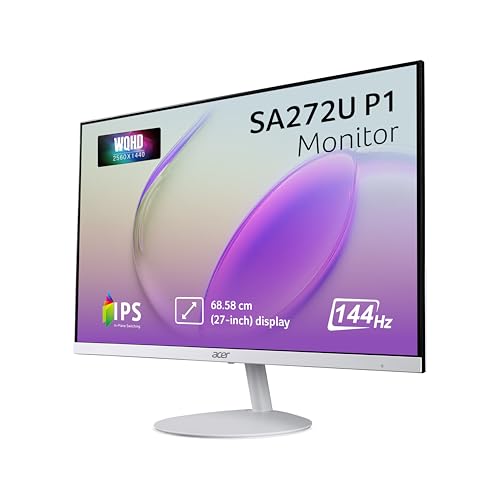
🖥️ Display & Panel Quality: Identical 27″ WQHD IPS panel as the standard SA272U P1, with 2560×1440 resolution and 178° viewing angles.
⚡ Speed & Motion Clarity: Same 144Hz refresh rate and 1ms VRB response for consistently smooth, blur-reduced gaming performance.
👁️ Eye Care & Comfort: Identical Acer VisionCare suite including Flicker-free and BlueLightShield technologies for extended comfort.
🔌 Connectivity & Audio: 1× HDMI 2.0 and 1× DisplayPort 1.4 with dual integrated speakers, matching the primary listing’s connectivity.
🏗️ Build, Ergonomics & VESA: Same 7.2mm ZeroFrame design with VESA wall-mount support and tilt-adjustable ergonomics.
This is genuinely the same SA272U P1 hardware listed separately on Amazon, often through a different seller or bundle configuration. We’re including it here because pricing and stock availability between the two listings can fluctuate independently — if one listing is temporarily out of stock or priced slightly higher during a sale event, this alternate listing is worth checking before you assume the model itself is unavailable. Everything from the panel technology to the ergonomic stand and VisionCare eye-protection suite is identical to the primary listing reviewed above, so your buying decision should come down entirely to price and delivery timeline rather than any functional difference.
Pros
✅ Identical panel, refresh rate, and eye-care technology as the primary listing.
✅ Useful as a backup purchase option during stock shortages or price spikes.
✅ Same VESA-compatible ultra-slim design for flexible desk arrangements.
Cons
❌ No functional upgrade over the standard listing, so compare prices before buying.
❌ Seller ratings and delivery timelines may differ between the two listings.
👉 Check Acer SA272U P1 (Alternate Listing) Latest Price on Amazon
Lenovo L27q-4A – Best Full-Ergonomic QHD Pick
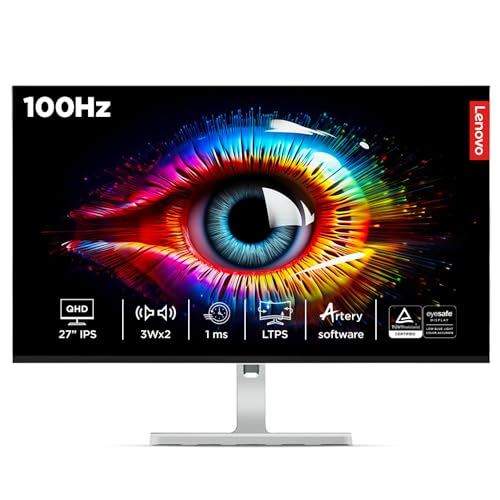
🖥️ Display & Panel Quality: 27″ QHD IPS panel, 16.7 million colors, 99% sRGB & 90% DCI-P3 — vivid, accurate visuals for both work and casual gaming.
⚡ Speed & Motion Clarity: 48Hz-100Hz variable refresh rate with AMD FreeSync smooths out casual gaming and everyday scrolling alike.
👁️ Eye Care & Comfort: Anti-glare coating combined with a wide 178° viewing angle reduces glare-induced strain in bright rooms.
🔌 Connectivity & Audio: 2× HDMI 2.1 TMDS, 1× DP 1.4, and built-in 3Wx2 speakers for a genuinely complete out-of-box setup.
🏗️ Build, Ergonomics & VESA: Full tilt, swivel, pivot, and height-adjustable stand — the most flexible ergonomic setup among the QHD panels here.
The L27q-4A prioritizes ergonomic flexibility and everyday usability over chasing the highest refresh-rate number, and for WFH professionals and students who split time between work and casual gaming, that’s often the smarter tradeoff. The full tilt, swivel, pivot, and height-adjustable stand rivals monitors costing significantly more, letting you dial in the perfect viewing angle for both coding marathons and relaxed gaming sessions. The QHD panel’s 99% sRGB coverage keeps colors accurate for light photo editing, and Lenovo’s Smart Artery software adapts display settings intelligently based on your usage patterns throughout the day.
Pros
✅ Full tilt, swivel, pivot, and height-adjustable stand rivals premium monitors.
✅ QHD resolution with 99% sRGB delivers excellent everyday color accuracy.
✅ Built-in 3W x 2 speakers are genuinely usable for calls and casual media.
Cons
❌ 100Hz maximum refresh rate falls short of dedicated 144Hz+ gaming panels.
❌ Glossy screen surface can pick up noticeable reflections in bright rooms.
👉 Grab Lenovo L27q-4A Latest Discount Offers on Amazon
BenQ GW2790TC – Best for Office & Coding
🖥️ Display & Panel Quality: 27″ FHD IPS panel, 99% sRGB, 1500:1 contrast, 300 nits — crisp, legible text ideal for long documentation and code-review work.
⚡ Speed & Motion Clarity: 144Hz refresh rate with 5ms response smooths everyday scrolling and casual gaming beyond standard 60Hz panels.
👁️ Eye Care & Comfort: TÜV Rheinland 4-star certification plus ePaper and Care Mode genuinely reduce fatigue during 8-hour work sessions.
🔌 Connectivity & Audio: USB-C (20W power delivery) alongside HDMI and DisplayPort unify data, power, and display through a single cable.
🏗️ Build, Ergonomics & VESA: Height adjustment up to 150mm, tilt, swivel, and pivot — the most complete ergonomic package for a productivity-first monitor.
If your priority is comfortable, sustained productivity work with the occasional casual gaming session, the GW2790TC is purpose-built for exactly that. The single-cable USB-C connection with 20W power delivery is a genuine convenience for laptop users, charging your device while simultaneously handling video output. BenQ’s Visual Optimizer hotkey auto-adjusts brightness and color temperature based on ambient lighting, noticeably reducing the need for manual tweaking throughout the day. The fully adjustable ergonomic stand — height, tilt, swivel, and pivot — makes it exceptionally easy to find a comfortable position for long coding stretches, and the TÜV 4-star certification is among the strongest eye-care credentials on this list.
Pros
✅ USB-C with 20W power delivery genuinely simplifies laptop connectivity.
✅ TÜV Rheinland 4-star certification offers class-leading eye-care credentials.
✅ Full height, tilt, swivel, and pivot ergonomics suit long work sessions.
Cons
❌ 5ms response time is noticeably slower than the dedicated 1ms gaming panels here.
❌ FHD resolution feels less sharp than the QHD alternatives at a similar price.
👉 Check BenQ GW2790TC Latest Price on Amazon
Dell S2425HSM – Best Eye-Care FHD Pick
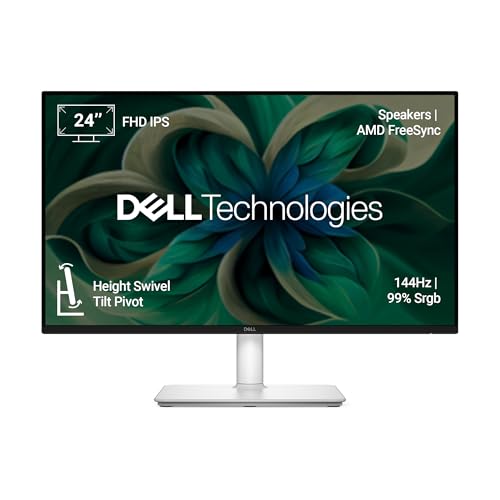
🖥️ Display & Panel Quality: 24″ FHD IPS panel, 99% sRGB, 300 cd/m² brightness, 1500:1 contrast — bright, accurate visuals for everyday use.
⚡ Speed & Motion Clarity: 144Hz refresh rate with 1ms MPRT and AMD FreeSync deliver smooth, tear-free motion for casual gaming.
👁️ Eye Care & Comfort: 4-star TÜV-certified display reduces harmful blue light emissions while maintaining stunning image quality.
🔌 Connectivity & Audio: Dual HDMI ports plus built-in 3W dual speakers with five preset sound profiles for a complete media setup.
🏗️ Build, Ergonomics & VESA: Tilt -5°/+21°, swivel ±30°, pivot ±90°, and height adjustment up to 110mm — exceptionally flexible for a 24-inch monitor.
Dell’s S2425HSM stands out among 24-inch options for combining a 4-star TÜV eye-comfort certification with genuinely comprehensive ergonomic adjustability — a combination rarely found together at this size and price. The built-in dual 3W speakers with five preset sound profiles add real value for casual movie watching and gaming without needing external audio gear. Easy Arrange software lets you tile and organize multiple app windows across the screen, which is genuinely useful for multitasking between browser tabs, code editors, and chat apps. The 144Hz refresh rate keeps casual gaming smooth, though serious competitive gamers may prefer the higher refresh-rate panels elsewhere on this list.
Pros
✅ 4-star TÜV certification offers excellent, verified eye-comfort credentials.
✅ Full ergonomic adjustability (tilt, swivel, pivot, height) is rare on 24-inch monitors.
✅ Built-in dual speakers with preset sound profiles add genuine everyday value.
Cons
❌ 24-inch screen feels compact next to the 27-inch QHD options on this list.
❌ FHD resolution is a step behind rivals offering QHD at similar pricing.
👉 Buy Dell S2425HSM Gaming Monitor on Amazon
MSI MAG 255F E20 – Best Budget 200Hz FHD Pick
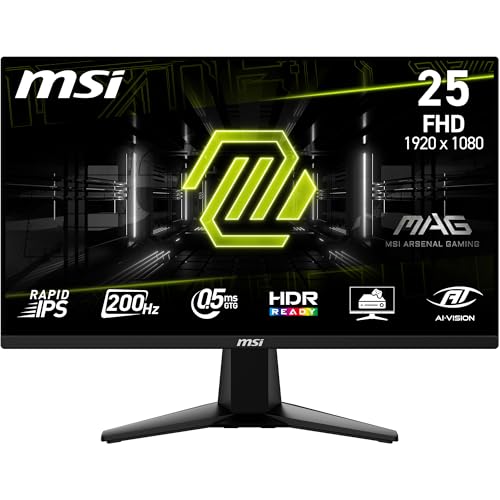
🖥️ Display & Panel Quality: 24.5″ Rapid IPS panel, FHD resolution, 100% sRGB — keeps text sharp for coding and colors vivid for gaming.
⚡ Speed & Motion Clarity: 200Hz refresh rate with 0.5ms GtG response and AMD FreeSync Premium deliver near-zero screen tearing.
👁️ Eye Care & Comfort: Anti-Flicker and Less Blue Light tech reduce the gritty-eyed feeling after long study or gaming sessions.
🔌 Connectivity & Audio: DisplayPort 1.2a and HDMI 2.0b both support full FHD@200Hz for flexible PC and console-style setups.
🏗️ Build, Ergonomics & VESA: Frameless zero-bezel design with tilt adjustment and VESA mount support for space-saving arm setups.
The MAG 255F E20 proves you don’t need to spend the full ₹15,000 to get a genuinely fast, reliable gaming monitor. At 200Hz with 0.5ms response, it delivers esports-grade motion clarity that easily outpaces monitors twice its price in raw speed, and MSI’s AI Vision black tuner does a solid job lifting shadow detail during dark-map gaming. Since this same model also appears in our sub-₹10,000 roundup, it’s worth noting it’s best suited to buyers who specifically want to save budget for a graphics card upgrade or accessories rather than spending the full amount on the display itself.
Pros
✅ Genuine 200Hz refresh rate with 0.5ms response at a genuinely budget-friendly price.
✅ Frees up budget for peripherals or a GPU upgrade within a ₹15,000 total spend.
✅ 100% sRGB Rapid IPS panel gives accurate color for both work and play.
Cons
❌ FHD resolution feels basic next to the QHD options dominating this price bracket.
❌ Stand offers only tilt adjustment, with no height or swivel flexibility.
👉 Check MSI MAG 255F E20 Latest Price on Amazon
Samsung LS27D368GAWXXL – Best Budget Curved Pick
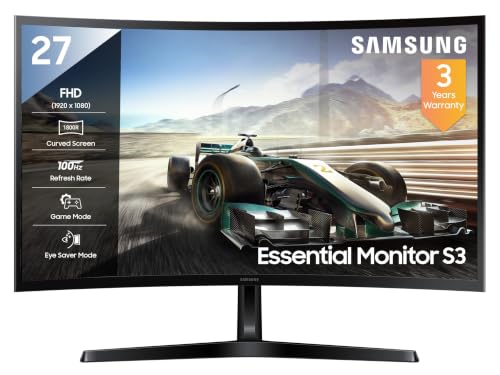
🖥️ Display & Panel Quality: 27″ FHD curved VA panel, 1800R curvature, 95% sRGB, 3000:1 contrast for genuinely deep, immersive blacks.
⚡ Speed & Motion Clarity: 100Hz refresh rate with 4ms response time offers a smoother feel than standard 60Hz displays for casual gaming.
👁️ Eye Care & Comfort: TÜV-certified Eye Saver Mode reduces blue light and screen flicker for genuinely more comfortable long sessions.
🔌 Connectivity & Audio: HDMI 1.4 and D-Sub ports cover basic desktop connectivity needs without frills.
🏗️ Build, Ergonomics & VESA: 1800R curved design wraps the field of view for a more immersive feel despite the budget positioning.
Samsung’s S3 curved series brings genuine immersion to a budget-conscious price point, and the LS27D368GAWXXL delivers exactly that with its 1800R curvature wrapping more tightly around your field of vision than the gentler curves found on pricier alternatives. Game Mode instantly adjusts color and contrast to spot enemies hiding in dark corners, and the TÜV-certified Eye Saver Mode genuinely eases strain during extended sessions. It won’t compete with the 180Hz-320Hz specialist gaming panels on raw speed, but for casual gamers who prioritize an immersive curved viewing experience on a tighter budget, it delivers real value.
Pros
✅ 1800R curvature genuinely enhances immersion at a budget-friendly price point.
✅ TÜV-certified Eye Saver Mode makes extended sessions more comfortable.
✅ Game Mode with instant contrast adjustment helps spot enemies in dark scenes.
Cons
❌ 100Hz refresh rate and 4ms response time trail behind dedicated gaming panels here.
❌ Limited connectivity with only HDMI 1.4 and D-Sub, no DisplayPort.
👉 Grab Samsung LS27D368GAWXXL Latest Offer on Amazon
LG 32MR50C – Best Large-Screen Curved Pick
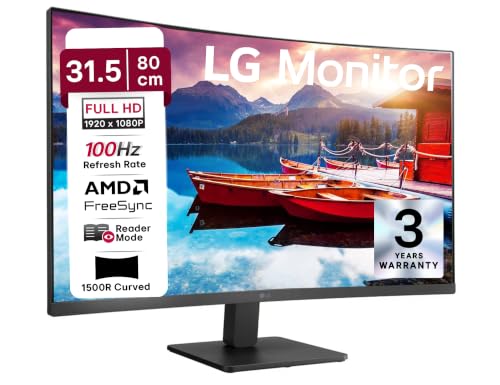
🖥️ Display & Panel Quality: 31.5″ FHD curved VA panel, NTSC 72% gamut, 3000:1 contrast — a genuinely expansive canvas for immersive gaming.
⚡ Speed & Motion Clarity: 100Hz refresh rate with 5ms GtG response smooths motion and reduces blur compared to standard 60Hz monitors.
👁️ Eye Care & Comfort: Flicker Safe and Reader Mode adjust color temperature to ease strain during long work or study sessions.
🔌 Connectivity & Audio: D-Sub and dual HDMI ports cover standard desktop connectivity for both PC and console pairing.
🏗️ Build, Ergonomics & VESA: 3-side virtually borderless slim-bezel design with tilt adjustment for a clean, spacious desk look.
If sheer screen real estate matters most to you, the LG 32MR50C’s 31.5-inch curved canvas is the largest display on this entire list, and it genuinely transforms the viewing experience for open-world games and movies alike. AMD FreeSync eliminates most screen tearing, and Black Stabilizer helps spot enemies lurking in shadowed corners during shooter games. The NTSC 72% color gamut is noticeably narrower than the sRGB-focused IPS panels elsewhere on this list, so colors look slightly less vibrant, but for buyers prioritizing scale and immersion over color precision, that’s a reasonable tradeoff at this price.
Pros
✅ 31.5-inch curved screen is the largest, most immersive canvas on this list.
✅ 100Hz refresh rate with FreeSync smooths motion noticeably over 60Hz panels.
✅ Reader Mode and Flicker Safe genuinely ease long study or work sessions.
Cons
❌ Narrower NTSC 72% color gamut looks less vibrant than sRGB-focused rivals.
❌ 5ms response time causes visible ghosting during fast-paced competitive games.
👉 Check LG 32MR50C Latest Price on Amazon
Zebronics AC32FHD – Best Budget 32-Inch Pick

🖥️ Display & Panel Quality: 32″ curved FHD panel, 16.7 million colors, 500000:1 dynamic contrast — a genuinely large, vibrant screen for the price.
⚡ Speed & Motion Clarity: 75Hz refresh rate offers a smoother, less choppy feel than standard 60Hz monitors for casual gaming and browsing.
👁️ Eye Care & Comfort: Curved design reduces peripheral distraction, though it lacks dedicated flicker-free or blue-light certifications found on pricier rivals.
🔌 Connectivity & Audio: HDMI and VGA dual input plus built-in speakers cover basic connectivity across a wide range of devices.
🏗️ Build, Ergonomics & VESA: Wall-mountable metal stand design adds sturdiness uncommon at this budget tier.
The Zebronics AC32FHD is the most budget-conscious pick on this list, and it earns its spot by offering the largest curved screen here at the lowest relative cost. The 75Hz refresh rate is a genuine step up from standard 60Hz displays for everyday browsing and casual gaming, though it clearly won’t satisfy competitive gamers chasing the 180Hz-320Hz panels elsewhere in this guide. Built-in speakers add convenience for casual media consumption without needing an external setup, and the metal stand feels sturdier than expected at this price. This is best positioned as an entry point for buyers prioritizing screen size over gaming performance.
Pros
✅ Largest curved screen on this list at the most accessible price point.
✅ 75Hz refresh rate improves everyday smoothness over standard 60Hz monitors.
✅ Sturdy metal stand and wall-mount support add unexpected build quality.
Cons
❌ 75Hz refresh rate is noticeably behind every other gaming-focused monitor here.
❌ Lacks TÜV flicker-free or dedicated blue-light certification for eye comfort.
👉 Buy Zebronics AC32FHD Gaming Monitor on Amazon
What to Check When Buying Gaming Monitors Under 15000 in India?
🖥️ IPS vs. VA Panels: Which Panel Type Fits Your Workflow?
At the ₹15,000 mark, you’ll find a genuine mix of IPS and VA panels, and the choice matters more than most buyers realize. IPS panels — used in the majority of monitors on this list, including the Lenovo Legion R27qe Gen 2 and Acer Predator XB253Q F3 — deliver superior color accuracy and consistency across wide viewing angles, making them the safer choice if you’re coding, editing photos, or gaming with friends watching over your shoulder. VA panels, found on the Acer ED270U S3, LG 32MR50C, and Samsung LS27D368GAWXXL, trade some off-angle color consistency for significantly deeper native contrast and blacks, which genuinely elevates dark, atmospheric gaming and movie-watching experiences in dim rooms. If your gaming diet leans toward horror titles, open-world RPGs, or late-night movie sessions, a curved VA panel is worth strong consideration; for competitive shooters and daily productivity work, IPS remains the more versatile, reliable choice.
⚡ Refresh Rate (75Hz vs. 144Hz vs. 180Hz-320Hz) & Response Time
This ₹15,000 price bracket is where refresh rates genuinely start separating serious gaming monitors from casual displays. Entry-level 75Hz-100Hz panels (like the Zebronics AC32FHD and LG 32MR50C) offer a noticeable smoothness upgrade over standard 60Hz but won’t satisfy competitive gamers. The sweet spot for most buyers sits at 144Hz-180Hz, found on the Dell SE2726D, BenQ GW2790TC, and LG 27GS60F, delivering genuinely fluid motion for both casual and semi-competitive play. At the top end, monitors such as the Acer Predator XB253Q F3 (320Hz) and BenQ MOBIUZ EX251 (220Hz) cater specifically to esports players who need every possible millisecond of reaction-time advantage. It’s worth remembering that even a 144hz gaming monitor under 15000 dramatically reduces eye strain during everyday document scrolling and web browsing compared to a standard 60Hz panel — this isn’t a benefit reserved purely for gamers.
👁️ Eye Care Technologies (Flicker-Free & Low Blue Light)
If you’re spending 6-8 hours daily in front of your screen, hardware-level eye care genuinely matters more than most spec sheets suggest. TÜV Rheinland certifications — found on the BenQ GW2790TC (4-star), Dell S2425HSM (4-star), and Dell SE2726D (3-star) — verify that the backlight doesn’t imperceptibly flicker at low brightness levels, a leading cause of unexplained headaches during long sessions. Low blue light filtering reduces the specific wavelength most associated with disrupted sleep and digital eye strain, particularly relevant for late-night gaming or study sessions. Features like Acer’s VisionCare suite, found across several models here, combine multiple eye-protection technologies into one comprehensive package. When comparing best monitors under 15000 for gaming, always verify an actual certification badge rather than trusting a generic “eye care mode” listed in the product description.
🔌 Port Selection & Cable Compatibility
Before finalizing your purchase, confirm exactly what output ports your graphics card or laptop actually supports, because this is where many buyers get tripped up. HDMI 1.4, found on budget models like the Samsung LS27D368GAWXXL, caps out around 60-100Hz at Full HD, meaning it cannot physically deliver higher advertised refresh rates. You’ll need HDMI 2.0 or above — present on the MSI MAG 255F E20 and BenQ MOBIUZ EX251 — to unlock refresh rates above 100Hz reliably. For the absolute highest refresh rates, like the Predator XB253Q F3’s 320Hz mode, DisplayPort 1.4 is mandatory rather than optional. Meanwhile, HDMI 2.1 (found on the Lenovo Legion R27qe Gen 2 and LOQ 27Q-10) is specifically valuable for console gamers running a PS5 or Xbox Series X who want full-bandwidth 4K or high-refresh QHD signal support.
🏗️ Ergonomics, Stand Wobble & VESA Wall Mounting
Ergonomic quality varies dramatically across this ₹15,000 price bracket, and it’s worth paying close attention before buying. Some monitors here — like the Lenovo Legion R27qe Gen 2, Lenovo L27q-4A, Dell S2425HSM, and BenQ GW2790TC — include full tilt, swivel, pivot, and height-adjustable stands that genuinely rival monitors costing significantly more. Others, including the LG 27GS60F and Lenovo LOQ 27Q-10, offer tilt-only adjustment, which can force an uncomfortable neck angle during long sessions on a standard desk height. Always check for VESA mount compatibility (75x75mm or 100x100mm) before purchasing, since it future-proofs your setup by allowing an affordable third-party monitor arm upgrade later. If you game competitively with aggressive keyboard and mouse inputs, prioritize models with wider, heavier stand bases to minimize desk-transmitted wobble during intense sessions.
Conclusion
Choosing among the best gaming monitors under 15000 in India comes down to matching resolution, refresh rate, and ergonomics to your actual daily routine and gaming style.
🥇 The Overall Winner: The Lenovo Legion R27qe Gen 2 takes the top spot for combining QHD sharpness, a genuine 200Hz refresh rate, dual G-Sync/FreeSync compatibility, and the most complete ergonomic stand in this entire lineup.
🥈 The Best for Gaming: The Acer Predator XB253Q F3 wins this category outright with its industry-leading 320Hz refresh rate, 1ms VRB response, and best-in-class ErgoStand adjustability built specifically for competitive esports players.
🥉 The Best for Office, Coding & Productivity: The BenQ GW2790TC earns this pick thanks to its USB-C single-cable connectivity, TÜV Rheinland 4-star eye-care certification, and fully adjustable ergonomic stand designed for sustained, comfortable work sessions.
FAQs
1. Is QHD (1440p) resolution genuinely worth it over FHD in the ₹15,000 gaming monitor segment?
Yes, for a 27-inch screen size, QHD delivers noticeably sharper text and more detailed visuals than FHD without a major performance penalty on modern GPUs, making it a worthwhile upgrade at this budget for most buyers.
2. Is a curved gaming monitor under 15000 better than a flat panel for immersion?
Curved monitors genuinely enhance peripheral immersion in open-world and racing games, but flat panels remain preferable for competitive shooters, multi-monitor setups, and graphic design work requiring precise straight-line accuracy.
3. Can a budget graphics card like a GTX 1650 or RTX 3050 actually run games at 144Hz or 180Hz?
Yes, at Full HD or QHD with optimized settings in esports titles, but demanding AAA games may require lowering graphics settings to consistently hit these higher refresh rates on entry-level GPUs.
4. What warranty should I expect when buying a gaming monitor under 15000 in India?
Most reputable brands featured here—including Dell, LG, Acer, BenQ, and Lenovo—offer a standard 3-year manufacturer warranty, which is the minimum benchmark you should insist on before purchasing.
5. Is “G-Sync Compatible” the same as native NVIDIA G-Sync certification?
Not exactly—G-Sync Compatible monitors are validated by NVIDIA to work well with FreeSync-based Adaptive Sync hardware, offering similar tear-free benefits without the premium cost of dedicated native G-Sync modules.




![10 Best Smart TVs Under ₹30,000 in India [November 2026]](https://gadgetveda.com/wp-content/uploads/2026/10/Best-Smart-TVs-Under-₹30000-in-India-150x150.webp)

![Inverter vs. Non-Inverter Washing Machines [Real Savings]](https://gadgetveda.com/wp-content/uploads/2026/10/Inverter-vs.-Non-Inverter-Washing-Machines-Real-Savings-150x150.webp)
![12 Best Washing Machines Under ₹10,000 in India [November 2026]](https://gadgetveda.com/wp-content/uploads/2026/06/Best-Washing-Machines-Under-₹10000-in-India-150x150.webp)

![10 Best Smart TVs Under ₹30,000 in India [November 2026]](https://gadgetveda.com/wp-content/uploads/2026/10/Best-Smart-TVs-Under-₹30000-in-India-300x167.webp)
![Inverter vs. Non-Inverter Washing Machines [Real Savings]](https://gadgetveda.com/wp-content/uploads/2026/10/Inverter-vs.-Non-Inverter-Washing-Machines-Real-Savings-300x200.webp)