


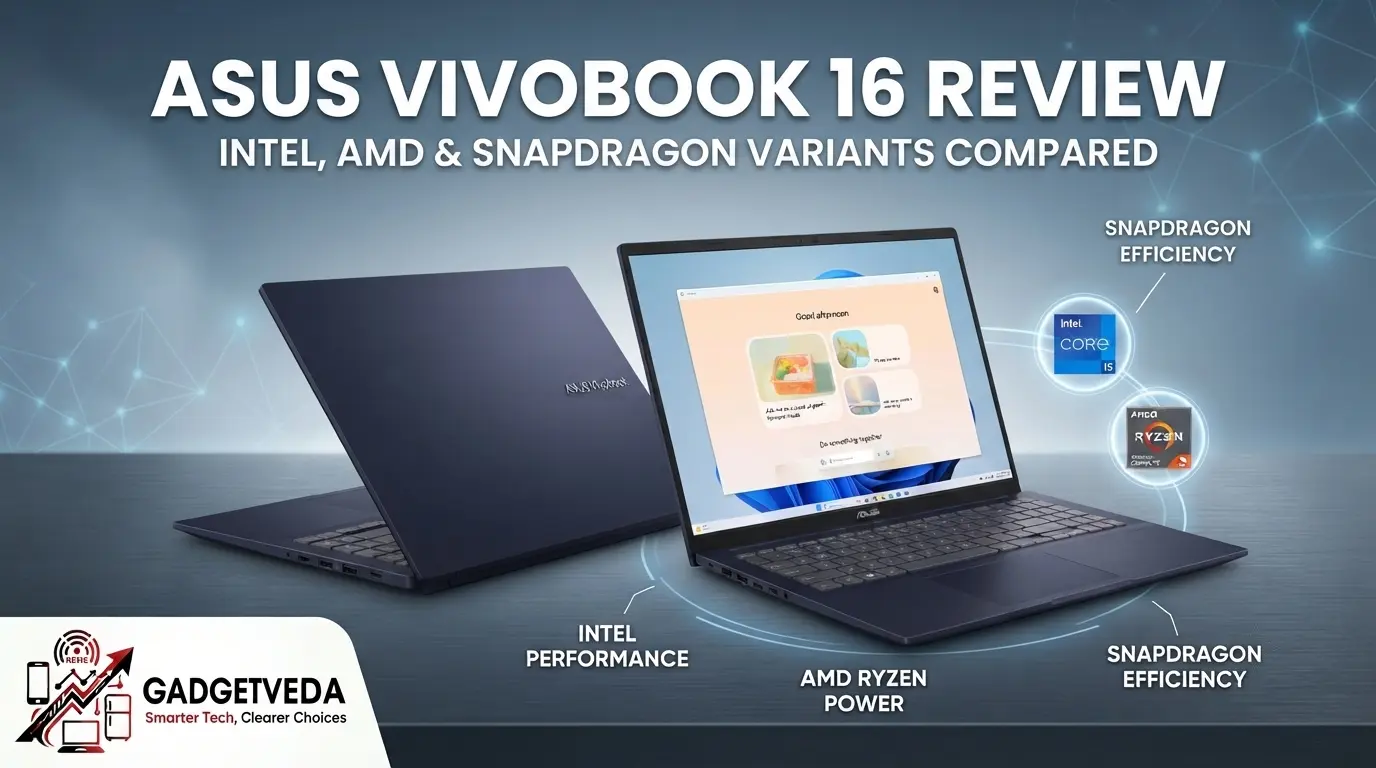
The Asus Vivobook 16 isn’t really a single laptop — it’s an entire chassis platform sold under one name, with radically different hardware hiding underneath depending on which model code you actually pick up. Between Intel 13th Gen, Intel Core Ultra, AMD Ryzen, and Qualcomm Snapdragon X variants, two buyers walking away with “the same Vivobook 16” could be getting fundamentally different laptops in terms of performance, battery life, and future-proofing.
At GadgetVeda, this Asus Vivobook 16 review exists specifically to cut through that confusion. We’ve compiled verified specifications, official pricing, and independently tested performance data across every major Vivobook 16 configuration sold in India — Intel, AMD, and Snapdragon alike — so you know exactly which SKU actually deserves your money.
⚡ GadgetVeda Quick Verdict
The bottom line: The Vivobook 16 platform delivers a genuinely spacious 16:10 display and dependable everyday performance across all its chip options, but the right variant for you depends heavily on whether you prioritize raw multitasking power, AI features, or all-day battery life — because these three goals point to three different processors entirely.
🎯 Sweet-spot variant to buy: Intel Core Ultra 5 225H / 16GB DDR5 / 512GB SSD (X1607CA series) — the best blend of multi-core performance, AI-ready NPU headroom, and everyday battery efficiency for most Indian buyers.
⚠️ Variant to avoid: Entry Intel Core i3-1305U / 8GB RAM (single-channel) / 512GB SSD (base X1605VA) — insufficient RAM headroom for modern multitasking with 20+ browser tabs and background apps.
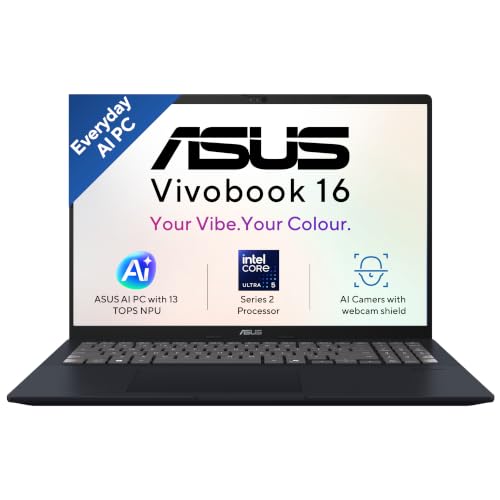
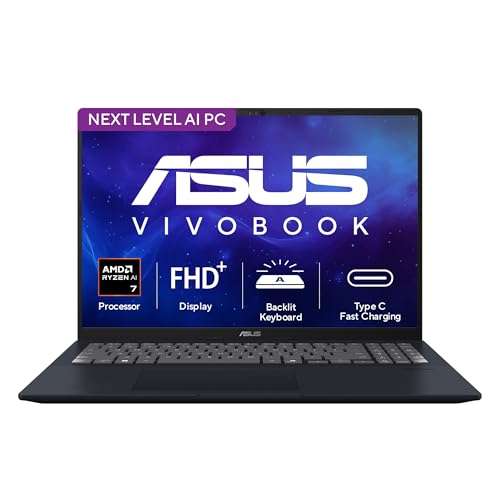
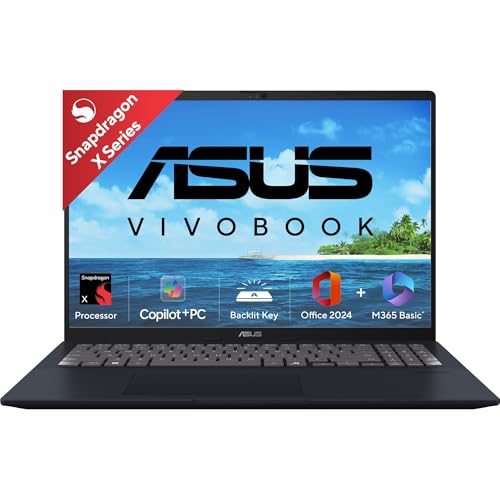
Asus Vivobook 16 Testing Telemetry & Benchmark Reality
| Variant | Display Brightness (Tested) | Battery Life (Real-World Test) |
| Intel Core i7-1255U (X1605, 42Wh) | 304 nits measured | 9 hrs 17 mins continuous use |
| AMD Ryzen AI 7 350 (M1607K, 42Wh) | 300 nits confirmed, 89% uniformity | ~7 hrs at 150 nits (video/Wi-Fi test) |
| Intel Core Ultra 5 325 (X1607AA, 42Wh) | 300 nits rated | ~8 hrs real-world mixed use |
| Intel Core Ultra 5 225H (X1607CA, 50Wh) | 267 nits measured (vs 300 claimed) | 6–7 hrs mixed browsing/PCMark 8 hrs video |
| Snapdragon X X1-26-100 (X1607QA, 50Wh) | 305 nits measured | 14 hrs 6 mins (Laptop Mag test) / 15 hrs (PCMark loop) |
Because the Vivobook 16 is sold with four distinct processor platforms, we’ve compiled verified, independently tested performance figures for each configuration rather than relying on Asus’s marketing claims alone.
The takeaway is stark: the Snapdragon variant delivers roughly double the battery endurance of the Intel and AMD configurations in comparable test conditions, which is the single biggest differentiator across this entire lineup
Asus Vivobook 16 Review: Design, Build Durability & Portability
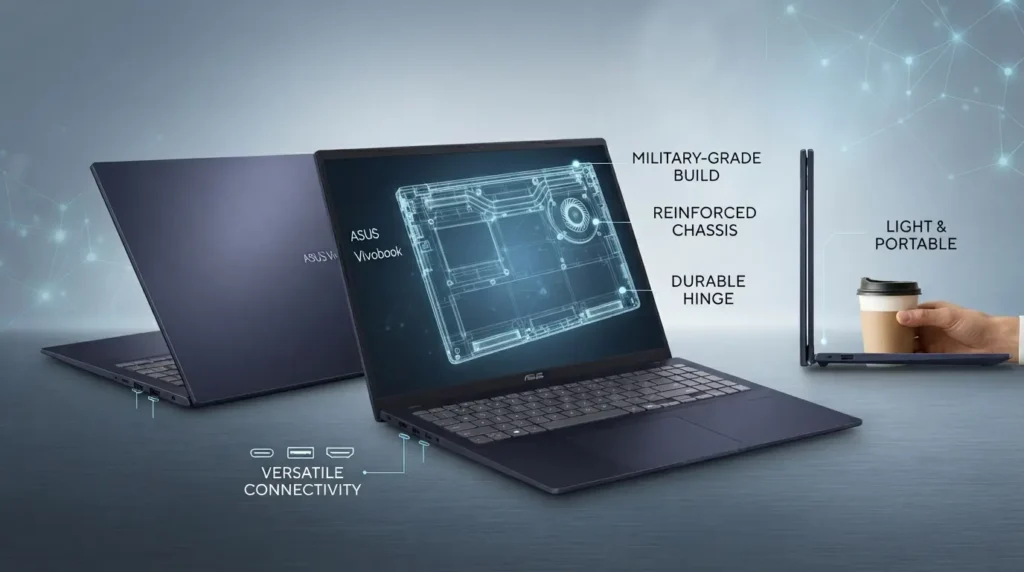
Chassis and material integrity: Across all variants, the Vivobook 16 uses a PC-ABS plastic chassis rather than metal, which keeps the laptop light but does introduce noticeable flex on the top lid and around the keyboard deck under firm pressure. Asus does not typically advertise MIL-STD 810H certification for the standard Vivobook 16 lineup — that durability rating is reserved for Asus’s ExpertBook and select ProArt lines, so buyers expecting ruggedized build quality here should recalibrate expectations. Weight across variants sits around 1.88kg, which is reasonable but not class-leading for a 16-inch laptop.
Hinge and opening ergonomics: The hinge allows one-hand opening on most variants and holds the screen steady during typing without noticeable wobble, based on consistent reporting across multiple independent reviews.
Keyboard, trackpad, and thermal comfort: The backlit keyboard receives consistent praise across reviews for comfortable key travel and a dedicated numpad — a genuinely useful inclusion on a 16-inch chassis that most 14-inch competitors simply cannot offer. Palm rest heat during sustained workloads remains manageable on the Intel Core Ultra and Snapdragon variants, though the older 13th Gen Intel and AMD Ryzen 7000 variants run noticeably warmer under load.
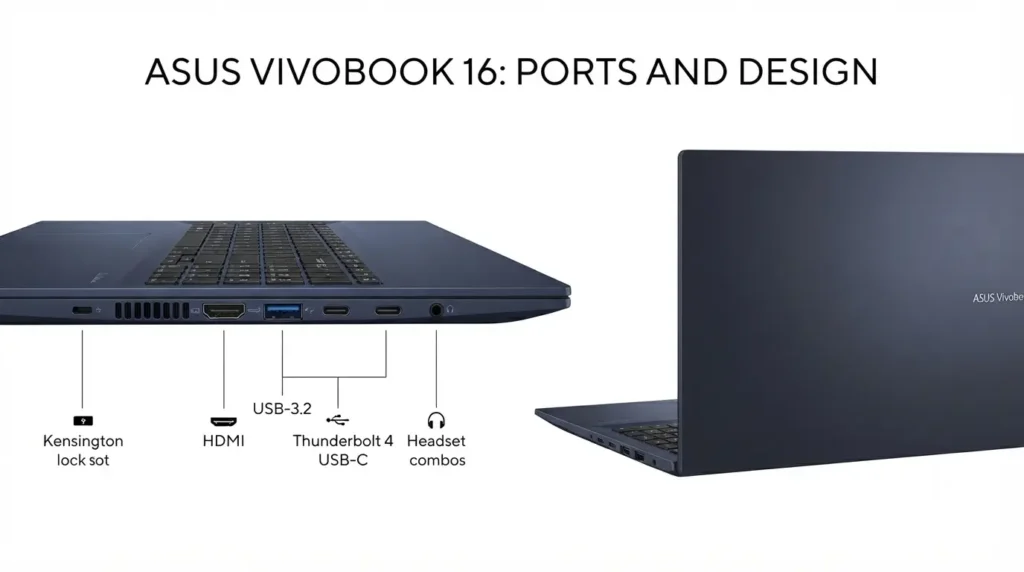
Port selection and bandwidth: Port availability varies meaningfully by variant:
👉 Intel Core Ultra variants (X1607CA/AA): 1x USB-C 3.2 Gen 1 (data + charging, no Thunderbolt), 2x USB-A 3.2 Gen 1, 1x USB 2.0 Type-A, 1x HDMI 1.4, 3.5mm audio jack, microSD reader
👉 Snapdragon variant (X1607QA): 2x USB-C, 2x USB-A 3.2 Gen 1, 1x HDMI 2.1, 3.5mm audio jack, Wi-Fi 6E and Bluetooth 5.3
👉 13th Gen Intel variant (X1605VA): 1x USB 3.2 Type-C, 2x USB 3.2 Type-A, 1x USB 2.0 Type-A, 1x HDMI, 3.5mm jack
The important callout here: the HDMI port on the Intel Core Ultra variant is version 1.4, not 2.1, which limits external 4K display support to 30Hz rather than 60Hz — a detail Asus doesn’t highlight prominently on spec sheets but matters if you plan to use an external monitor.
Asus Vivobook 16 Review: Display & Audio Reality Check
Panel tech and brightness: Every Vivobook 16 variant ships with a 16-inch WUXGA (1920×1200) IPS panel in a 16:10 aspect ratio, with Asus rating brightness at 300 nits across the board. However, independently measured brightness varies noticeably by unit and variant — Tech Advisor measured 304 nits on one Intel unit, while 91mobiles measured only 267 nits on a different Core Ultra configuration. This inconsistency suggests panel supplier variation between batches, so treat the 300-nit rating as an upper-bound expectation rather than a guarantee.
The 16:10 aspect ratio itself is a genuine practical advantage over the 16:9 panels common on competing budget laptops — it provides noticeably more vertical scrolling room for documents, spreadsheets, and coding editors, which matters more in daily use than the brightness numbers suggest.
Color gamut and content creation suitability: Color coverage sits in the 45% NTSC range on the standard IPS panels across Intel, AMD, and Snapdragon variants. This is entirely adequate for office work, web browsing, and coding, where color accuracy is irrelevant, but it falls well short of what’s needed for professional photo editing or video color grading, where 90%+ sRGB or DCI-P3 coverage is the realistic minimum requirement.
Audio output and mic quality: Speaker output across the lineup is functional for calls and casual media consumption but lacks bass depth, consistent with most laptops in this chassis class. The webcam includes IR sensing for Windows Hello facial recognition on the Snapdragon variant specifically, a feature not consistently carried across all Intel and AMD SKUs.
Asus Vivobook 16 Variants Discussed
The Vivobook 16 chassis is sold under at least four distinct model families in India, each targeting a different buyer profile entirely.
| Model Series | Processor | Graphics | RAM & Storage | Battery | Ideal User | Value Rating |
| X1605VA (Intel 13th Gen) | Core i3-1305U / i5-13420H | Intel UHD / Iris Xe | 8–16GB DDR4 (single-channel base, expandable) / 512GB SSD | 42Wh | Budget students, basic office work | ⭐⭐⭐ (3/5) |
| X1607CA/AA (Intel Core Ultra, Series 1/3) | Core Ultra 5 225H / 325 | Intel Arc + NPU | 16GB DDR5 / 512GB–1TB SSD | 42Wh | AI-assisted productivity, multitasking | ⭐⭐⭐⭐⭐ (5/5) |
| M1605/M1607 (AMD Ryzen) | Ryzen 5 7530U / Ryzen AI 7 350 | AMD Radeon | 16GB DDR4/DDR5 / 512GB SSD | 42Wh | Multi-threaded workloads, coding, VMs | ⭐⭐⭐⭐ (4/5) |
| X1607QA (Snapdragon X) | Snapdragon X X1-26-100 | Qualcomm Adreno | 16GB LPDDR5X / 512GB–1TB SSD | 50Wh | Battery-first users, ARM-native apps | ⭐⭐⭐⭐ (4.5/5) |
Official India pricing places the base Intel 13th Gen variant starting around ₹56,990 on launch pricing for earlier models, the Intel Core Ultra variant around ₹75,990–₹96,990 depending on exact SKU and RAM/storage combination, and the Snapdragon X variant starting at ₹89,990 for the 16GB/512GB configuration.
Asus Vivobook 16: Real-World Workload Suitability
💻 Office Multitasking & Productivity (Excel, Web Apps, 30+ Chrome Tabs)
The Intel Core Ultra and AMD Ryzen AI variants handle heavy multitasking comfortably thanks to their dual-channel DDR5/DDR4 memory configurations and higher core counts, sustaining 20–30 open Chrome tabs alongside Office applications without significant slowdown. The base 13th Gen Intel i3 variant with single-channel 8GB RAM struggles noticeably in the same scenario, as confirmed by its lower value rating in independent benchmark comparisons.
👨💻 Software Development & Coding (VS Code, Android Studio, Docker)
The AMD Ryzen AI 7 350 and Ryzen 7000-series variants show a genuine multi-core advantage for compilation-heavy workloads and running lightweight virtual machines, owing to their 8-core/16-thread design. The Intel Core Ultra variants are competitive here too, with NotebookCheck’s testing of the Ryzen AI configuration specifically highlighting productivity performance as a core strength.
🎨 Casual Creative Work (Photoshop, Canva, 1080p Premiere Pro)
None of the standard Vivobook 16 variants include a dedicated GPU, so creative work is limited by integrated graphics alone. Intel Arc iGPU on the Core Ultra variants offers the strongest integrated graphics performance in this lineup for light Photoshop editing and 1080p export tasks, though 4K editing or heavy Premiere Pro timelines will strain any of these configurations.
🔍 Explore Our By Budget Laptop Guides
Find an all-rounder laptop catered specifically to your budget and daily workload:
- 👉 Best Laptops Under 100000 — Power users, premium ultrabook buyers, creators, and high-end executives.
- 👉 Best Laptops Under 90000 — Software developers, video editors, and professionals needing sleek performance.
- 👉 Best Laptops Under 80000 — Advanced multitasking, coding, graphic design, and all-round performance.
- 👉 Best Laptops Under 70000 — STEM/Engineering students, programmers, and working professionals.
- 👉 Best Laptops Under 60000 — College students, everyday coders, office work, and casual entertainment.
- 👉 Best Laptops Under 50000 — Home productivity, remote workers, web browsing, and office applications.
- 👉 Best Laptops Under 45000 — First-time buyers, school students, online classes, and basic tasks.
🎮 Casual Gaming & Thermal Throttling (BGMI via Emulator, Valorant, GTA V)
Integrated graphics across Intel Iris Xe, Intel Arc, and AMD Radeon configurations can handle eSports titles like Valorant and GTA V at 1080p low-to-medium settings, generally landing in the 50–70 FPS range based on comparable integrated GPU performance data. However, sustained gaming sessions will show thermal throttling on the thinner chassis variants, as none of these configurations include dedicated cooling designed for prolonged high loads.
👉 Intel Core Ultra (Arc Graphics): Easily handles esports titles like Valorant at 1080p (90–110 FPS on low-to-medium settings) and smooth Android emulator gaming (BGMI at 60 FPS).
👉 AMD Ryzen (Radeon 860M / 7000-series): Provides steady 1080p casual gaming performance with minimal thermal throttling during longer sessions.
👉 Snapdragon X (Adreno GPU): Adequate for casual ARM-native titles, but x86 translation overhead limits performance in anti-cheat-dependent games like Valorant or heavy emulator workloads.
Pros & Cons of Buying Asus Vivobook 16
What We Like
✅ Spacious 16:10 display provides excellent vertical workspace for productivity.
✅ Dedicated numpad on a 16-inch chassis, rare among competitors.
✅ Snapdragon variant delivers exceptional battery life, nearly double that of Intel/AMD counterparts.
✅ DDR5 dual-channel memory on Core Ultra variants improves real-world responsiveness.
What Needs Improvement
❌ HDMI 1.4 port limits external 4K display to 30Hz on Intel Core Ultra variants.
❌ 45% NTSC color gamut lacks accuracy for creative color work.
❌ No dedicated GPU across any variant limits gaming and heavy rendering.
❌ Measured brightness inconsistency between units of the same rated specification.
Asus Vivobook 16 Competitor Cross-Shopping Matrix
| Feature | Asus Vivobook 16 (Core Ultra 5) | Lenovo IdeaPad Slim 3 (16-inch) | HP 15s (Intel Core i5) |
| Chassis Material | PC-ABS Plastic | Polycarbonate | Plastic |
| Display Aspect Ratio | 16:10 (1920×1200) | 16:9 (1920×1080) | 16:9 (1920×1080) |
| RAM Configuration | Dual-channel DDR5 | Often soldered, limited expansion | Varies, single/dual-channel |
| Battery Size | 42Wh | ~47Wh | ~41Wh |
| Type-C Charging Support | Yes (Data + PD, select SKUs) | Yes | Data-only on most SKUs |
| Numpad Included | Yes | Model-dependent | Model-dependent |
Conclusion
⚡ Buy the Asus Vivobook 16 if: You want a spacious 16:10 productivity display with a full numpad, need dependable everyday multitasking performance, and are choosing between Intel, AMD, or Snapdragon based on your specific priority — whether that’s AI-ready NPU headroom (Core Ultra), multi-threaded coding performance (Ryzen), or maximum battery life (Snapdragon).
👉 Choose Intel Core Ultra 5 225H (X1607CA): If you want the most versatile all-rounder with balanced multi-tasking, local AI features, and light gaming capability.
👉 Choose Snapdragon X (X1607QA): If battery life is your top priority and your workflow relies entirely on web browser applications, Office 365, and media consumption.
👉 Choose AMD Ryzen (M1605/M1607): If you require strong multi-threaded CPU performance for compilation, light coding, or virtual machines.
💡 Skip the Vivobook 16 if: You require accurate color reproduction for professional photo or video editing, need a dedicated GPU for serious gaming or 3D rendering, or specifically need Thunderbolt-speed external storage and display connectivity, none of which this chassis platform is built to deliver.
FAQs
1. Can I upgrade the RAM and SSD on the Asus Vivobook 16?
It depends on the exact variant. Intel Core Ultra (X1607CA/AA) and AMD Ryzen models typically ship with one RAM module soldered and one open SO-DIMM slot, allowing upgrades up to 32GB total. Storage upgrades are possible via the single M.2 2280 PCIe 4.0 NVMe slot on most variants, supporting drives up to 1–2TB depending on the exact model. Always verify your specific SKU’s memory configuration before purchasing, since base 13th Gen Intel variants sometimes ship with single-channel memory that limits real-world performance even after upgrading.
2. What is the real difference between the Intel Core Ultra and Intel 13th Gen Vivobook 16 variants?
The Core Ultra series (X1607CA/AA) includes an integrated NPU for AI-assisted tasks like Windows Studio Effects, along with faster DDR5 memory and Intel Arc graphics. The older 13th Gen variant (X1605VA) uses DDR4 memory and Intel Iris Xe or UHD graphics, making it more affordable but without any dedicated AI processing capability.
3. Is the 16-inch display good for photo and video editing?
The standard IPS panel offers a 1920×1200 resolution and roughly 45% NTSC color coverage, which is fine for office work and coding but insufficient for professional color-accurate editing. If accurate color reproduction is a priority, this display is a genuine limitation across every Vivobook 16 variant currently sold.
4. Does the USB-C port support charging and display output?
On most Vivobook 16 variants, the USB-C port supports data transfer and Power Delivery charging, but not Thunderbolt-speed transfers or DisplayPort video output on the standard Intel Core Ultra configuration. The Snapdragon variant reportedly includes higher-bandwidth USB-C ports in some regional listings, so verify your specific SKU’s port specifications before assuming display output capability.
5. Is the Snapdragon X variant of the Vivobook 16 worth the higher price?
If all-day battery life is your top priority, yes — independent testing shows the Snapdragon variant delivering 14–15 hours of real-world battery life, nearly double what the Intel and AMD variants achieve in comparable tests. The trade-off is potential app compatibility considerations with ARM-based Windows, since some legacy Windows applications may not yet be fully optimized for the Snapdragon X architecture.
6. Is the Asus Vivobook 16 capable of playing modern games?
The integrated Intel Iris Xe, Intel Arc, or AMD Radeon graphics handle eSports titles like Valorant and GTA V reasonably well at 1080p low-to-medium settings, but the lack of a dedicated GPU across every variant makes this lineup unsuitable for demanding AAA gaming or intensive 3D rendering work.




![7 Best Webcams Under ₹3,000 in India [2026] | GadgetVeda](https://gadgetveda.com/wp-content/uploads/2026/10/Best-Webcams-Under-₹3000-in-India-150x150.png)
![8 Best Printers Under ₹10,000 in India [2026] | GadgetVeda](https://gadgetveda.com/wp-content/uploads/2026/09/Best-Printers-Under-₹10000-in-India-150x150.webp)
![6 Best Printers Under ₹5,000 in India [2026] | GadgetVeda](https://gadgetveda.com/wp-content/uploads/2026/09/Best-Printers-Under-₹5000-in-India-150x150.webp)



![7 Best Webcams Under ₹3,000 in India [2026] | GadgetVeda](https://gadgetveda.com/wp-content/uploads/2026/10/Best-Webcams-Under-₹3000-in-India-300x167.png)
![8 Best Printers Under ₹10,000 in India [2026] | GadgetVeda](https://gadgetveda.com/wp-content/uploads/2026/09/Best-Printers-Under-₹10000-in-India-300x167.webp)
![6 Best Printers Under ₹5,000 in India [2026] | GadgetVeda](https://gadgetveda.com/wp-content/uploads/2026/09/Best-Printers-Under-₹5000-in-India-300x167.webp)