


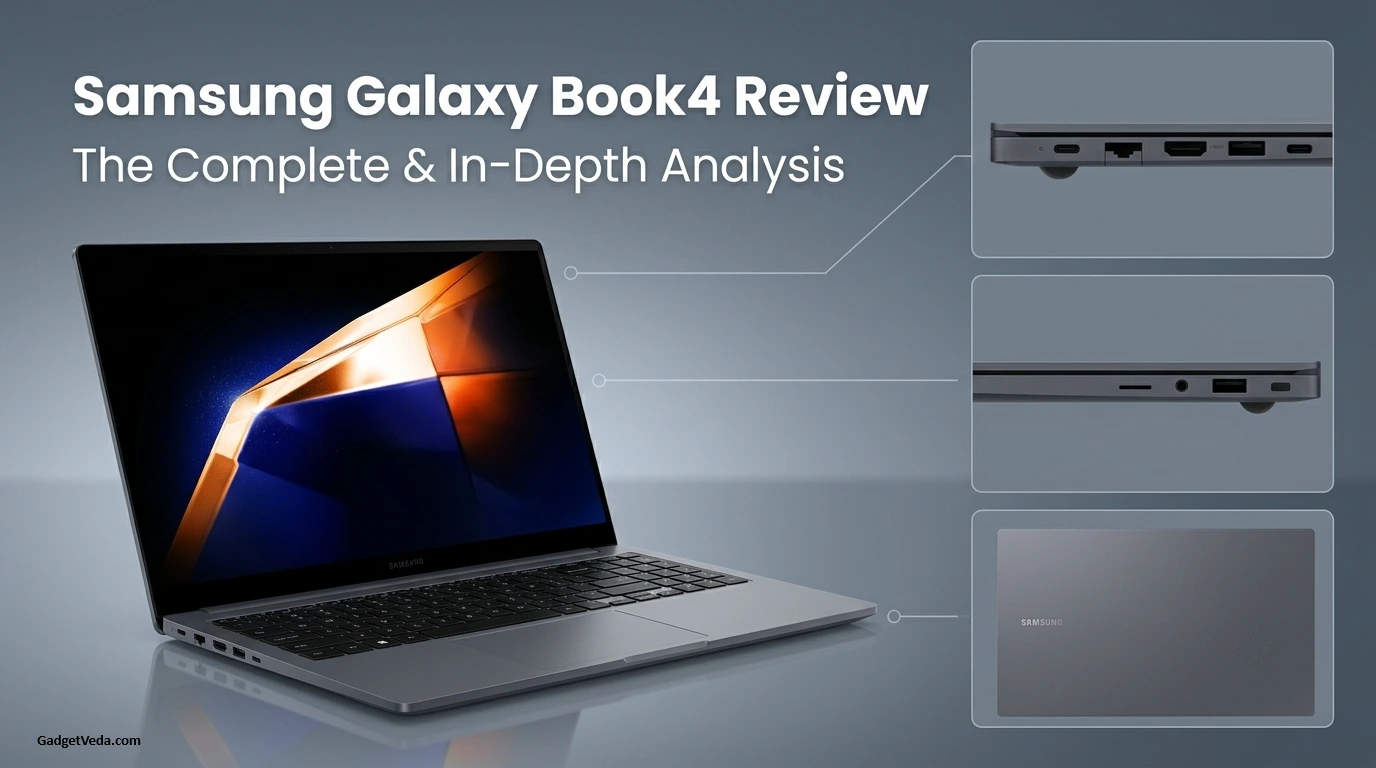
The Samsung Galaxy Book4 is a family of laptops, not one model. It runs from a 15.6-inch office laptop at roughly ₹63,000 to the AMOLED Galaxy Book4 Pro at ₹1.3 lakh and above, and the RTX-powered Galaxy Book4 Ultra above that. Choosing the wrong tier is the most common mistake buyers make. This review is organized model by model so you can see exactly where your money goes.
Our verdict is simple. The standard Book4 is a dependable, port-rich office and study laptop. The Galaxy Book4 Pro 14 is the one to choose if you want a premium, ultra-light creative-office machine. The Galaxy Book4 Ultra is the only one in the range with real GPU power.
⚡ GadgetVeda Quick Verdict & Configuration Recommendation
THE BOTTOM LINE: The standard Galaxy Book4 pairs a metal body (1.55 kg, 15.4 mm) with the widest port selection in its class, including HDMI, Ethernet, and a microSD slot. It is a sound everyday laptop but cannot handle serious creative work. For professionals, the Galaxy Book4 Pro 14 delivers an OLED touchscreen in a 1.23 kg body that stays cool and quiet, while the Ultra adds RTX graphics for editors and 3D artists.
🎯 Sweet-spot configuration to buy: Galaxy Book4 15.6″ with Core 7 150U, 16GB RAM and 512GB SSD (NP750XGK-KS3IN), typically ₹78,000–₹85,000 at online sellers. For creative professionals, buy the Galaxy Book4 Pro 14″ with Core Ultra 7 155H, 16GB and 512GB (NP940XGK-KG2IN).
⚠️ Configuration to skip: The 8GB standard Book4 (Core 5 120U, NP750XGK-KS1IN). Its soldered LPDDR4X memory cannot be upgraded later, so you are locked into 8GB. Also skip any Pro 14 priced near ₹1.4 lakh unless you need the OLED screen and Thunderbolt 4. The 512GB drive is modest at that price.
GadgetVeda score: 7.5/10 (standard Book4, everyday laptop) | 8.5/10 (Book4 Pro 14, premium professional) | 8.6/10 (Book4 Ultra, creative power).
All Samsung Galaxy Book4 Models in India Compared
| Model | Processor | Memory / Storage | Display | Weight | Price Range |
| Galaxy Book4 15.6″ (Core 5 120U) | Core 5 120U, 10 cores / 12 threads, up to 5.0GHz | 8GB / 512GB | 15.6″ FHD IPS, 60Hz, non-touch | 1.55 kg | From about ₹63,000 |
| Galaxy Book4 15.6″ (Core 7 150U) | Core 7 150U, 10 cores / 12 threads, up to 5.4GHz | 16GB LPDDR4X / 512GB | 15.6″ FHD IPS, 60Hz, non-touch | 1.55 kg | About ₹78,000–₹85,000 |
| Galaxy Book4 360 | Core 5 / Core 7 150U / Core Ultra variants | 16GB / 512GB or 1TB | 15.6″ FHD Super AMOLED touch, 360° hinge, S Pen included | 1.46 kg | About ₹77,000 to ₹1.24 lakh |
| Galaxy Book4 Pro 14″ | Core Ultra 7 155H, 16 cores / 22 threads, up to 4.8GHz | 16GB LPDDR5X / 512GB | 14″ 2880 × 1800 AMOLED touch, 120Hz | 1.23 kg | About ₹1.32–₹1.40 lakh |
| Galaxy Book4 Pro 16″ | Core Ultra 7 155H | 16GB LPDDR5X / 512GB or more | 16″ 2880 × 1800 AMOLED touch, 120Hz | 1.56 kg | About ₹1.5 lakh |
| Galaxy Book4 Pro 360 16″ | Core Ultra 7 155H | 16GB / 1TB | 16″ AMOLED touch, 2-in-1 | 1.66 kg | From about ₹1.5 lakh |
| Galaxy Book4 Ultra | Core Ultra 7 155H or Core Ultra 9, with RTX 4050 or RTX 4070 | 16–32GB LPDDR5X / up to 1TB | 16″ 3K Dynamic AMOLED 2X, 120Hz, touch | 1.86 kg | Premium, check live price |
Street prices change often between Samsung, Croma, Flipkart and Amazon, so check the live price on the day you buy. The Galaxy Book4 Edge is a separate Snapdragon (Arm) line and is not covered here.
Related: Asus Vivobook 16 Review: Should You Buy It?
Which Galaxy Book4 Is Right for You?
⚡ Students and office users: Standard Book4 15.6″ with 16GB RAM.
🚀 Note-takers and sketchers: Book4 360 with the included S Pen.
🛡️ Executives and frequent travelers: Book4 Pro 14, thanks to its low weight and 166 g charger.
💾 Photographers and large-screen users: Book4 Pro 16.
🖥️ Video editors, 3D artists and gamers: Book4 Ultra.
🛠️ Samsung Galaxy Book4 Review: Lab Benchmarks & Telemetry Metrics
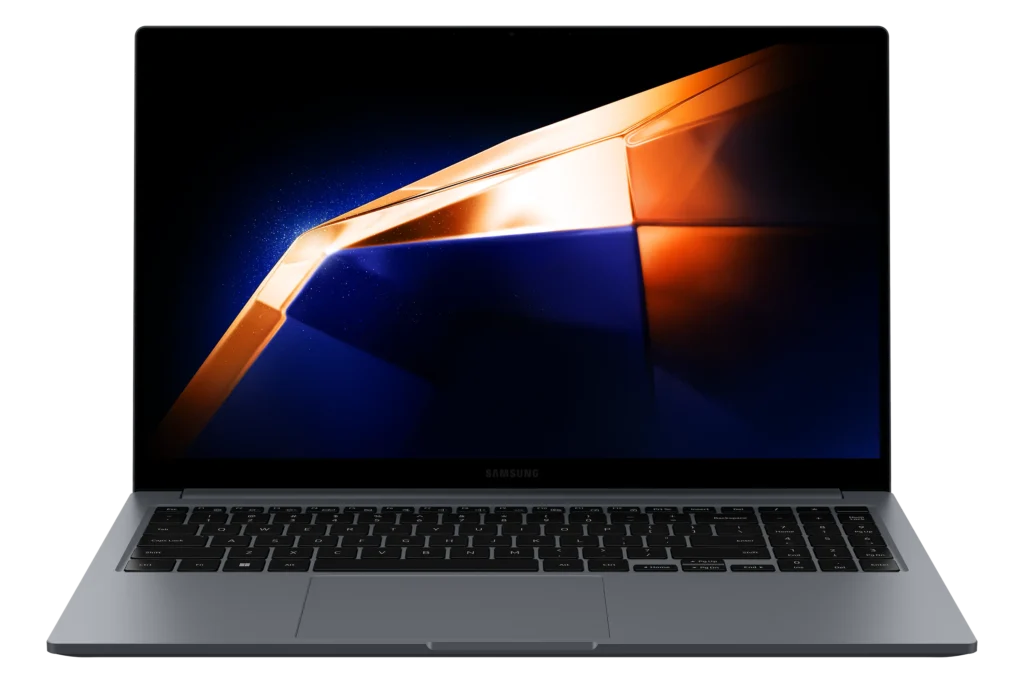
👉 Chassis tested: Standard Book4 NP750XGK-KG1CA (Core 7 150U, 16GB, 512GB), Book4 Pro 14 NP940XGK, Book4 Ultra (RTX 4050 and RTX 4070 configurations).
👉 Standard Book4 silicon: 10-core U-series chips built for efficiency. Reviewers measured minimal throttling under load, but the CPU and GPU cannot handle demanding workloads.
👉 Book4 Pro 14 silicon and thermals: Core Ultra 7 155H, limited by Samsung to 28W standard and 60W maximum power. That makes system scores around 10–15% lower than larger Meteor Lake laptops, in exchange for cooler running. Fan noise is 38 dB(A) under load, and the underside peaks at 45°C.
👉 Book4 Ultra thermals: The RTX 4050 version draws up to 80W in high-performance mode and 55W in optimised mode. Surface temperatures stayed near 39°C on top and 41.2°C underneath in a stress test. 3DMark Time Spy showed a 7% performance drop under sustained load.
👉 Battery, plugged in vs on battery (Ultra): The CPU is capped at 45W on battery, a 7% deficit. The GPU drops to 35W, making graphics about 13% slower.
👉 Battery runtimes:
- Standard Book4: about 10 hours of light use and over 7 hours of video playback.
- Book4 Pro 14: about 12 hours 42 minutes in a Wi-Fi test.
- Book4 Ultra: 12 hours 16 minutes in PCMark 10 Modern Office (Balanced mode), or 11 hours 32 minutes in maximum performance mode.
- Real-world Ultra use: 5–6 hours in one reviewer’s actual workload, and 10–12 hours in another’s lighter mix.
👉 Display lab data:
- Standard Book4: FHD IPS panel with a narrow gamut, below full sRGB coverage.
- Book4 Pro 14: over 400 cd/m², 10-bit color, 120Hz, almost all major color spaces covered.
- Book4 Pro 16: 400 nits typical, up to 500 nits HDR peak, Samsung-claimed 120% DCI-P3.
👉 AI acceleration: The Pro and Ultra use Intel’s Meteor Lake NPU. In UL Procyon AI testing, an RTX 4070 completed the same task about four times faster than the NPU.
👉 Audio, camera and security: Pro and Ultra models include a 1080p camera with face recognition. The standard Book4 has a 720p webcam, which reviewers called soft and noisy. Fingerprint sensors are built into the power button.
Related: MacBook vs Windows Laptop: Which Is Better for You?
Galaxy Book4 Engineering, Chassis Rigidity & Ergonomics
Build and Design
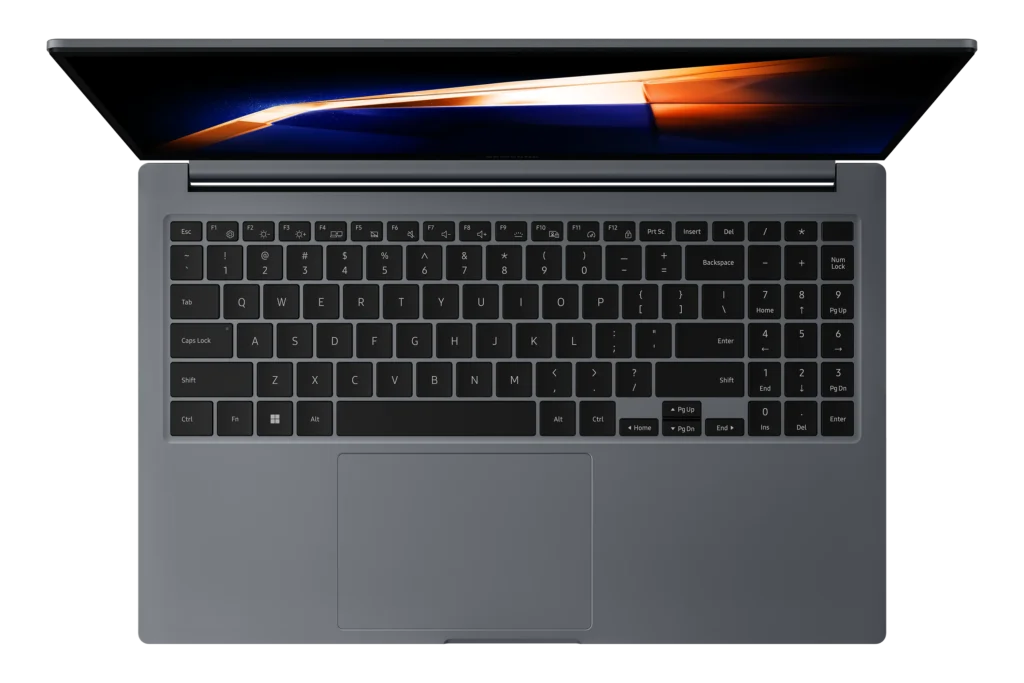
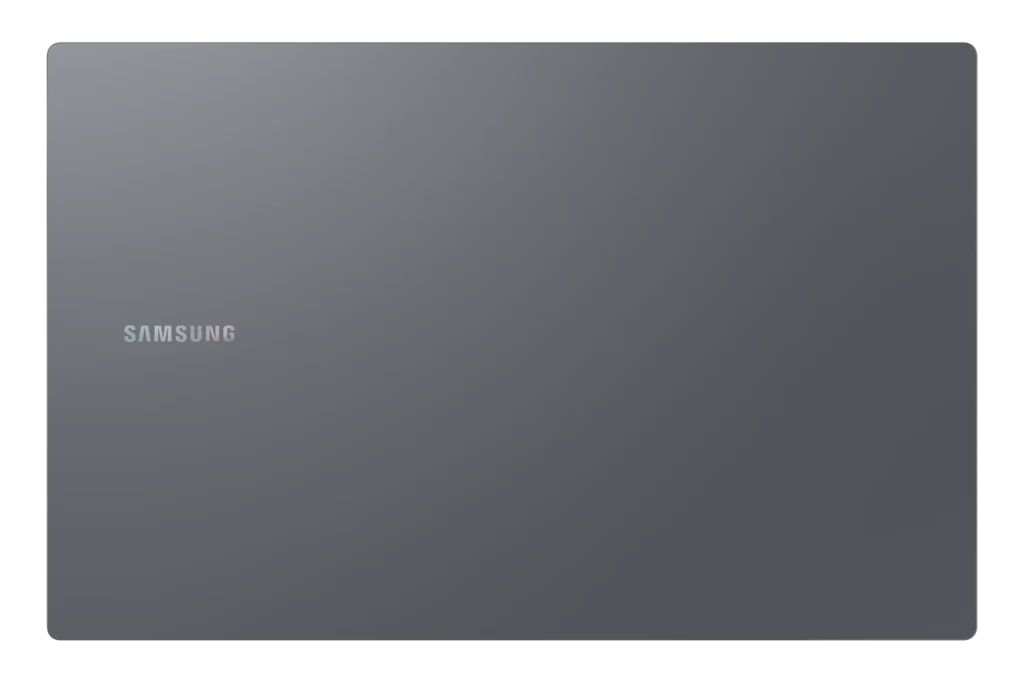
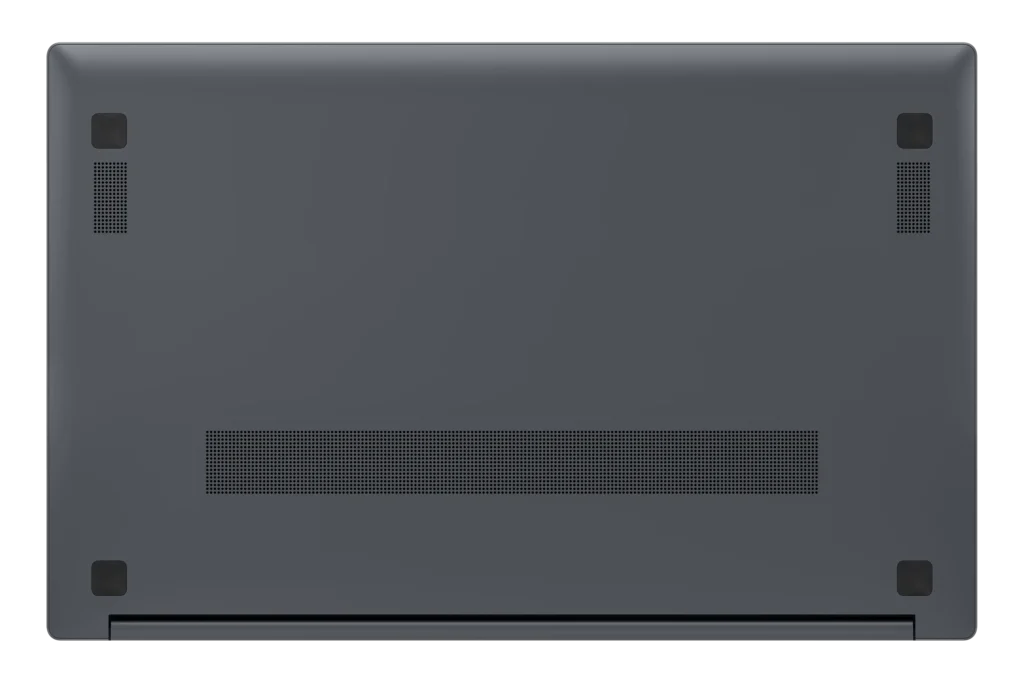
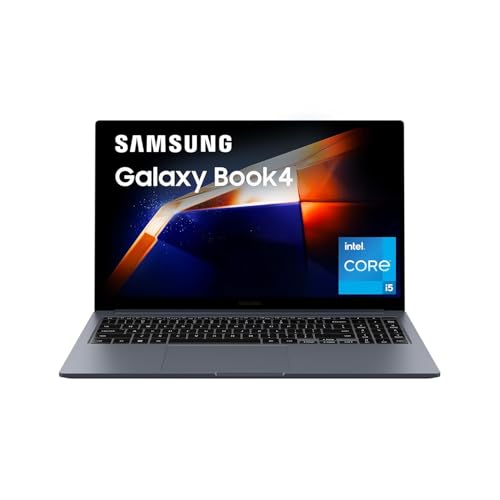
The standard Book4 is a full metal laptop measuring 229.1 × 356.6 × 15.4 mm. At 1.55 kg, it is easy to carry for a 15.6-inch model. The Pro 14 is much more refined at 1.23 kg and about 11.6 mm thick, and its Moonstone Grey aluminum finish suits boardroom use.
Keyboard and Trackpad
The standard Book4 has a full-size keyboard with a number pad, which is excellent for spreadsheets. Reviewers found its keys mushy and slightly tiring over long sessions, though the touchpad tracks well. The Pro 14 improves on this with a sturdy keyboard, clear feedback, and quiet keys. Its touchpad clicks audibly but behaves consistently across the whole surface.
Thermal Behaviour
The standard Book4 shows minimal throttling under load. The Pro 14 stays cool even in long load phases, reaching only 45°C on the underside. The Ultra is the most powerful, with fans that can get loud under load but keep the laptop cool. It also stays silent most of the time and outperformed the Dell XPS 16 with the same RTX 4070 GPU in one review.
Ports and Expansion
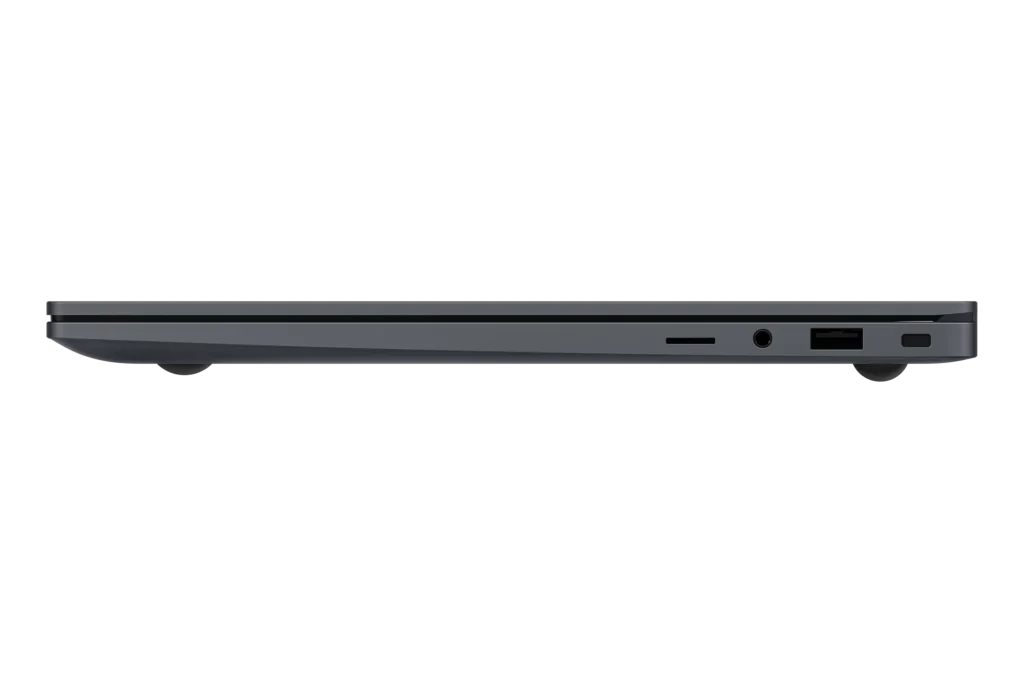
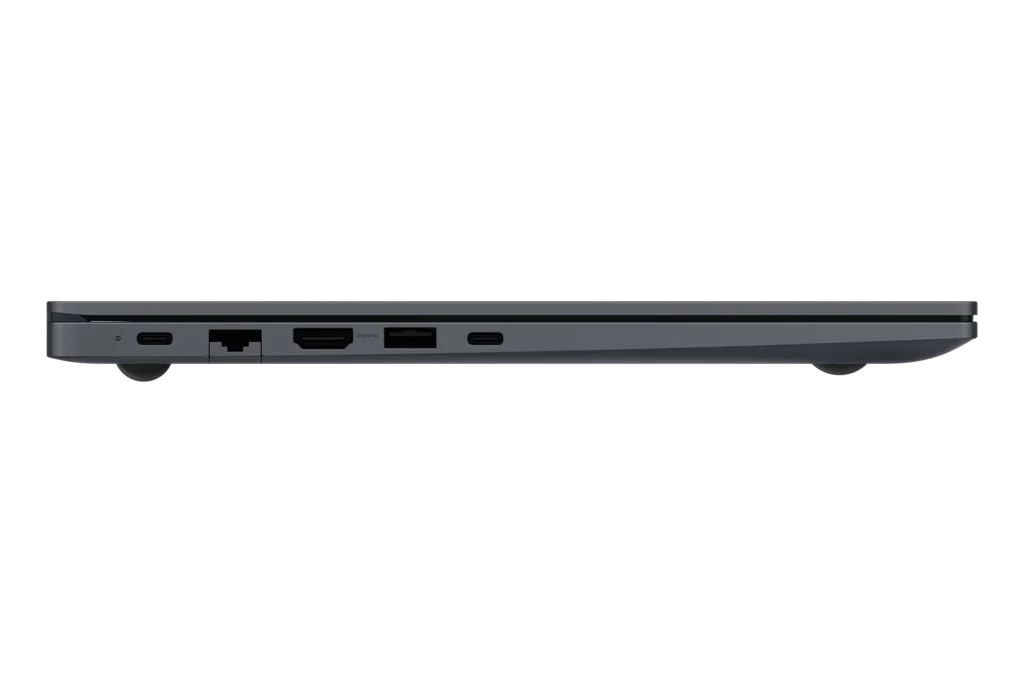
This is where the standard Book4 beats many pricier rivals. It has two USB-A ports, two USB-C ports, HDMI 1.4, Gigabit Ethernet, a microSD reader, and a headphone jack. There is no Thunderbolt 4 or USB4, which matters for fast external drives. The Pro 14 flips the balance, with two Thunderbolt 4 ports, one USB-A 3.2, HDMI 2.1, a microSD slot and a headphone jack, but no Ethernet.
Storage can be replaced on the standard Book4, but RAM is soldered and tops out at 16GB.
Flagship Display & Acoustic Lab Check
Panel Technology
The standard Book4 uses a 15.6-inch FHD IPS panel at 60Hz with no variable refresh. It is bright enough for most indoor rooms, but contrast is low, and blacks look grey in dim light. That makes it fine for documents and video calls, but poor for color-critical work.
The Pro, 360 and Ultra models use Samsung’s AMOLED panels. The Pro 14 delivers extremely high contrast, evenly distributed brightness and very low color deviation, which reviewers said slightly outperformed other OLED notebooks. Its Gorilla Glass DX cover also reflects less than most touchscreens.
Color and Studio Readiness
The Pro 14 covers almost all key color spaces with minimal deviation, so it suits photo editing and presentations. The Pro 16 adds a Samsung-claimed 120% DCI-P3 gamut and an anti-reflective coating. For color grading at a professional level, pair any of these with a calibrated external monitor.
Audio and Camera
The standard Book4’s speakers sound clear and airy, but they are very quiet with almost no bass, so they suit speech better than music. The Pro and Ultra step up to a 1080p webcam with face recognition, a sizeable upgrade on the standard model’s soft 720p camera.
Related: Dell XPS 13 Review: A Portable Business Laptop
3. Professional Configuration Matrix & Silicon Upgrade ROI
| Tier | Processor | Graphics | Memory & Storage | Target User | ROI Rating |
| Entry Office | Core 5 120U | Intel integrated | 8GB / 512GB | Light office work, browsing | ⭐⭐⭐ (3/5) |
| Value Sweet Spot | Core 7 150U | Intel integrated | 16GB / 512GB | Office, students, spreadsheets | ⭐⭐⭐⭐ (4/5) |
| Creator Sweet Spot | Core Ultra 7 155H | Intel Arc | 16GB / 512GB (Pro 14) | Photo editing, travel, executives | ⭐⭐⭐⭐⭐ (4.5/5) |
| Maxed Studio | Core Ultra 7 / 9 | RTX 4050 / 4070 | 16–32GB / 1TB (Ultra) | Video, 3D, gaming | ⭐⭐⭐⭐ (4/5) |
Samsung Galaxy Book4 Review: Heavy Professional Workload Performance
👨💻 Software Engineering and Containers
The Core 7 150U with 16GB handles VS Code, browsers, and light Docker use well. Memory is the limit, since RAM is soldered and capped at 16GB. For heavier virtual machines, choose a Core Ultra model.
🎬 Video Editing and VFX
The Pro’s Arc graphics are well suited to photo and light video editing. For real 4K work, the Ultra is the only practical option. In one test, it scored 7,609 in PCMark 10, ahead of the Dell XPS 16 and HP Spectre x360, and beat both in 3DMark Time Spy.
⚡ Battery Efficiency
Expect a workday from the standard Book4 and the Pro 14. Samsung quotes up to 21 hours of video runtime on the Pro 16 and Ultra, but independent results are lower. A Pro 16 test showed about 14 hours of video, and one YouTube streaming test at 200 nits reached 8 hours 23 minutes. Treat claims above 15 hours as best-case.
🎮 Gaming and GPU Compute
The standard Book4 is not a gaming laptop. The Pro’s Arc graphics need Full HD and reduced settings for gaming. The Ultra’s RTX 4050 runs most modern games at 1080p with great detail, and the RTX 4070 version goes further.
Pros & Cons of Buying Samsung Galaxy Book4
What Sets It Apart
✅ Wide ports: HDMI, Ethernet, microSD, and USB-A on the standard Book4.
✅ Lightweight Pro: only 1.23 kg with a 14-inch OLED screen.
✅ Cool and quiet Pro: 38 dB(A) under load.
✅ Creator power: the Ultra pairs OLED with an RTX GPU.
Professional Caveats
❌ Confusing lineup: many variants with similar names.
❌ Soldered RAM: 16GB maximum on standard models.
❌ Dull standard screen: low-contrast 60Hz FHD panel.
❌ Pro 14 pricing: high entry price for 512GB storage.
🛒 Where to Buy: Latest Prices, Deals & Offers
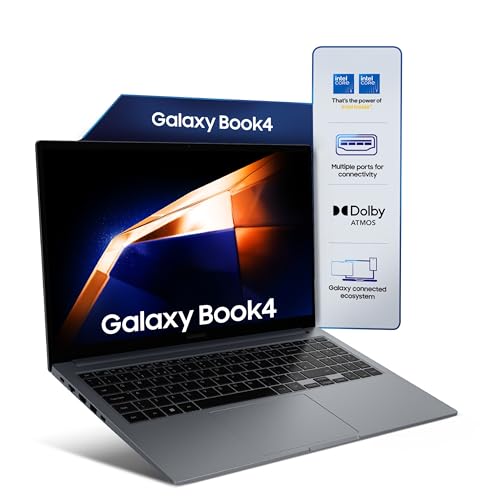
Flagship Cross-Shopping Matrix: Galaxy Book4 Range
| Feature | Book4 15.6″ | Book4 Pro 14″ | Book4 Ultra |
| Chassis / weight | Metal, 1.55 kg | Aluminum, 1.23 kg | 1.86 kg, 1.66 cm |
| Display | 15.6″ FHD IPS, 60Hz | 14″ 3K AMOLED, 120Hz, touch | 16″ 3K AMOLED, 120Hz, touch |
| Processor | Core 5 120U / Core 7 150U | Core Ultra 7 155H | Core Ultra 7 / 9 |
| Graphics | Intel integrated | Intel Arc | RTX 4050 / 4070 |
| Battery | 54Wh | 63Wh | 76Wh with 140W fast charging |
| Ports | 2 × USB-A, 2 × USB-C, HDMI, LAN, microSD | 2 × Thunderbolt 4, USB-A, HDMI 2.1, microSD | Thunderbolt 4, USB-A, HDMI 2.1, microSD |
| Throttling | Minimal | Cool, power-limited | 7% drop in stress test |
Explore the GadgetVeda Premium Laptop Series Guide
Choose by budget and buyer type:
👉 Best Laptops Under ₹1 Lakh: for professionals who want premium builds, AMOLED or OLED screens, and 16GB RAM.
👉 Best Laptops Under ₹90,000: for power users upgrading from mid-range machines.
👉 Best Laptops Under ₹80,000: for the best value-per-rupee, including 16GB Galaxy Book4 deals.
👉 Best Laptops Under ₹70,000: for students and office users who want 16GB and a solid keyboard.
👉 Best Laptops Under ₹60,000: for first-time buyers and families on a tight budget.
Conclusion
✅ Buy the Samsung Galaxy Book4 if: you want a light metal laptop with a full port set for office, study, or family use, or you want the Pro 14 for its OLED screen, Thunderbolt 4, and 1.23 kg weight.
❓ Skip the Samsung Galaxy Book4 if: you need color-accurate work on the standard model, more than 16GB RAM, or Thunderbolt on the standard line. The Ultra is the answer if you need a GPU.
Summary: The Core 7 150U with 16GB is the sensible value pick, and the Pro 14 is the premium pick for professionals. The Ultra is for GPU-heavy creators. Match the exact model code to your needs before you buy.
FAQs
1. What is the Samsung Galaxy Book4 price in India?
Prices depend on the model. The 8GB standard Book4 starts around ₹63,000, and the 16GB Core 7 version sells for about ₹78,000–₹85,000. The Galaxy Book4 360 ranges from about ₹77,000 to ₹1.24 lakh, and the Pro 14 sits near ₹1.32 lakh. Prices change daily, so check the live price before buying.
2. Which Galaxy Book4 is best for students?
The standard 15.6-inch Book4 with 16GB RAM. It offers a full keyboard with a number pad, a wide port selection, and about 10 hours of battery life in light use.
3. Is the Galaxy Book4 good for video editing?
Only the Pro and Ultra. The Pro 14’s Arc graphics handle photo and light video editing, while the Ultra’s RTX GPU is the right choice for serious 4K and 3D work. The standard Book4 cannot handle demanding creative work.
4. How long does the Galaxy Book4 battery last?
The standard Book4 lasts around 10 hours in light use. The Pro 14 managed over 12 hours in a Wi-Fi test, and the Ultra reached about 12 hours in office tests. Real-world results depend on brightness and workload.
5. Can you upgrade the Galaxy Book4’s RAM or storage?
RAM is soldered, so choose the 16GB model upfront. Storage can be replaced on the standard Book4 with an M.2 PCIe Gen 4 SSD.




![OnePlus Nord Buds 4 Review [Price, ANC & Battery Verdict]](https://gadgetveda.com/wp-content/uploads/2026/10/OnePlus-Nord-Buds-4-Review-GadgetVeda-150x150.webp)
![5 Best Smart TVs Under ₹15,000 in India [2026]](https://gadgetveda.com/wp-content/uploads/2026/10/Best-Smart-TVs-Under-₹15000-in-India-150x150.webp)



![OnePlus Nord Buds 4 Review [Price, ANC & Battery Verdict]](https://gadgetveda.com/wp-content/uploads/2026/10/OnePlus-Nord-Buds-4-Review-GadgetVeda-300x167.webp)
![5 Best Smart TVs Under ₹15,000 in India [2026]](https://gadgetveda.com/wp-content/uploads/2026/10/Best-Smart-TVs-Under-₹15000-in-India-300x167.webp)