


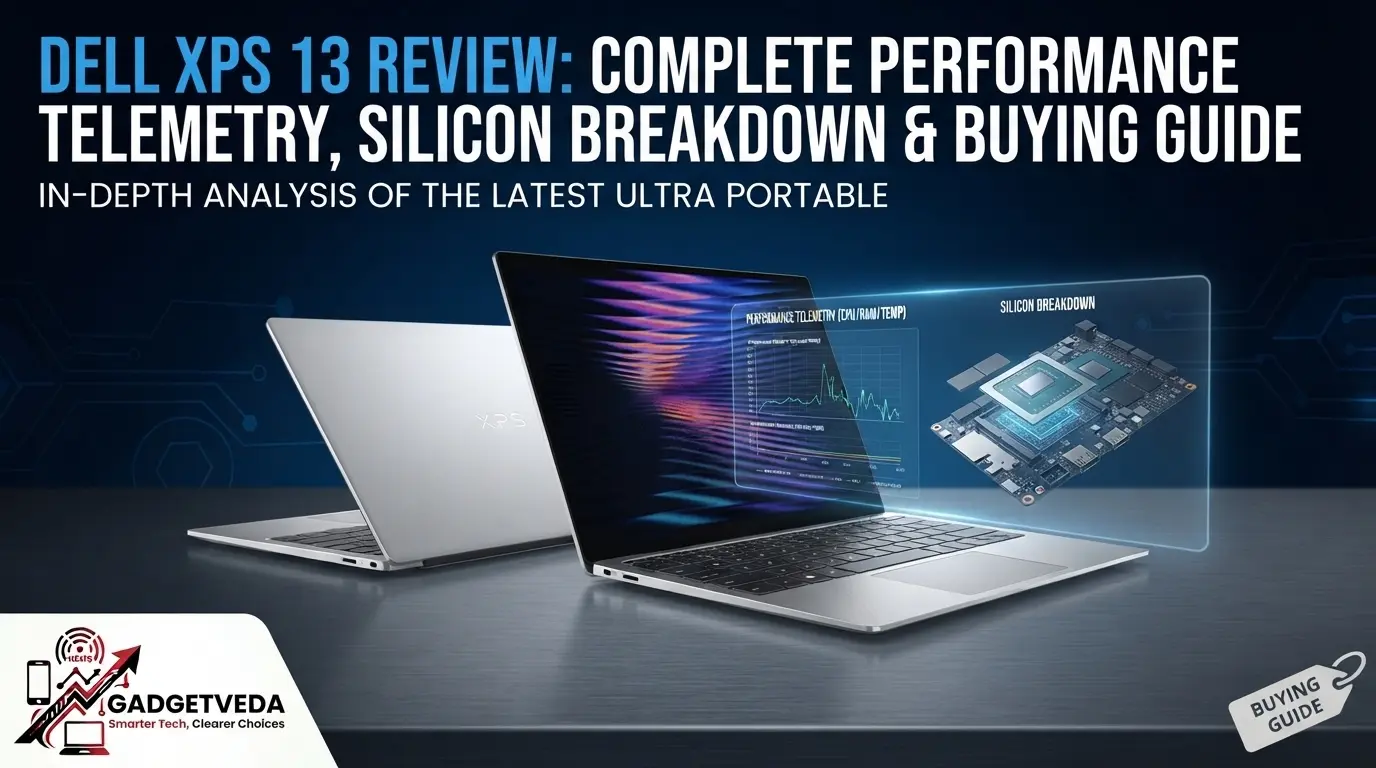
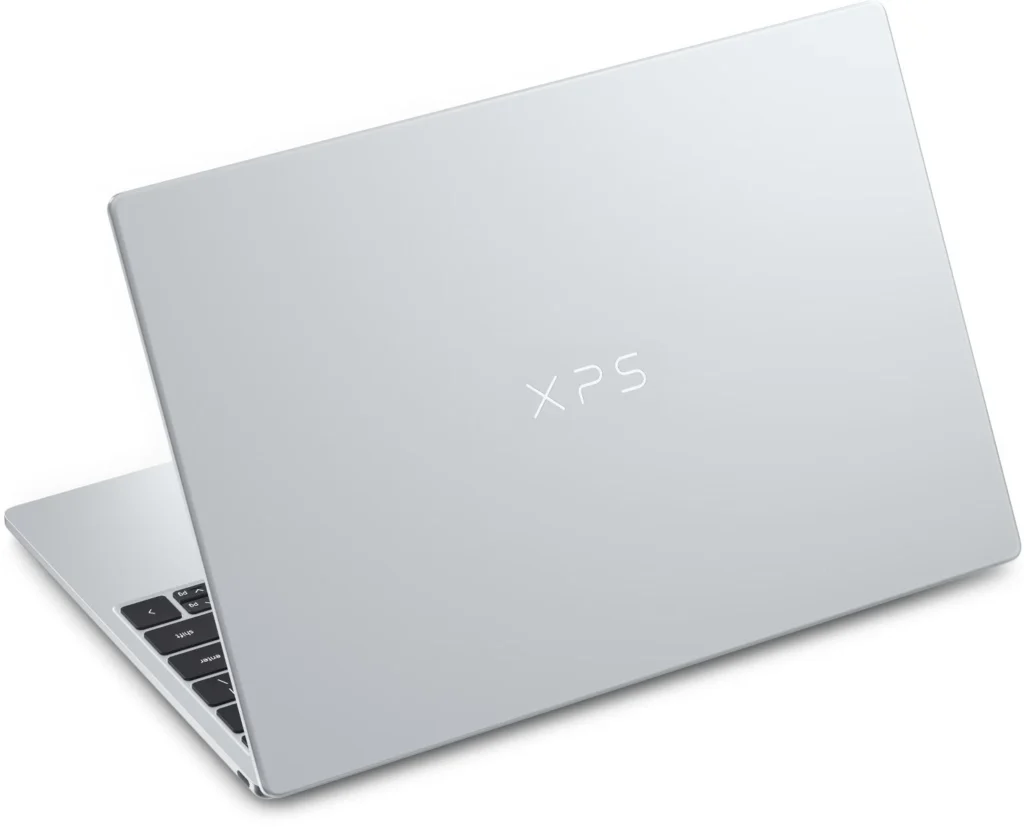
GadgetVeda’s Dell XPS 13 review verdict is straightforward: the 2026 Dell XPS 13 DX13260 is one of the most portable and polished Windows laptops near ₹80,000, combining a rigid CNC-machined aluminium body, a sharp 120Hz touchscreen and strong battery efficiency in a 1kg chassis. It is not, however, a mobile workstation or the best flagship laptop for serious creators; the Core 5 320, single-channel memory and two-core integrated GPU make this an executive ultraportable first and a content-creation machine only for light projects. This is also a very attractive option for senior business executives and professionals who need a lightweight, reliable machine to access anything important on the go.
The Indian model launched in late July 2026 at ₹79,990, with Dell currently listing 8GB/512GB and 16GB/512GB variants at ₹79,990 and ₹94,990 respectively. However, prices are subject to change, therefore, review the official store and ecommerce platform for latest offers and availability. For buyers expecting the XPS name to guarantee workstation-class performance, that positioning needs to be understood before purchase.
Dell XPS 13 Specs: Quick Overview
| Specification | Dell XPS 13 (2026) India Details |
| Model / Chassis Code | Dell XPS 13 DX13260 |
| India Launch | Late July 2026; starting price ₹79,990 |
| India SKUs | CDX13260CTO02MINO: 8GB/512GB; CDX13260CTO01MINO: 16GB/512GB |
| Processor | Intel Core 5 320, Intel Core Series 3 “Wildcat Lake,” 6 cores/6 threads: 2 Performance cores + 4 Low-Power Efficient cores, up to 4.6GHz, 6MB cache |
| CPU Power | 15W processor base power; 35W maximum turbo power |
| Graphics | Integrated Intel Graphics, 2 Xe cores, up to 2.5GHz; DirectX 12 and AV1 encode/decode support |
| NPU | 16 TOPS |
| Memory | 8GB or 16GB LPDDR5x-7467, single-channel; soldered |
| Storage | 512GB M.2 PCIe NVMe SSD; and the internal M.2 2230 SSD is replaceable |
| Display | 13.4-inch IPS LCD touchscreen, 2560 × 1600, 30–120Hz variable refresh rate, 500-nit specification, InfinityEdge |
| Color Specification | Dell markets 100% DCI-P3; independent readings vary by panel supplier and test method |
| Camera | 1080p RGB + IR camera with Windows Hello face recognition |
| Audio | Quad-speaker system with Dolby Atmos; dual-array microphones |
| Ports | 2 × USB 3.2 Gen 2 Type-C, 10Gbps, DisplayPort 2.1 and USB Power Delivery; the Core 5 India models do not get Thunderbolt 4 |
| Wireless | Intel Wi-Fi 7 BE213 2×2 + Bluetooth 6.0 |
| Battery / Charger | 3-cell 52Wh; 65W USB-C GaN slim adapter listed with the 8GB India SKU |
| Dimensions / Weight | 296.9 × 200.66 × 12.7mm; starting weight 1kg |
| Operating System | Windows 11 Home Single Language |
| Included Software | Microsoft Office Home 2024 + Microsoft 365 Basic for one year; McAfee+ Premium for one year |
| Warranty | One-year Basic Onsite Service after remote diagnosis, hardware-only support |
| Color in India | Sky; broader launch materials also mention Storm availability |
| Price Checked | ₹79,990 for 8GB/512GB; ₹94,990 for 16GB/512GB |
GadgetVeda Budget-Laptop Buying Hub
Comparing value before stepping into the XPS tier? Start with the premium guides (₹70,000 to ₹1 lakh), then move down to cheaper budgets.
Premium range (closest to the XPS 13)
👉 Best Laptops Under ₹1 Lakh for the 16GB XPS 13 (₹94,990) and other flagship alternatives
👉 Best Laptops Under ₹90,000 for premium ultraportables and creator laptops
👉 Best Laptops Under ₹80,000 for the 8GB XPS 13 (₹79,990) and similar rivals
👉 Best Laptops Under ₹70,000 for the best value if the XPS tier is too expensive
Value range (if you want to spend less)
👉 Best Laptops Under ₹60,000 for strong performance at a lower price
👉 Best Laptops Under ₹50,000 for students and everyday professionals
👉 Best Laptops Under ₹45,000 for essential, budget-friendly laptops
Dell XPS 13 (2026) Review: Quick Expert Verdict
THE BOTTOM LINE: The Dell XPS 13 (2026) delivers unusually good structural rigidity, portability and display quality for its price: the CNC-aluminium shell is only 12.7mm thick and starts at 1kg, while the 2.5K touch panel combines a 30–120Hz refresh range with a rated 500-nit output. Under sustained CPU load, its twin-fan cooling keeps performance relatively stable after the initial runs, but the processor can average about 87.5°C and briefly reach its 100°C thermal ceiling; the modest six-core CPU and two-core iGPU remain the real limits, not simply the cooling system.
🚀 Sweet-Spot Configuration to Buy: Core 5 320 + 16GB LPDDR5x-7467 + 512GB SSD, SKU CDX13260CTO01MINO, ₹94,990. It is the only current Indian configuration with enough memory headroom for long-term Windows multitasking, development tools, and occasional Adobe work.
❓ Configuration to Skip: Core 5 320 + 8GB + 512GB, SKU CDX13260CTO02MINO, ₹79,990, unless the workload is limited to Office, browsing, streaming, and cloud applications. Independent testing saw memory use reach 97–98% with 24 Chrome tabs and an Affinity photo edit, while some Cinebench, Photoshop, and 3DMark tests could not complete on 8GB.
⚡ GadgetVeda rating: 8.3/10 for premium mobility; 6.5/10 for heavy creative work. The 16GB version is the recommended purchase, but its ₹15,000 premium buys only another 8GB of soldered RAM—not a faster processor, stronger GPU, larger SSD or better screen.
Dell XPS 13 Lab Telemetry
The following numbers are a consolidated assessment of the exact DX13260 platform from controlled independent tests. Results should not be mixed blindly: battery methods, display probes, power profiles, RAM capacity, SSD supplier and even LCD supplier differ between review samples. These figures should be used to understand how capable the Dell XPS 13 Touch laptop is for everyday productivity and official work.
| Test / Telemetry | Verified Result | Practical Meaning |
| Geekbench 6, 8GB | 2,122 single / 6,826 multi | Responsive for common office work, but not a high-end CPU |
| Geekbench 6, 16GB | 2,581 single / 7,615 multi | More memory improves consistency and reduces paging |
| Geekbench 6 GPU OpenCL | 11,734 on 8GB; 12,875 on 16GB | Suitable for display acceleration and light edits, not serious GPU compute |
| Premiere 4K Export | 27:14 on 8GB; 9:54 on 16GB | The 8GB model is severely constrained by memory pressure |
| SSD Sequential, 8GB Sample | 6,855.50MB/s read; 5,141.76MB/s write | Exceptionally fast storage helps app launch and swap responsiveness |
| SSD Sequential, 16GB Sample | 6,593.31MB/s read; 5,519.66MB/s write | Fast scratch performance, though Dell may use different SSD suppliers |
| Cinebench 2026 Loop, 16GB | Began at 1,443, dipped to 1,374, then stabilised in the high 1,600s; 3.13GHz average across six cores | Cooling reaches a stable sustained state rather than collapsing |
| CPU Temperature | 87.49°C average; P-cores occasionally touched 100°C | Brief thermal throttling occurs in prolonged rendering |
| Surface Temperature | 40°C upper keyboard area; 42.5°C bottom peak; touchpad about 30.6°C | Palm and touchpad areas stay usable, but lap use becomes warm |
| Battery, Mixed 150-Nit Test | Both RAM versions exceeded 14 hours | Strong all-day efficiency under a controlled mixed workload |
| Battery, Real Mixed Use | Roughly 7 hours heavy mixed use; up to 10 hours on lighter days | Expect less than synthetic video-loop claims during calls and multitasking |
| Battery, PCMark Office | 15 hours 56 minutes | Strong endurance for productivity-focused travel |
| Official Streaming Claim | Up to 17 hours | A best-case claim, not a guarantee for every workflow |
| Measured Brightness | CNET: 514 nits on 8GB and 485 nits on 16GB; Tom’s Hardware: just under 400 nits | Multi-sourced panels create measurable unit-to-unit variation |
| Measured Color | CNET: 100% sRGB, 99% P3, 88% AdobeRGB; Tom’s Hardware: over 100% sRGB and about 75% DCI-P3 | Calibrate the individual unit before paid Color work |
| Fan Noise | Audible as a light whir mainly during extended Cinebench testing; no reliable cross-source dBA figure was published | Quiet in ordinary work, but not fanless |
AC Versus Battery
A single defensible “percentage performance loss on battery” cannot be stated because no common, repeatable AC/DC result was published across all tests. One battery-power test reported a sharp decline in the lightly threaded Speedometer browser test but almost no change in Cinebench 2026 multicore throughput, showing that Windows power behaviour varies by workload rather than applying one universal throttle.
That nuance matters for mobile professionals. Sustained rendering can remain comparatively steady away from the socket, but interactive browser performance may feel less immediate under an efficiency-biased battery profile. Buyers should select Windows’ Best Performance mode only when responsiveness matters more than endurance and should expect a hotter chassis and faster battery drain.
AI Acceleration
The Core 5 320 includes a 16-TOPS NPU and a 20-TOPS integrated GPU, with Intel quoting 38 total platform TOPS when CPU, GPU and NPU contributions are combined. This is an AI-capable PC, but it is not a Copilot+ PC: Microsoft requires at least a 40-TOPS NPU, 16GB RAM and 256GB storage, while this processor’s NPU reaches only 16 TOPS.intel+2
The practical result is support for Windows Studio Effects and compatible OpenVINO, WindowsML, DirectML and ONNX Runtime workloads, but not the full performance class or feature set associated with 40+ TOPS Copilot+ hardware. Anyone buying primarily for local generative AI should wait for the Core Ultra 7 355 version, whose NPU is specified at up to 49 TOPS, or choose a current Ryzen AI, Snapdragon X or qualifying Core Ultra platform.
Dell XPS 13 Review: Engineering and Ergonomics
Chassis Rigidity
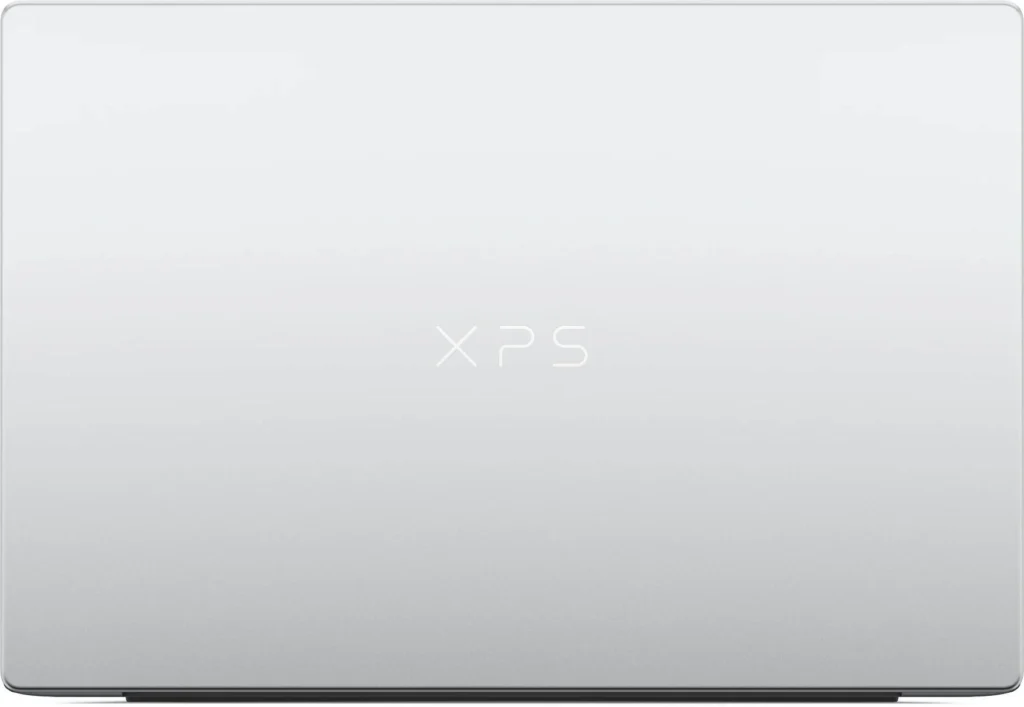
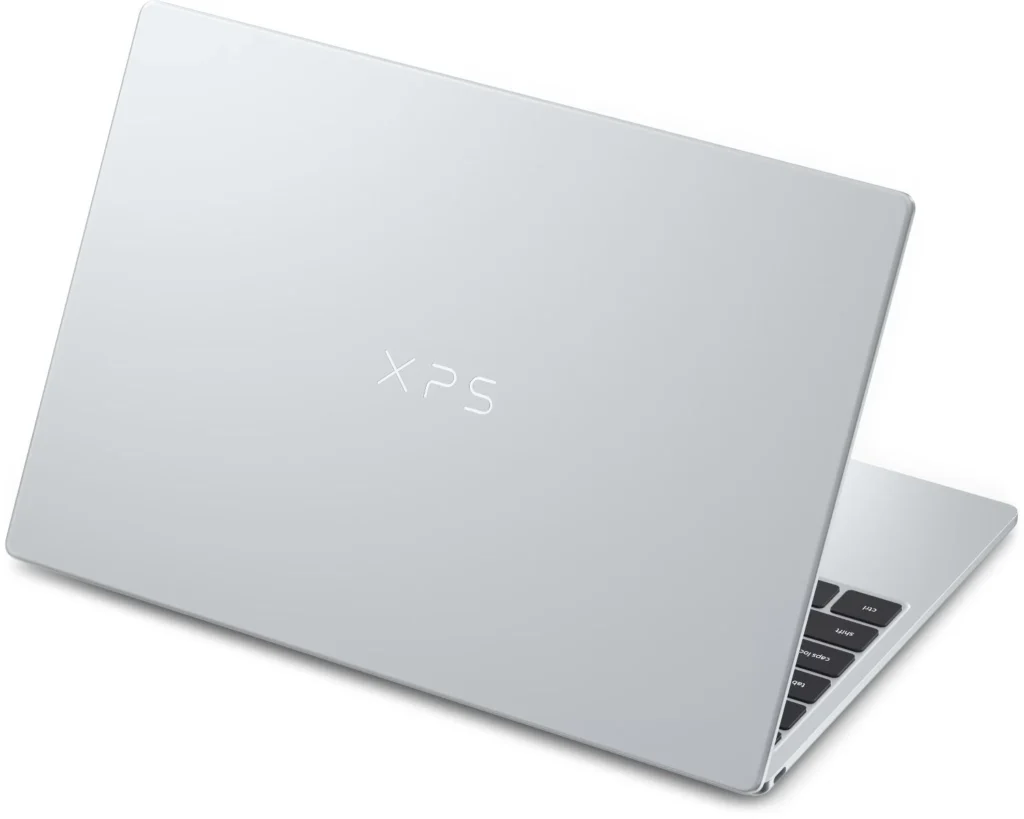
The XPS 13 uses a CNC-machined aluminium enclosure rather than a plastic lower shell. At 296.9mm wide, 200.66mm deep and only 12.7mm thick, it is exceptionally easy to carry; the 1kg starting weight is roughly 230g below the MacBook Neo’s 1.23kg.
Independent assessments describe the all-metal body as rigid and premium, with only slight flex in one test sample. The rounded edges make the machine comfortable to hold, although the metal edge behind the rear exhaust can feel sharp when the laptop is picked up from that area. This is a luxury-feeling ultraportable, but Dell has deliberately simplified the design compared with costlier XPS systems.
Keyboard and Trackpad
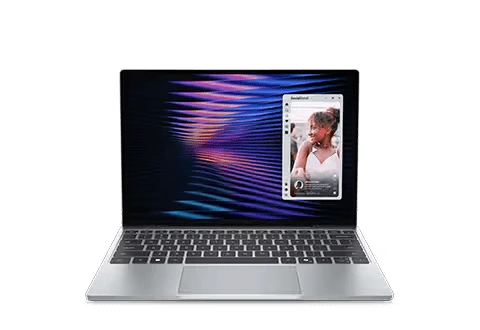
Dell has restored a conventional chiclet keyboard with a physical function row and adjustable backlighting instead of the capacitive row used on some previous XPS designs. The deck is rigid and the keys feel tactile, but travel is shallow and slightly stiff—an expected compromise in a 12.7mm chassis.
The touchpad is a clearly bounded mechanical precision glass clickpad, not a custom haptic unit. Tracking and gestures are accurate, but clicking becomes firmer toward the top because of the traditional diving-board mechanism, and separate review units showed some variation in click feel. Buyers expecting MacBook-class uniform click feedback should test the unit in a store before purchasing.
Thermal Architecture
Two internal fans cool a processor rated at 15W base and 35W maximum turbo power. During a ten-loop Cinebench 2026 test, the 16GB unit recovered from its early dip and settled in the high-1,600-point range, indicating controlled sustained performance rather than progressive collapse.
The trade-off is heat concentration near the rear processor area. Core temperatures averaged 87.49°C with occasional 100°C spikes, and the underside reached 42.5°C, while the main keyboard deck and touchpad remained substantially cooler. It is suitable for long compilation or export jobs on a desk, but not ideal for sustained rendering directly on the lap.
Ports and Expansion
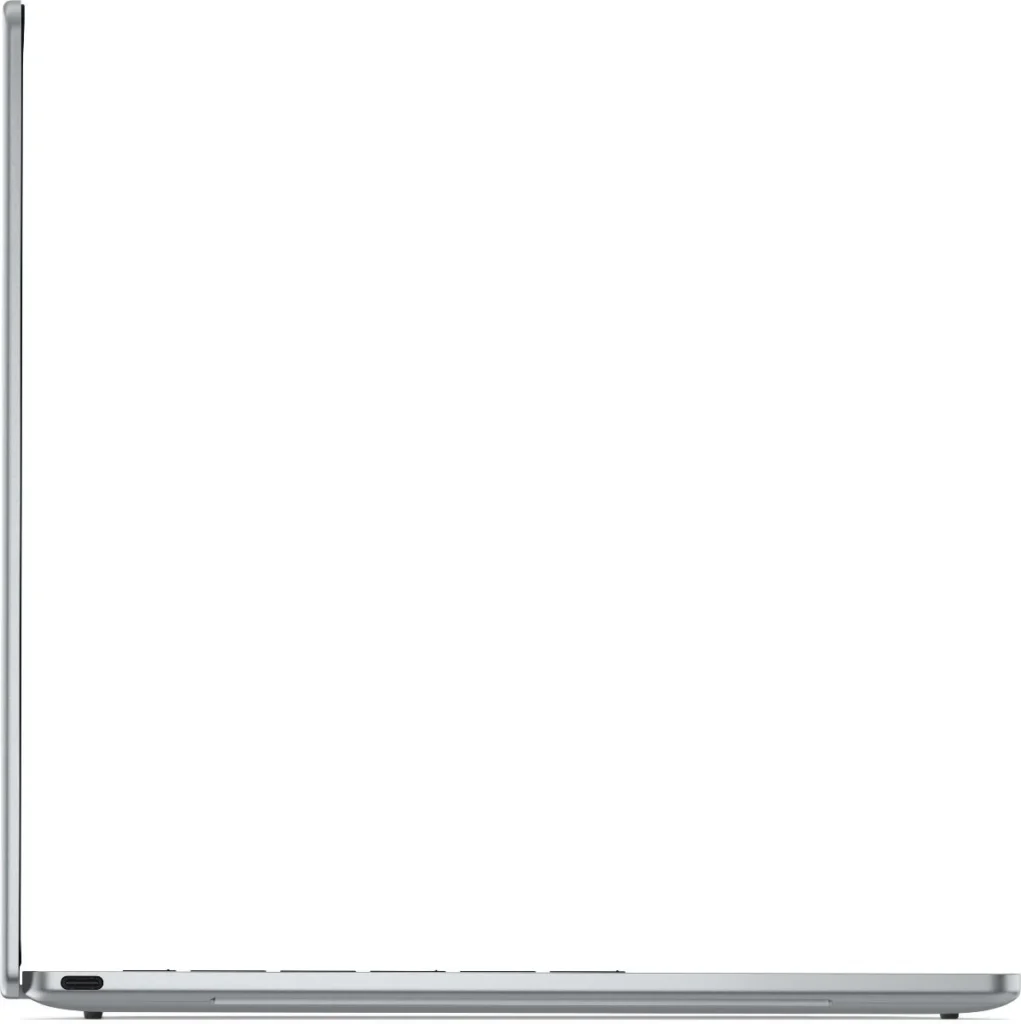
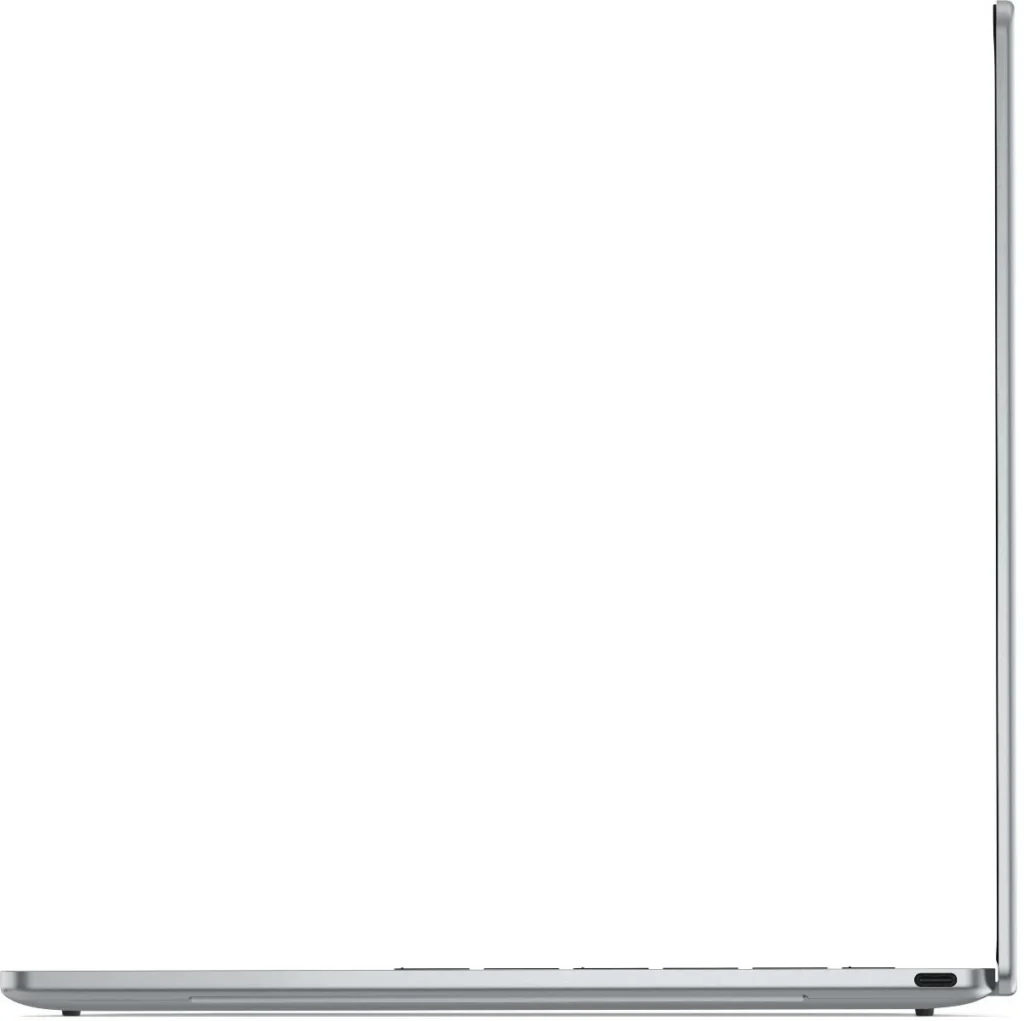
The India-listed Core 5 model has one USB-C port on each side. Both are USB 3.2 Gen 2 at 10Gbps, support DisplayPort 2.1 and USB Power Delivery 3.1, and can accept the charger.
This distinction is important for accurate buying advice: Dell’s Core Ultra versions receive 40Gbps Thunderbolt 4, but the Core 5 320 versions reviewed here do not. There is no USB-A, HDMI, SD/microSD reader, Ethernet or 3.5mm audio jack, so photographers, presenters and users with wired peripherals will need a hub or adapters.
Dell XPS 13 Display and Audio
IPS Panel Quality
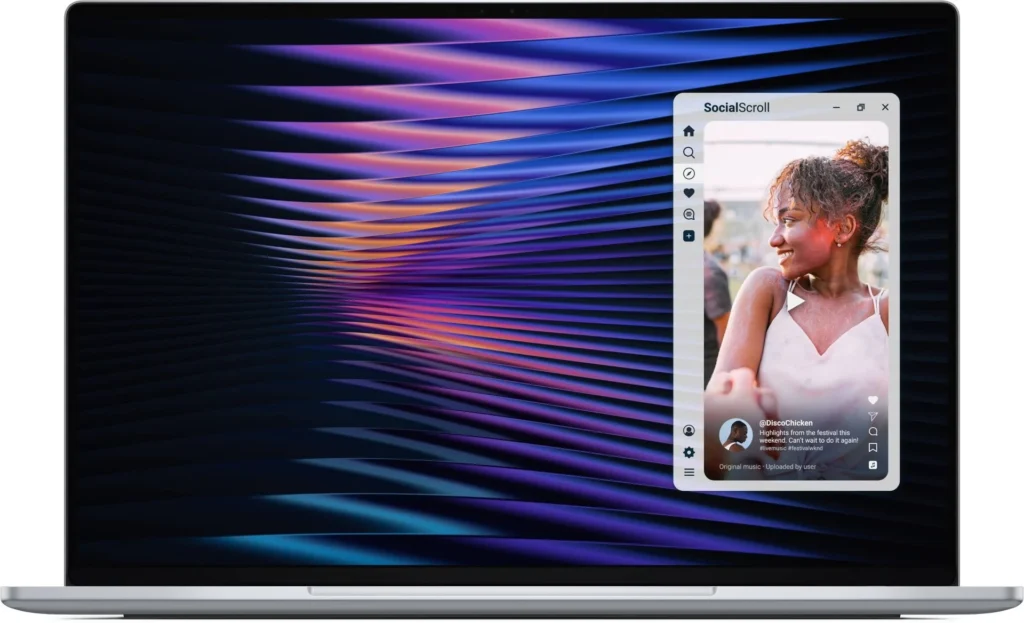
The 13.4-inch 2560 × 1600 touchscreen is the strongest reason to choose this XPS over an ordinary ₹80,000 Windows laptop. Its 16:10 workspace, 30–120Hz variable refresh rate and high pixel density make text, scrolling and pen-free touch navigation feel crisp and fluid.
This is an IPS LCD, not OLED or Mini-LED. Consequently, it avoids OLED burn-in risk and PWM concerns associated with some OLED implementations, but black levels and HDR highlight control cannot match self-emissive OLED or local-dimming Mini-LED panels. Dell’s launch specification includes 500 nits, 100% DCI-P3, Dolby Vision and VESA DisplayHDR 400; however, third-party Color readings differ enough to make individual calibration essential for billable Color work.
Panel sourcing explains part of that uncertainty. Testing identified both Sharp and LG panels with different viewing-angle, backlight-glow and brightness behaviour, even though Dell says each supplier must meet the XPS 13 specification. The correct creator recommendation is therefore not “factory-perfect Color,” but broad-gamut potential that should be profiled with a colorimeter.
Creator Readiness
For Lightroom, Canva, Figma, web graphics and short 1080p/4K projects, the panel is excellent at this price. For 4K LOG grading, cinema delivery or HDR mastering, the lack of OLED/Mini-LED contrast, inconsistent independent gamut readings and limited CPU/GPU performance make an external calibrated monitor and a faster workstation the safer professional setup.
The display’s variable refresh function should remain enabled on the battery. One review unit flickered in bright video scenes when dynamic refresh was disabled on DC power, and the issue disappeared after variable refresh was enabled. That appears to be a settings or implementation issue rather than universal panel flicker, but owners should update drivers and check the dynamic-refresh setting if it occurs.
Speakers, Mics and Camera
The quad-speaker array is unusually capable for a 1kg laptop. Testing found enough volume to fill a home office, some perceptible bass and no obvious distortion at maximum level, while another comparison judged it fuller than the MacBook Neo’s dual-speaker system.
The 1080p RGB/IR webcam supports Windows Hello and handles ordinary meetings, bright windows and mixed lighting competently, although it does not deliver 4K detail or include a physical privacy shutter in the documented feature set. Dual-array microphones cover calls and voice input, but this is not a studio-grade three-mic array.
Dell XPS 13 Configuration Matrix
| Configuration | Processor / Graphics | Memory / Storage | Best For | Value Verdict |
| Base Mobility Tier | Core 5 320 / 2-core Intel Graphics | 8GB LPDDR5x / 512GB | Office, email, classes, streaming, cloud apps | 3.5/5 — attractive ₹79,990 entry price, but memory is already restrictive |
| Sweet-Spot Professional Tier | Core 5 320 / 2-core Intel Graphics | 16GB LPDDR5x / 512GB | Executives, coding, heavier multitasking, light Adobe work | 4.5/5 — the correct current India SKU despite the steep ₹15,000 step-up |
| Future Core Ultra Tier | Up to Core Ultra 7 355 / Intel Graphics | Up to 32GB / 1TB | Local AI, larger projects, longer useful life | Wait for India price — up to 49-TOPS NPU, Thunderbolt 4 and greater memory headroom, but likely a much higher cost |
The Dell XPS 13 16GB CDX13260CTO01MINO is the sensible configuration because memory is soldered and cannot be expanded later. The M.2 2230 SSD is physically replaceable, but opening the bottom cover is difficult and may be inappropriate for owners unfamiliar with tightly clipped aluminium chassis panels.
Dell XPS 13 in Professional Workloads
Software Development and Containers
For VS Code, browser-based development, Git, WSL and one or two light containers, the 16GB model is viable. The Core 5 320’s six cores and fast SSD keep interactive work responsive, and Intel supports VT-x, VT-d and Extended Page Tables for virtualisation.
The ceiling arrives quickly with multiple Docker services, Android Studio, local databases or parallel virtual machines. The single-channel memory architecture caps bandwidth, 16GB is the current Indian maximum, and 8GB already shows frequent browser-tab reloading under ordinary multitasking. Developers who keep several containers and a browser-heavy workflow active should treat 16GB as the minimum, not an upgrade luxury.
Local large-language-model work is similarly limited. The 16-TOPS NPU can accelerate compatible lightweight inference, but the machine lacks a discrete GPU and large shared-memory pool; serious local LLM experimentation belongs on a 32GB-or-higher Core Ultra, Ryzen AI, Apple Silicon or NVIDIA RTX system.
Video Editing and VFX
Intel Quick Sync and hardware AV1 encode/decode support help common media tasks, and the SSD can exceed 6.5GB/s sequential reads in tested units. That combination is enough for short social videos, proxy-based 4K editing and light Color correction on the 16GB model.
Memory capacity is the dividing line. In one Premiere 4K export, the 16GB version finished in 9 minutes 54 seconds while the 8GB version needed 27 minutes 14 seconds; the MacBook Neo completed the same test in 8 minutes 30 seconds. Those figures make the 8GB XPS unsuitable for regular Premiere work, while the 16GB version remains a convenience machine rather than a VFX workstation.
Blender, DaVinci Resolve Fusion, After Effects and 3D CAD expose the weak two-core iGPU. Some demanding 3DMark tests would not run on the 8GB machine, and independent testing recorded single-digit frame rates in modern games at 1080p without resolution scaling. A laptop with Intel Arc, Radeon 800M-class graphics or a discrete RTX GPU is the better creator purchase when rendering speed matters more than 1kg portability.
Battery Workflows
Controlled tests range from more than 14 hours in a mixed 150-nit workload to 15 hours 56 minutes in PCMark’s Modern Office benchmark and over 20 hours in a local-video test. Real mixed use with many Chrome tabs, video calls and streaming produced closer to seven hours, stretching toward ten hours on lighter days.
That spread is normal because screen brightness, wireless activity, refresh rate and conferencing load materially alter power consumption. A realistic buying expectation is a full office or college day for moderate work, with the 65W compact GaN adapter available for heavier days.
Gaming and GPU Compute
The XPS 13 is not a modern AAA gaming laptop. Its Intel Graphics implementation has only two Xe cores; a measured 3DMark Wild Life Extreme result averaged 14fps, while other testing found single-digit native-1080p frame rates in demanding titles.
It can handle indie games, older esports titles and cloud gaming, provided settings and resolution are reduced. Hardware ray tracing or high-resolution gaming should not be a purchase expectation, and sustained gaming also pushes the thin chassis toward its thermal ceiling.
Dell XPS 13 Review: Pros and Cons
What Sets It Apart
✅ Rigid CNC aluminium chassis at only 1kg.
✅ Sharp 2.5K touchscreen with 120Hz VRR.
✅ Excellent all-day battery efficiency.
✅ Fast PCIe SSD performance.
✅ Strong quad-speaker output for its size.
✅ Wi-Fi 7 and Bluetooth 6 connectivity.
Professional Caveats
❌ Eight-gigabyte model hits memory limits quickly.
❌ Core 5 model lacks Thunderbolt 4.
❌ Only two USB-C ports; no audio jack.
❌ Soldered single-channel RAM cannot be upgraded.
❌ Integrated GPU is weak for rendering.
❌ Panel calibration varies between suppliers.
Dell XPS 13 vs MacBook Neo
| Feature | Dell XPS 13 DX13260 | Apple MacBook Neo | Buying implication |
| Current Official Starting Price | ₹79,990 with 8GB/512GB | ₹79,900 with 8GB/256GB | Dell gives twice the base storage for ₹90 more |
| Processor | Intel Core 5 320, 6-core/6-thread | Apple A18 Pro, 6-core CPU | Apple leads many single-core and GPU tests |
| Graphics | Intel Graphics, 2 Xe cores | 5-core GPU with hardware ray tracing | Neo is stronger for GPU-heavy creative work |
| Memory Options | 8GB or 16GB LPDDR5xdellstore+1 | 8GB unified memory | Dell’s 16GB model is safer for Windows multitasking |
| Display | 13.4-inch 2560 × 1600 touch, 30–120Hz, 500-nit spec | 13-inch 2408 × 1506, non-touch, 60Hz, 500 nits | Dell wins for touch and motion clarity |
| Battery | 52Wh; up to 17-hour official streaming claim | 36.5Wh; up to 16-hour official video claim | Both are efficient; test results depend on method |
| Ports | 2 × 10Gbps USB-C with DP 2.1/PD; no headphone jack | One USB 3 USB-C, one USB 2 USB-C, 3.5mm jack | Dell has faster dual data ports; Apple retains wired audio |
| Wireless | Wi-Fi 7, Bluetooth 6 | Wi-Fi 6E, Bluetooth 6 | Dell has the newer Wi-Fi standard |
| Camera / Login | 1080p IR, Windows Hello face unlock | 1080p FaceTime HD; Touch ID only on select configuration | Dell includes face login at base |
| Weight | Starting at 1kg | 1.23kg | Dell is about 230g lighter |
| Operating System | Windows 11 | macOS | Application compatibility and ecosystem may decide the purchase |
Benchmark evidence favours the MacBook Neo for many raw CPU and GPU tasks. In one cross-platform dataset, the Neo scored 3,402/8,508 in Geekbench 6 CPU and 19,798 GPU OpenCL, versus 2,581/7,615 and 12,875 for the 16GB XPS; the Neo also exported the Premiere project 1 minute 24 seconds faster.
The Dell XPS counters with a 120Hz touchscreen, a lighter chassis, 512GB at its base Indian price, Wi-Fi 7 and a purchasable 16GB option. The recommendation is simple: choose the MacBook Neo for stronger Apple-silicon performance, silence and macOS integration; choose the XPS 13 for Windows compatibility, touch, higher refresh, lower carry weight and better base storage.
Dell XPS 13 Competitor Matrix in India
| Feature | Dell XPS 13 (2026) | Apple MacBook Neo | ASUS Zenbook 14 UM3406 |
| Primary identity | 1kg premium Windows ultraportable | Affordable Apple-silicon ultraportable | More expandable creator-oriented Windows ultraportable |
| Chassis / weight | CNC aluminium; 1kg | Recycled aluminium enclosure; 1.23 | 14.9mm; about 1.28kg |
| Display | 13.4-inch 2.5K IPS touch, 30–120Hz | 13-inch IPS, 60Hz, non-touch | Up to 14-inch OLED options; regional SKU varies |
| Processor class | 15W Core 5 320, 35W max turbo | A18 Pro | Up to Ryzen AI with up to 50-TOPS NPU |
| Ports | 2 × 10Gbps USB-C only | 2 × USB-C + headphone jack | USB4 Type-C, USB-C, USB-A, HDMI and audio jack |
| Best reason to buy | Lowest carry weight, touch and 120Hz | Strong efficiency and Apple ecosystem | Broader ports, OLED options and stronger AI tier |
| Main compromise | Weak GPU, limited ports, soldered RAM | 8GB-only memory and limited external-display support | Heavier and model availability varies |
The Zenbook comparison reveals the XPS 13’s core trade-off: Dell prioritises minimum weight and chassis refinement, while ASUS offers a broader port layout and higher-performance processor options. Buyers who connect cameras, external storage and monitors every day may find the Zenbook design more practical even if the XPS is easier to carry.
Should You Buy Dell XPS 13 (2026) Laptop?
Buy the Dell XPS 13 (2026) if:
✅ A genuinely premium Windows laptop must weigh around 1kg.
✅ A sharp 120Hz touchscreen matters more than OLED contrast.
✅ The workload centres on Office, research, travel, presentations, coding and moderate multitasking.
✅ Windows Hello, Wi-Fi 7, excellent speakers and long battery life are priorities.
✅ The budget can stretch to the 16GB CDX13260CTO01MINO configuration.
Skip the Dell XPS 13 (2026) if:
❓ The main workloads are 4K multicam editing, VFX, Blender, CAD, local LLMs or AAA gaming.
❓ Thunderbolt 4, HDMI, USB-A, an SD reader or wired headphones are essential without adapters.
❓ More than 16GB RAM or a factory 1TB SSD is required immediately.
❓ OLED blacks and HDR mastering matter more than weight.
❓ The ₹94,990 price is being justified primarily by performance rather than mobility and construction.
The strongest purchasing directive is therefore to buy the 16GB SKU for premium mobility, not for workstation performance. The Dell XPS 13 is one of the finest 1kg Windows travel machines below ₹1 lakh, but calling it the “best flagship laptop for creators/professionals” without qualification would be misleading: it is best for mobile professionals, writers, executives, consultants, students and light creators—not render-heavy specialists.
FAQs
1. Is 8GB memory enough for heavy creative workloads?
No. The 8GB configuration can handle documents, streaming, meetings and controlled browser use, but testing showed 60% memory use immediately after boot, 75–76% with Spotify, and 97–98% with 24 Chrome tabs plus an Affinity photo edit. The same model could not complete some Cinebench 2024, Photoshop and 3DMark workloads because of insufficient memory.
When physical RAM fills, Windows pages data to the SSD. The XPS has a very fast SSD, which softens the penalty, but swap remains slower than LPDDR5x and produces tab reloads, pauses and inconsistent export performance. The 16GB model is the minimum sensible configuration for creative software and future-proofing.
2. Does Dell XPS 13 throttle on battery power?
There is no evidence of one fixed battery-performance penalty across every workload. Testing found a substantial decline in the lightly threaded Speedometer browser benchmark on battery but almost no change in Cinebench 2026 multicore performance. Windows’ power mode, display refresh behaviour and the application itself determine the outcome.
Under prolonged plugged-in rendering, the CPU averaged 87.49°C and occasionally touched 100°C, indicating some thermal throttling even with two fans. The laptop is designed to balance quiet mobility and efficiency, not hold workstation-class clocks indefinitely,
3. How does its display compare with OLED and Mini-LED?
The XPS panel offers advantages that matter for productivity: sharp 2560 × 1600 resolution, touch input, 30–120Hz VRR and strong brightness. It also avoids OLED’s cumulative burn-in risk, which can matter for users who keep static spreadsheets, editing timelines or taskbars visible for years.
OLED still provides deeper blacks, near-instant pixel response and better dark-room contrast, while Mini-LED can deliver much greater HDR highlight headroom with local dimming. The XPS is better described as a premium productivity IPS panel than an HDR mastering display, especially because measured DCI-P3 coverage varied materially across review units.
4. Is the Core 5 XPS 13 a Copilot+ PC?
No. Intel specifies a 16-TOPS NPU for the Core 5 320, while Microsoft requires a compatible 40+ TOPS NPU plus at least 16GB RAM and 256GB storage for Copilot+ classification. The laptop can still accelerate supported AI effects and applications, but it does not qualify for the complete Copilot+ feature tier.
5. Can RAM or storage be upgraded in Dell XPS 13 later?
The LPDDR5x memory is soldered, so the purchased 8GB or 16GB capacity is permanent. The compact M.2 2230 SSD can be replaced after removing the bottom cover, although one teardown found the clips unusually difficult to release.
6. Does the Dell XPS 13 Core 5 have Thunderbolt 4?
No. Dell’s official manual states that Core 5 systems use two 10Gbps USB 3.2 Gen 2 Type-C ports with DisplayPort 2.1 and Power Delivery 3.1; Thunderbolt 4 is reserved for Core Ultra configurations. This specification is easy to misreport because the processor itself supports Thunderbolt, but the system implementation determines what buyers actually receive.
7. Is the Dell XPS 13 suitable for gaming?
Only for lightweight, older or cloud-streamed games. The two-core Intel integrated GPU produced 14fps in one 3DMark Wild Life Extreme result, while other demanding games ran at single-digit frame rates at native 1080p without upscaling. Competitive or AAA gaming buyers should choose a laptop with stronger Radeon, Intel Arc or NVIDIA RTX graphics.
8. Which Dell XPS 13 2026 configuration should be purchased in India?
Choose CDX13260CTO01MINO: Core 5 320, 16GB LPDDR5x and 512GB SSD at ₹94,990. The CDX13260CTO02MINO 8GB model at ₹79,990 is attractive for highly portable basic computing, but its soldered memory makes it difficult to recommend for a five-year professional ownership cycle.



![5 Best Smart TVs Under ₹15,000 in India [2026]](https://gadgetveda.com/wp-content/uploads/2026/10/Best-Smart-TVs-Under-₹15000-in-India-150x150.webp)

![10 Best Printers Under ₹15,000 in India [2026] | GadgetVeda](https://gadgetveda.com/wp-content/uploads/2026/10/Best-Printers-Under-₹15000-in-India-150x150.webp)

![5 Best Smart TVs Under ₹15,000 in India [2026]](https://gadgetveda.com/wp-content/uploads/2026/10/Best-Smart-TVs-Under-₹15000-in-India-300x167.webp)
![10 Best Printers Under ₹15,000 in India [2026] | GadgetVeda](https://gadgetveda.com/wp-content/uploads/2026/10/Best-Printers-Under-₹15000-in-India-300x167.webp)