


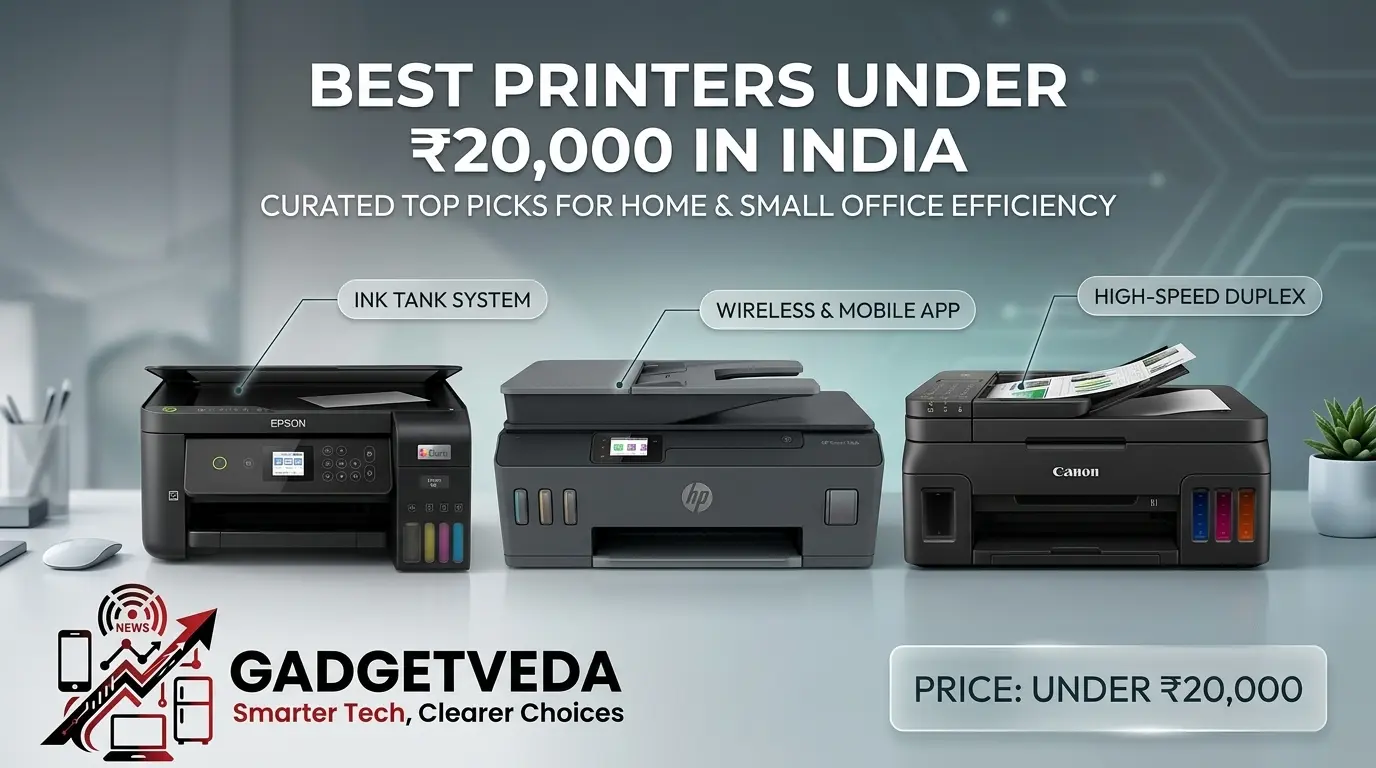
The Brother DCP-T730DW is the best all-in-one printer under 20000 for most buyers: automatic duplex, a 20-sheet ADF, dual-band Wi-Fi, and up to 15,000 black pages in the box. If color running cost matters most, the Epson EcoTank L3352 quotes just 9 paise per black print and 33 paise per color print. These are the best printers under 20000 we would buy with our own money, and the rest of this guide shows which of the other 13 fits your desk.
It is 11 p.m., your assignment is due at 9 a.m., and the print shop near your PG closed an hour ago. Or it is a Monday morning, a client wants a signed agreement on paper, and the cartridge you bought six months ago has dried out. Most Indian homes and home offices have been there, and the usual response is to buy the cheapest printer on the first page of results. That is where the real cost begins. Entry-level cartridge printers often cost less than a single replacement set; the nozzles clog after a few idle weeks, 70-80 GSM paper jams, and the feed mechanism sounds like a drill during late-night study sessions. A ₹20,000 budget changes the game. It reaches refillable ink tank printers that print thousands of pages for paise per page, and proper laser machines with automatic duplex, ADFs, and Wi-Fi.
How GadgetVeda Evaluated These Printers
We built this list from 15 models on Amazon India and checked every spec against the manufacturer’s India product page or datasheet where one exists. For each printer, we compared ISO print speed against the headline peak, black and color cost per page, flatbed and ADF scanner optical resolution, mobile app and Wi-Fi support, tray capacity, duty cycle, warranty terms, weight, and toner or ink lock-in policy. We separate draft or Eco-mode speeds from ISO ratings, because a 30 ppm claim and a 12 ppm ISO result can describe the same printer. We also weigh customer feedback patterns, printhead drying risk on inkjets, and how easy refills are. Then we rank by value for a specific buyer, not by spec-sheet size, so you can match a printer to how you actually print.
Why Trust GadgetVeda?
Every spec in this guide is cross-checked against the manufacturer’s India product page or datasheet, then compared on real cost per page rather than marketing speeds. We accept no paid placements or sponsored reviews. When you buy through our Amazon links, we earn a small commission at no extra cost to you, and that revenue funds our research. Prices change daily, so we link to live listings instead of quoting them, and we update this guide when specs change.
💡 Need a tighter budget? Explore our compilation of the best budget printers under 10000 and best printers under 15000 in India to find reliable entry-level single-function options.
Snapshot: The Best Printer Under 20000 by Need
| If you need… | Pick | Why |
| Best overall for home office and WFH | Brother DCP-T730DW | Duplex, ADF, dual-band Wi-Fi |
| Lowest listed cost per page | Epson EcoTank L3352 | 9 paise black, 33 paise color |
| Longest warranty (Canon printer under 20000) | Canon PIXMA MegaTank G3780 | 2 years or 30,000 pages on-site |
| Most ink in the box | HP Smart Tank 580 | Up to 8,000 black pages included |
| Cheapest way into ink tank savings | Epson EcoTank L3315 | USB-only, same 9/33 paise claim |
| Best black-and-white laser with Wi-Fi | Brother HL-L2440DW | 30 ppm, duplex, 3,000-page toner |
| Best for fax and ADF at the office | HP Laser MFP 1188fnw | 40-sheet ADF, Ethernet, fax |
| Best for heavy mono volume | HP Laser MFP 323d | 30 ppm, 30,000-page duty cycle |
Best Printers Under ₹20,000 in India [Top 3 Specialist Champions]
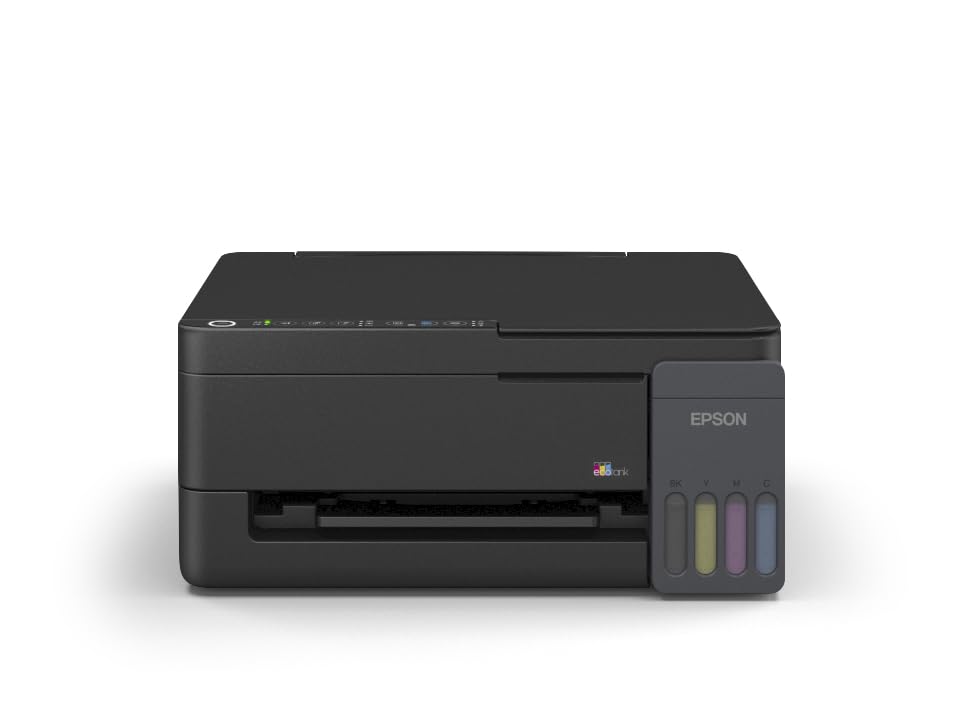
The Low-Cost-per-Page Student & Home Champion: Epson EcoTank L3352
Epson’s key-lock ink tank is the cheapest to run here: 9 paise per black print and 33 paise per color print, with up to 4,700 black and 7,500 color pages. Wi-Fi Direct and a 1200 x 2400 dpi scanner suit students who print projects weekly and refuse messy refills.
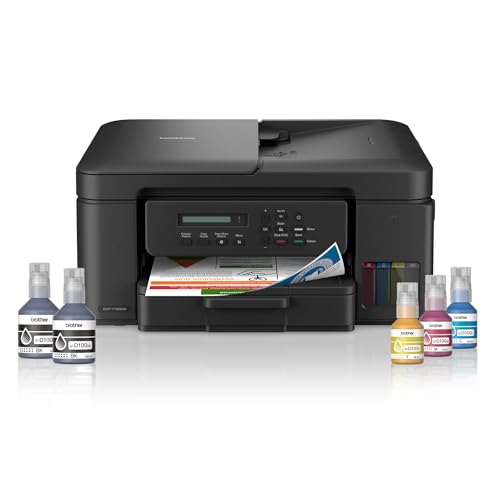
The All-in-One WFH & Small Office Specialist: Brother DCP-T730DW
Print, scan, and copy with automatic duplex, a 20-sheet ADF, and dual-band Wi-Fi. ISO speed is 16 ipm black and 15 ipm color, and two black bottles give up to 15,000 pages. Choose it when you scan stacks of paper and print double-sided every single day.
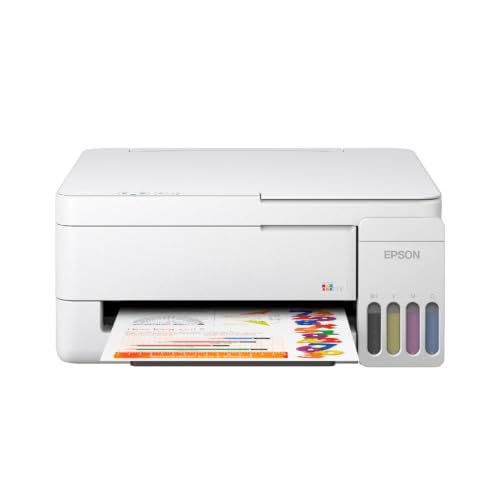
The Ultra-Budget Entry Value Warrior: Epson EcoTank L3315
The L3315 delivers Epson’s 5760 x 1440 dpi output and the same 9/33 paise running-cost claim in a compact 4.2 kg body. It is USB-only, so it suits a single-laptop desk, and it maximizes print clarity per rupee spent on assignments, forms, and certificates. Free doorstep installation and on-site cover are included.
Best Printers Under ₹20,000 in India [Master Comparison Table]
| Rank | Model Name | Key Specifications | Expert Rating | Latest Price |
| 1 | Brother DCP-T730DW | Ink tank AIO / 27 peak, 16 ISO black; 23 peak, 15 ISO color / 1200 x 6000 / Dual-band Wi-Fi, Wi-Fi Direct, USB | 9.4/10 | Check on Amazon |
| 2 | Epson EcoTank L3352 | Ink tank AIO / 33 draft, 11 ISO black; 15 draft, 6 ISO color / 5760 x 1440 / Wi-Fi, Wi-Fi Direct, USB | 9.2/10 | Check on Amazon |
| 3 | Canon PIXMA MegaTank G3780 | Ink tank AIO, auto duplex / 11 black, 6 color (ISO ipm) / 4800 x 1200 / Wi-Fi, Wi-Fi Direct, USB | 9.0/10 | Check on Amazon |
| 4 | HP Smart Tank 580 | Ink tank AIO / 30 peak, 12 ISO black; 24 peak, 5 ISO color / 1200 x 1200 black, 4800 x 1200 color / Wi-Fi, Wi-Fi Direct, Bluetooth, USB | 8.9/10 | Check on Amazon |
| 5 | Epson EcoTank L3315 | Ink tank AIO / 33 draft, 10 ISO black; 15 draft, 5 ISO color / 5760 x 1440 / USB | 8.7/10 | Check on Amazon |
| 6 | Brother DCP-T436W | Ink tank AIO / 27 black, 11 color / 1200 x 6000 / Dual-band Wi-Fi, USB | 8.6/10 | Check on Amazon |
| 7 | HP Laser 1008w | Mono laser, print only / 21 black / 600 x 600 / Wi-Fi, Wi-Fi Direct, USB | 8.5/10 | Check on Amazon |
| 8 | Epson EcoTank L3356 | Ink tank AIO / 33 draft, 10 ISO black; 15 draft, 5 ISO color / 5760 x 1440 / Wi-Fi, Wi-Fi Direct, USB | 8.5/10 | Check on Amazon |
| 9 | Brother DCP-L2520D | Mono laser AIO, auto duplex / 30 black / 600 x 600, HQ1200 / USB | 8.4/10 | Check on Amazon |
| 10 | HP Laser MFP 1188fnw | Mono laser AIO with 40-sheet ADF and fax / 21 black / 1200 x 1200 / Wi-Fi, Ethernet, USB | 8.4/10 | Check on Amazon |
| 11 | HP Laser MFP 323d | Mono laser AIO, auto duplex / 30 black / 1200 x 1200 / USB | 8.3/10 | Check on Amazon |
| 12 | Brother HL-L2440DW | Mono laser, auto duplex / 30 black / 1200 x 1200 / Dual-band Wi-Fi, Wi-Fi Direct, USB | 8.3/10 | Check on Amazon |
| 13 | HP Laser 303dw | Mono laser, auto duplex / 30 black / 1200 x 1200 / Wi-Fi, USB | 8.2/10 | Check on Amazon |
| 14 | HP Laser MFP 1188w | Mono laser AIO / 21 black / 1200 x 1200 / Wi-Fi, USB | 8.1/10 | Check on Amazon |
| 15 | HP Laser MFP 1188a | Mono laser AIO / 21 black / 1200 x 1200 / USB | 8.0/10 | Check on Amazon |
15 Best Printers Under ₹20,000 in India [Detailed reviews]
1. Brother DCP-T730DW Auto-Duplex Ink Tank Printer – ADF, Dual-Band Wi-Fi and 15,000 Black Pages
🖨️ Print Technology & Resolution: Ink tank, 1200 x 6000 dpi: crisp reports and vivid color pages.
⚡ Print Speed & Yield: 27/23 ppm peak, 16/15 ipm ISO; 15,000 black pages: fewer refills.
💰 Running Cost & Page Yield: About 10 paise black, 40 paise color per page: low student costs.
📑 Functions & Scanner Quality: Print, scan, copy; 20-sheet ADF, 1200 x 2400 dpi scanner speeds paperwork.
📶 Connectivity & Mobile App: Dual-band Wi-Fi, Wi-Fi Direct, USB, Brother Mobile Connect: easy phone printing.
If you want one machine that behaves like an office printer, the T730DW is the best all-in-one printer under 20000 for most buyers. Automatic duplex printing cuts paper use on long reports, and the 20-sheet ADF lets you copy or scan a multi-page file without lifting the lid for every sheet. Two black bottles ship in the box, which Brother rates at up to 15,000 pages.
Speed needs honest framing: the 27/23 ppm figure is an Eco-mode peak, and the ISO rating is 16 ipm black and 15 ipm color. That is still brisk for school projects, and color pages come out almost as fast as black. This is the best printer under 20000 for office and WFH use if you scan often, print double-sided, and want dual-band Wi-Fi that avoids crowded 2.4GHz networks.
Pros
✅ Auto duplex plus 20-sheet ADF.
✅ Dual-band Wi-Fi reduces dropouts.
✅ Up to 15,000 black pages included.
✅ Optical scanner reaches 1200 x 2400 dpi.
Cons
❌ Heavier 8.6 kg body needs desk space.
❌ Peak speeds drop to 16/15 ipm ISO.
❌ ADF holds only 20 sheets.
👉 🛒 Check Today’s Price & Bank Offers on Amazon
2. Epson EcoTank L3352 Wi-Fi Ink Tank Printer – Lowest Running Cost for Color Printing
🖨️ Print Technology & Resolution: Ink tank, 5760 x 1440 dpi: sharp text and photo-rich color output.
⚡ Print Speed & Yield: 33/15 ppm draft, 11/6 ipm ISO; 4,700 black, 7,500 color pages.
💰 Running Cost & Page Yield: 9 paise black, 33 paise color per print: cheap for assignments.
📑 Functions & Scanner Quality: Print, scan, copy; flatbed scanner at 1200 x 2400 dpi optical.
📶 Connectivity & Mobile App: Wi-Fi, Wi-Fi Direct, AirPrint, Mopria, Epson Smart Panel: simple phone printing.
The L3352 is the best color printer under 20000 for families who print school projects every week. Epson quotes 9 paise per black page and 33 paise per color page, so a month of 200 black and 50 color pages costs about ₹34 in ink on Epson’s own figures. Key-lock refill nozzles and color-coded caps keep bottles from being mixed up.
Know the speed numbers before you buy: 33 ppm black is draft mode, while ISO 24734 testing gives 11 ipm black and 6 ipm color. That is plenty for a 20-page assignment, though photo-heavy work takes longer. It is also a sound best color printer under 20000 if you want a 1200 x 2400 dpi scanner, Wi-Fi Direct for up to eight devices, and a 1-year or 50,000-page onsite warranty.
Pros
✅ Epson quotes 9 paise per black print.
✅ Wi-Fi Direct connects without a router.
✅ Key-lock nozzles prevent refill mistakes.
✅ Onsite warranty covers 50,000 pages.
Cons
❌ No automatic duplex printing.
❌ No ADF for multi-page scanning.
❌ Color ISO speed is only 6 ipm.
👉 ⚡ View Current Deal & Discounts on Amazon
3. Canon PIXMA MegaTank G3780 Auto-Duplex Wi-Fi Ink Tank Printer – Two-Year Onsite Warranty
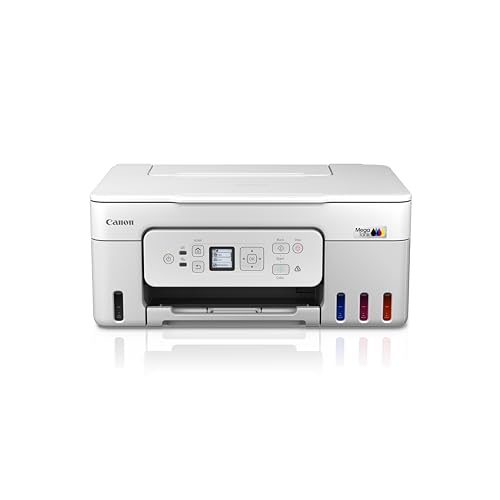
🖨️ Print Technology & Resolution: Ink tank, 4800 x 1200 dpi: clean office text and rich color.
⚡ Print Speed & Yield: 11/6 ipm ISO; 6,000 black, 7,700 color pages per bottle.
💰 Running Cost & Page Yield: About 13 paise black, 27 paise color per page, our estimate.
📑 Functions & Scanner Quality: Print, scan, copy; flatbed scanner at 600 x 1200 dpi optical.
📶 Connectivity & Mobile App: Wi-Fi, AirPrint, Mopria, Canon PRINT, Direct Wireless: effortless mobile printing.
Among every Canon printer under 20000 we reviewed, the G3780 is the one to buy if you want a long warranty. The listing promises 2 years or 30,000 pages of on-site coverage, plus automatic duplex printing and GI-71 bottles. At Canon India’s MRP of ₹795 per black bottle and ₹695 per color bottle, we estimate roughly 13 paise per black page and 27 paise per color page.
Speed is steady rather than spectacular: 11 ipm black and 6 ipm color on the ISO test. Paper handling is simple, the 1.2-inch display shows status clearly, and Wi-Fi pairing through Canon PRINT is straightforward. It is a dependable best printer for office use under 20000 when two-sided printing and a strong service network matter more than raw speed.
Pros
✅ Two-year on-site warranty on listing.
✅ Automatic duplex saves paper.
✅ High bottle yields: 6,000 and 7,700.
✅ Wi-Fi supports AirPrint and Mopria.
Cons
❌ Scanner optical resolution is 600 x 1200 dpi.
❌ Slower than Epson and Brother rivals.
❌ No ADF for stacked originals.
👉 📦 Check Live Price & Stock Availability on Amazon
4. HP Smart Tank 580 Wi-Fi Ink Tank Printer – Up to 8,000 Black Pages in the Box
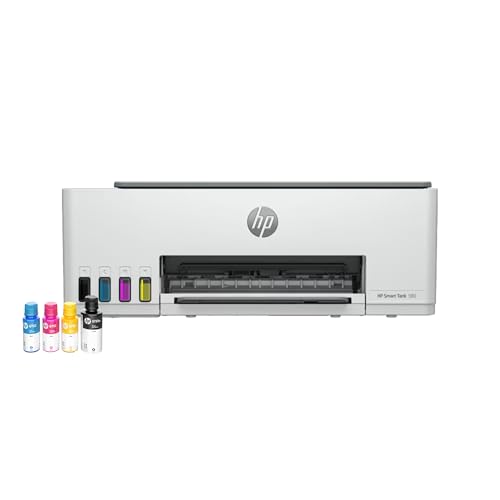
🖨️ Print Technology & Resolution: Ink tank, 1200 x 1200 black, 4800 x 1200 color dpi.
⚡ Print Speed & Yield: 12/5 ppm ISO, 30/24 peak; 8,000 black or 6,000 color included.
💰 Running Cost & Page Yield: Bundled ink lasts about three years at 200 pages monthly.
📑 Functions & Scanner Quality: Print, scan, copy; CIS flatbed scanner reaches 1200 dpi optical.
📶 Connectivity & Mobile App: Wi-Fi, Wi-Fi Direct, Bluetooth, USB, HP Smart app: quick wireless setup.
This is the HP ink tank printer under 20000 for anyone who wants years of printing without buying ink. HP includes ink for up to 8,000 black or 6,000 color pages, which at 200 pages a month lasts about three years. You also get a 1+1 year extended warranty on registration, a 3,000-page monthly duty cycle and a 100-sheet input tray.
Be realistic about speed: HP’s ISO rating is 12 ppm black and 5 ppm color, and the 30/24 ppm headline is a peak figure. For homework, invoices, and ID copies, that is enough, and the HP Smart app makes Wi-Fi setup painless. If you want an HP printer under 20000 with the lowest hassle, this is the safest HP choice.
Pros
✅ Ink for 8,000 black pages included.
✅ 100-sheet tray reduces paper reloading.
✅ 1200 dpi optical flatbed scanner.
✅ Extended 1+1-year warranty on registration.
Cons
❌ ISO speed is just 12/5 ppm.
❌ No ADF or automatic duplex.
❌ Color yield is capped at 6,000.
👉 💳 Check Price & EMI Options on Amazon
5. Epson EcoTank L3315 USB Ink Tank Printer – Budget Entry to Low-Cost Printing
🖨️ Print Technology & Resolution: Ink tank, 5760 x 1440 dpi: sharp documents and vibrant color.
⚡ Print Speed & Yield: 33/15 ppm draft, 10/5 ipm ISO; 4,700 black, 7,500 color pages.
💰 Running Cost & Page Yield: 9 paise black, 33 paise color per print: low everyday costs.
📑 Functions & Scanner Quality: Print, scan, copy; flatbed scanner at 600 x 1200 dpi optical.
📶 Connectivity & Mobile App: USB 2.0 connection: stable wired printing without Wi-Fi setup headaches.
The L3315 is our budget pick for buyers who want Epson’s low running costs without paying for wireless features. It carries the same 9 paise black and 33 paise color per-print claim as pricier EcoTank models, plus 5760 x 1440 dpi output and a compact 4.2 kg body. For a student with one laptop, it covers print, scan, and copy at a very low cost per page.
The trade-off is USB-only connectivity, so phone printing is out. Epson rates ISO speed at 10 ipm black and 5 ipm color, and the scanner reaches 600 x 1200 dpi optical, a notch below the Wi-Fi L3356. Pick it as the best printer under 20000 for a fixed desk setup; step up to the L3352 if you need Wi-Fi.
Pros
✅ Lowest-cost Epson tank in this list.
✅ Same 9 paise black running cost.
✅ Compact 4.2 kg body fits shelves.
✅ Free doorstep installation, 50,000-page cover.
Cons
❌ USB only; no phone printing.
❌ Scanner optical limit is 600 x 1200 dpi.
❌ No duplex printing or ADF.
👉 🛒 Check Today’s Price & Bank Offers on Amazon
6. Brother DCP-T436W Wi-Fi Ink Tank Printer – Dual-Band Connectivity for Students
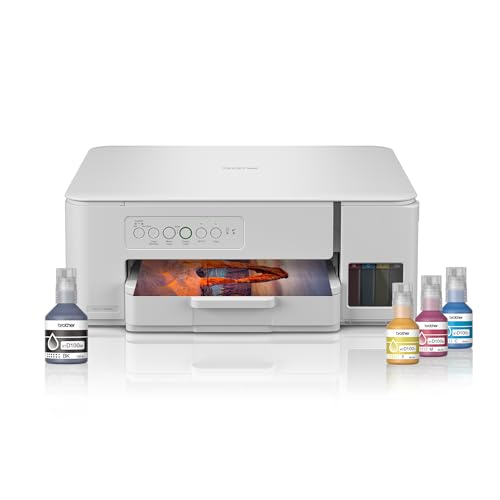
🖨️ Print Technology & Resolution: Ink tank, 1200 x 6000 dpi: crisp text and vivid color.
⚡ Print Speed & Yield: 27/11 ppm listed; 7,500 black, 5,000 color pages per bottle.
💰 Running Cost & Page Yield: Genuine BTD100 bottles ship in the box: refill and print.
📑 Functions & Scanner Quality: Print, scan, copy; flatbed scanner reaches 1200 x 2400 dpi optical.
📶 Connectivity & Mobile App: Dual-band Wi-Fi, USB, Brother Mobile Connect: smooth phone-to-printer workflow for students.
The T436W suits students and small homes that want wireless printing without office-grade extras. Dual-band Wi-Fi lets it join a quieter 5GHz network, the 150-sheet tray means fewer reloads, and spill-free bottles make refills simple. A 1200 x 2400 dpi optical scanner is a real step up from entry-level tank models for ID and certificate scans.
It does not print double-sided automatically, and the 11 ppm color speed is modest for large projects. Brother’s Mobile Connect app handles phone printing and scanning, and email printing is built in. For the best color printer under 20000 that stays easy on a student budget, it pairs low running costs with a friendly setup.
Pros
✅ Dual-band Wi-Fi improves reliability.
✅ 150-sheet input tray.
✅ 1200 x 2400 dpi optical scanning.
✅ 7,500 black pages from bundled ink.
Cons
❌ No automatic duplex printing.
❌ Color speed limited to 11 ppm.
❌ No ADF for multi-page copies.
👉 ⚡ View Current Deal & Discounts on Amazon
7. HP Laser 1008w Wi-Fi Mono Laser Printer – Compact Entry Laser for Home Offices

🖨️ Print Technology & Resolution: Mono laser, 600 x 600 dpi: sharp black text and forms.
⚡ Print Speed & Yield: 21 ppm; starter cartridge about 1,500 pages; 10,000-page duty cycle.
💰 Running Cost & Page Yield: Original HP cartridge needed: predictable quality, but no cheap refills allowed.
📑 Functions & Scanner Quality: Print only; 150-sheet tray handles invoices, forms, and student assignments easily.
📶 Connectivity & Mobile App: Wi-Fi, Wi-Fi Direct, USB: print from phones without a router.
The 1008w is the budget laser for people who print black-and-white documents and want them dry, sharp, and ready instantly. Toner does not dry out like ink, so weeks of inactivity during exam breaks will not clog anything. At 4.2 kg with a 150-sheet tray, it fits a small desk and handles forms, invoices and assignments.
HP states the printer blocks cartridges without original HP chips, and firmware updates can enforce that, so budget for genuine toner. It is single-function and has no duplex, so look elsewhere if you need scanning. As a top 10 laser printer under 20000 contender, it wins on size and Wi-Fi Direct, not on features.
Pros
✅ Toner will not dry out.
✅ Compact 4.2 kg body.
✅ Wi-Fi Direct without a router.
✅ 10,000-page monthly duty cycle.
Cons
❌ Blocks cartridges without original HP chips.
❌ No scanner, copier, or duplex.
❌ 21 ppm trails 30 ppm lasers.
👉 📦 Check Live Price & Stock Availability on Amazon
8. Epson EcoTank L3356 Wi-Fi Ink Tank Printer – 1200 x 2400 dpi Scanner and Wireless Ease
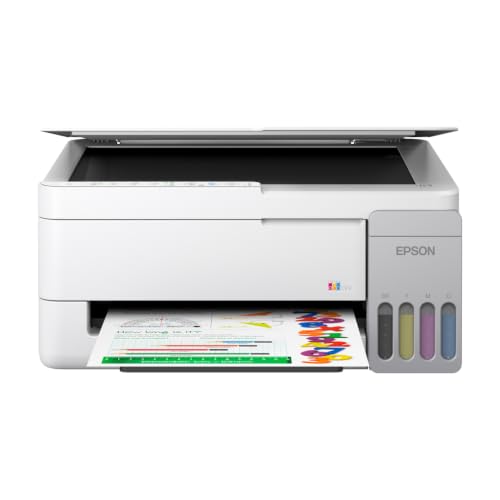
🖨️ Print Technology & Resolution: Ink tank, 5760 x 1440 dpi: vivid color with crisp text.
⚡ Print Speed & Yield: 33/15 ppm draft, 10/5 ipm ISO; 4,700 black, 7,500 color pages.
💰 Running Cost & Page Yield: 9 paise black, 33 paise color per print: dependable savings.
📑 Functions & Scanner Quality: Print, scan, copy; CIS scanner at 1200 x 2400 dpi optical.
📶 Connectivity & Mobile App: Wi-Fi, Wi-Fi Direct, Ethernet-ready TCP/IP, Epson Smart Panel, AirPrint, Mopria.
The L3356 delivers the same low running cost as the L3352 with Epson’s 1200 x 2400 dpi CIS scanner, Wi-Fi Direct for up to eight devices and borderless 4R photos. It is a fine multifunction printer under 20000 for households that scan certificates, IDs, and notes regularly.
ISO speeds are 10 ipm black and 5 ipm color, so this is a steady printer rather than a fast one. Pricing between the L3352 and L3356 can be close, so compare the two before you check out. Choose the L3356 when scanner quality and network flexibility matter, and the 1-year or 50,000-page on-site warranty adds peace of mind.
Pros
✅ Wi-Fi Direct supports up to eight devices.
✅ Scanner reaches 1200 x 2400 dpi.
✅ Borderless 4R photo printing.
✅ Free installation and 400+ service centres.
Cons
❌ No duplex printing or ADF.
❌ ISO color speed is only 5 ipm.
❌ Overlaps closely with L3352.
👉 💳 Check Price & EMI Options on Amazon
9. Brother DCP-L2520D Auto-Duplex Mono Laser All-in-One – Print, Scan and ID Copy

🖨️ Print Technology & Resolution: Mono laser, 600 x 600 dpi, HQ1200: sharp text for contracts.
⚡ Print Speed & Yield: 30 ppm; one toner cartridge prints about 2,600 pages: quick, dependable output.
💰 Running Cost & Page Yield: TN-2365 toner yields 2,600 pages: predictable running costs for busy offices.
📑 Functions & Scanner Quality: Print, scan, copy; scanner glass reaches 600 x 2400 dpi optical.
📶 Connectivity & Mobile App: USB 2.0 only: stable wired printing from one computer, no Wi-Fi fuss.
The DCP-L2520D is a no-fuss laser all-in-one: 30 ppm black printing, automatic duplex, a 250-sheet tray and a 2-in-1 ID copy button that puts both sides of a card on one page. For the best printer for office use under 20000 that stays quiet about maintenance, laser is hard to beat because toner does not dry out.
It prints mono only and connects by USB, so there is no Wi-Fi or phone printing. The TN-2365 toner is rated for about 2,600 pages under ISO/IEC 19752, and the inbox cartridge needs installing during setup. If you copy IDs and print contracts but never print color, this is a sturdy, honest workhorse.
Pros
✅ Automatic duplex printing.
✅ 250-sheet tray and manual feed slot.
✅ ID copy button saves time.
✅ Toner does not dry out.
Cons
❌ USB only; no Wi-Fi.
❌ Monochrome output only.
❌ Heavy 9.7 kg body.
👉 🛒 Check Today’s Price & Bank Offers on Amazon
10. HP Laser MFP 1188fnw Wireless Mono Laser Printer – 40-Sheet ADF, Fax and Ethernet

🖨️ Print Technology & Resolution: Mono laser, up to 1200 x 1200 dpi: crisp office documents.
⚡ Print Speed & Yield: 21 ppm, 8.3-second first page; 10,000-page duty cycle suits busy desks.
💰 Running Cost & Page Yield: About 1,500-page starter toner; original HP toner keeps quality consistent.
📑 Functions & Scanner Quality: Print, copy, scan, fax; 40-sheet ADF, 600 x 600 dpi optical.
📶 Connectivity & Mobile App: Wi-Fi, Ethernet, USB 2.0: shared printing for small offices and teams.
The 1188fnw is the best printer under 20000 for office use when you scan and fax stacks of paper. The 40-sheet ADF processes multi-page files in one go, Ethernet lets several desktops share it, and Wi-Fi covers phones and laptops. HP rates it for 1-5 users printing under 1,500 pages monthly.
Print speed is 21 ppm with a first page out in about 8.3 seconds, which suits busy desks. The catch is manual duplexing and an original-chip toner policy. It is the best multifunction printer under 20000 for small teams that still send faxes, and the compact 7.5 kg body fits on a shelf.
Pros
✅ 40-sheet ADF speeds multi-page scanning.
✅ Ethernet, Wi-Fi and USB connectivity.
✅ Built-in fax for small offices.
✅ 8.3-second first page out.
Cons
❌ Manual duplex only.
❌ Original HP chip toner required.
❌ Scanner optical limit is 600 x 600 dpi.
👉 ⚡ View Current Deal & Discounts on Amazon
11. HP Laser MFP 323d Auto-Duplex Mono Laser All-in-One – 30 ppm and 256 MB Memory
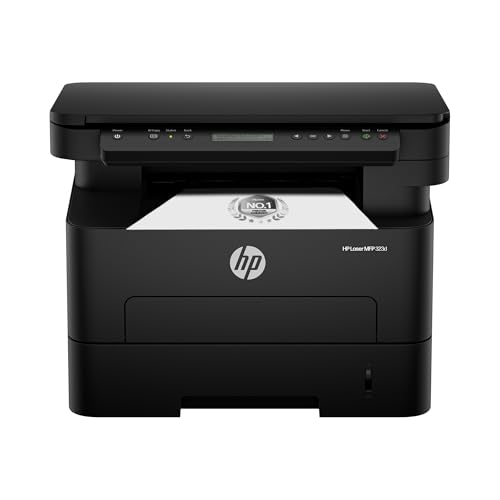
🖨️ Print Technology & Resolution: Mono laser, up to 1200 x 1200 dpi: sharp business text.
⚡ Print Speed & Yield: 30 ppm; 30,000-page duty cycle suits heavy small-office use daily.
💰 Running Cost & Page Yield: HP 181A toner: original cartridge keeps print quality consistent on every page.
📑 Functions & Scanner Quality: Print, scan, copy with auto-duplex and a 250-sheet tray saves time and paper.
📶 Connectivity & Mobile App: Hi-Speed USB 2.0 and LCD: simple, stable wired setup for desktops.
Think of the 323d as the heavy-duty laser all-in-one: 30 ppm, 256 MB memory, automatic duplex and a 250-sheet input tray. HP’s 300 series carries a duty cycle of up to 30,000 pages per month, which gives a small business headroom that cheaper lasers lack. It also scans and copies from a flatbed.
Connectivity is USB only, so Wi-Fi and phone printing are out, and at 12.8 kg it is the heaviest machine here. If you want an all-in-one printer under 20000 that you can leave running all day and print mono in volume, it is an easy choice. Budget for genuine HP 181A toner.
Pros
✅ 30 ppm with automatic duplex.
✅ 256 MB memory handles large files.
✅ 30,000-page monthly duty cycle.
✅ 250-sheet input, 100-sheet output.
Cons
❌ USB only; no Wi-Fi.
❌ Heavy 12.8 kg body.
❌ Mono output only.
👉 📦 Check Live Price & Stock Availability on Amazon
12. Brother HL-L2440DW Wi-Fi Auto-Duplex Laser Printer – 3,000-Page Inbox Toner
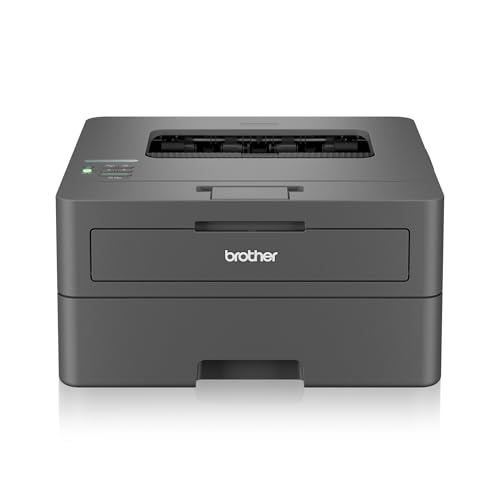
🖨️ Print Technology & Resolution: Mono laser, up to 1200 x 1200 dpi: crisp text and graphics.
⚡ Print Speed & Yield: 30 ppm; 3,000-page inbox toner: fewer early replacements for busy students.
💰 Running Cost & Page Yield: TN-2570XL toner yields 3,000 pages: predictable running costs for long reports.
📑 Functions & Scanner Quality: Print only; 250-sheet tray with manual feed slot for envelopes and letterheads.
📶 Connectivity & Mobile App: Dual-band Wi-Fi, Wi-Fi Direct, USB: print from phones and laptops.
The HL-L2440DW is the laser to pick if you print only black text and want wireless convenience. It combines 30 ppm, automatic duplex, a 250-sheet tray, 64 MB memory, and dual-band Wi-Fi in a 7.1 kg body. Brother includes a 3,000-page toner and free installation, so the first year is covered.
Remember it is print-only, with no scanner or color. That is exactly why it is cheaper to run than most all-in-ones, and why it is a smart top 10 laser printer under 20000 choice for students writing long reports. The manual feed slot also handles envelopes and letterheads without jamming the main tray.
Pros
✅ Dual-band Wi-Fi and Wi-Fi Direct.
✅ Automatic duplex printing.
✅ 3,000-page inbox toner included.
✅ 250-sheet tray with manual feed.
Cons
❌ No scanner or copier.
❌ Monochrome output only.
❌ Resolution limited to 1200 x 1200 dpi.
👉 💳 Check Price & EMI Options on Amazon
13. HP Laser 303dw Wi-Fi Auto-Duplex Laser Printer – 256 MB Memory for Shared Desks
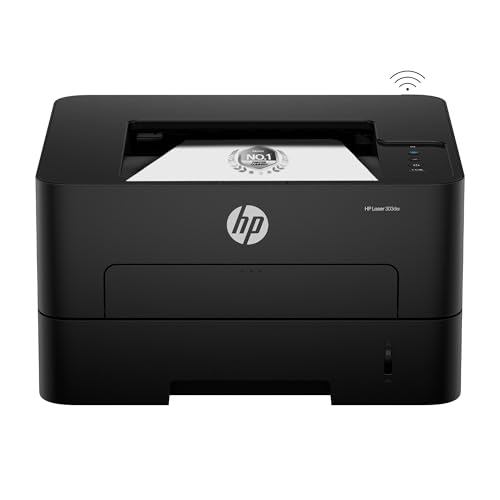
🖨️ Print Technology & Resolution: Mono laser, up to 1200 x 1200 dpi: sharp black text.
⚡ Print Speed & Yield: 30 ppm; 30,000-page monthly duty cycle for busy shared desks.
💰 Running Cost & Page Yield: HP 181A toner: original cartridge keeps quality consistent across shared desks daily.
📑 Functions & Scanner Quality: Print only; 250-sheet input and 100-sheet output trays reduce paper reloading.
📶 Connectivity & Mobile App: Wi-Fi and Hi-Speed USB 2.0: wireless printing for several users.
The 303dw is the laser printer for households or small teams that print a lot of black-and-white pages. It offers 30 ppm, auto-duplex, 256 MB memory, Wi-Fi, and a duty cycle of up to 30,000 pages per month. That headroom makes it far more robust than entry-level lasers when several people print at once.
It is print-only and weighs 10.2 kg, so place it on a sturdy shelf. HP’s original-chip policy applies to toner, which means budgeting for genuine 181A cartridges. If you want one of the best printers under 20000 for steady black printing and do not need scanning, this is an easy, durable pick.
Pros
✅ Wi-Fi with automatic duplex.
✅ 30,000-page monthly duty cycle.
✅ 256 MB memory handles large files.
✅ 250-sheet input tray.
Cons
❌ No scanner or copier.
❌ Heavy 10.2 kg body.
❌ Monochrome output only.
👉 🛒 Check Today’s Price & Bank Offers on Amazon
14. HP Laser MFP 1188w Wireless Mono Laser All-in-One – Print, Copy and Scan Over Wi-Fi
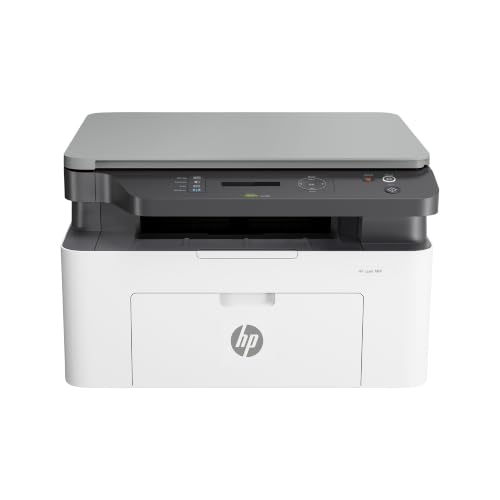
🖨️ Print Technology & Resolution: Mono laser, up to 1200 x 1200 dpi: crisp text pages.
⚡ Print Speed & Yield: 20 ppm A4, 21 ppm letter; 10,000-page duty cycle for home offices.
💰 Running Cost & Page Yield: About 1,500-page starter toner; original HP cartridge required for consistent quality.
📑 Functions & Scanner Quality: Print, copy, scan; flatbed scanner at 600 x 600 dpi.
📶 Connectivity & Mobile App: Wi-Fi, Hi-Speed USB 2.0: wireless printing from phones and laptops anywhere indoors.
The 1188w is the Wi-Fi laser all-in-one for people who want to print and scan documents without the ADF and fax of the 1188fnw. It prints at up to 21 ppm, copies and scans from a flatbed, and carries a 150-sheet input tray. HP rates it for 1-5 users printing under 1,500 pages monthly.
There is no Ethernet and no ADF, and duplexing is manual. Starter toner is rated at about 1,500 pages. For the best all-in-one printer under 20000 on a tight desk that needs mono laser reliability and wireless printing, it is a sensible compromise, provided you accept HP’s original-chip toner policy.
Pros
✅ Wi-Fi laser all-in-one.
✅ Flatbed scanning and copying.
✅ 10,000-page duty cycle.
✅ 150-sheet input tray.
Cons
❌ Manual duplex only.
❌ No ADF or Ethernet.
❌ Original HP chip toner required.
👉 ⚡ View Current Deal & Discounts on Amazon
15. HP Laser MFP 1188a USB Mono Laser All-in-One – Entry Print, Copy and Scan
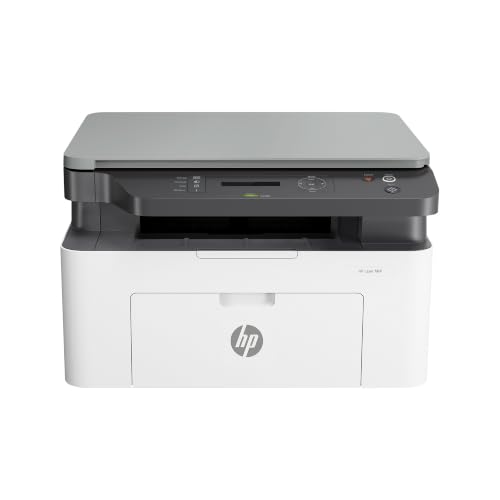
🖨️ Print Technology & Resolution: Mono laser, up to 1200 x 1200 dpi: crisp office text.
⚡ Print Speed & Yield: 20 ppm A4, 21 ppm letter; 10,000-page duty cycle for home offices.
💰 Running Cost & Page Yield: About 1,500-page starter toner; original HP cartridge required for consistent quality.
📑 Functions & Scanner Quality: Print, copy, scan; flatbed scanner at 600 x 600 dpi.
📶 Connectivity & Mobile App: Hi-Speed USB 2.0: stable wired printing for one computer, no wireless setup.
The 1188a is the simplest laser all-in-one in the HP 1188 family: print, copy and scan over USB, with a 150-sheet input tray and an 8.3-second first page. It is built for one or two users who handle forms, invoices and assignments in black and white.
Without Wi-Fi, Ethernet, duplex, or an ADF, it costs less to run than a feature-heavy model but gives up convenience. Starter toner is rated at about 1,500 pages, and HP’s original-chip policy applies. If you want a no-frills best printer under 20000 for one desktop and rarely print from a phone, it fits.
Pros
✅ Laser print, copy, and scan.
✅ 8.3-second first page out.
✅ 10,000-page duty cycle.
✅ 150-sheet input tray.
Cons
❌ USB only; no Wi-Fi.
❌ Manual duplex only.
❌ Original HP chip toner required.
👉 📦 Check Live Price & Stock Availability on Amazon
Which Printer Type Suits a ₹20,000 Budget? Ink Tank, Laser or Multifunction
Three printer types dominate this price band. Color ink tank all-in-ones from Epson, Canon, HP and Brother cost more upfront than cartridge inkjets, but one bottle set prints thousands of pages. They suit students, tutors and home offices that print color, scan IDs and refill a few times a year. Mono laser printers print faster and sharper text, never dry out, and shine at volume, but they print black only; the top laser printer under 20000 shortlist in our table is really eight verified models. Laser multifunctions add scan and copy, and some add an ADF or fax for small offices.
Cartridge inkjets are the trap to avoid, since replacement ink often costs more than the savings. If you want the best multifunction printer under 20000 for color and scanning, pick an ink tank. For contracts, reports,s and invoices, pick a laser. Duty cycle matters too: lasers here are rated for 10,000 to 30,000 pages a month, far above what a home needs, while ink tanks are happiest with a few hundred pages weekly. Size is another filter: the HP Laser MFP 323d weighs 12.8 kg, while the Epson L3315 weighs 4.2 kg, so check that your shelf can take the load.
Buy the Best Printers Under 20000 Online in India
Buying a printer online usually beats a local shop on choice and price. You can compare all 15 models side by side, read verified-purchase reviews on delivery damage, and time your order for sale events when bank offers and EMI options bring a higher-tier model into budget. Use the best printer under 20000 in India shortlist above, open each live listing, and confirm the seller is Amazon or an authorized brand dealer. Always check the final price, return window, and installation support before you pay for any printer. Prices move daily, so we link to live listings instead of printing fixed numbers.
Buying Printers Online in India: Warranty and Box Checklist
Before ordering, confirm the listing is an India-market unit with official brand warranty from HP, Canon, Epson, or Brother, and note whether service is onsite or carry-in. Epson lists free doorstep installation, Canon offers up to two years onsite on the G3780, and Brother bundles free installation on newer models. Check the box contents: ink bottles for tank printers, an inbox toner for lasers that you must install yourself, and a USB cable. Confirm driverless setup or app support for your Windows or Mac version, and keep the invoice and serial number for warranty claims. Then use bank offers and EMI to step up one tier within budget. Buy only genuine ink or toner afterward, because unbranded consumables can void warranty coverage and hurt print quality. Inspect the carton on delivery and photograph any damage, because heavy tank printers are easier to return within the return window.
Conclusion
Prices in this segment have shifted decisively toward ink tanks and duplex lasers. Where cartridge printers once cost several rupees per page, Epson now claims 9 paise black and 33 paise color, Brother lists roughly 10 and 40 paise, and our estimate for Canon’s G3780 is about 13 and 27 paise. Lasers compete on speed and zero nozzle clogging, with 30 ppm and duplex now common. The best printers under 20000 are therefore less about sticker price and more about how many pages you print and what you print. A student printing color projects should lean toward an ink tank, while a freelancer printing invoices should look at a laser. Whichever you buy, print a test page every week or two, keep dust out of the paper path, and use genuine ink or toner.
🥇 The Budget Hero: Epson EcoTank L3315 – Best for buyers wanting reliable document printing and solid build quality at an entry-level ink tank price, with Epson’s 9 paise black and 33 paise color running-cost claim.
👑 The Performance King: Brother DCP-T730DW – The best mix of low cost per page, wireless ease, ADF scan quality, and ISO speed of 16/15 ipm, with automatic duplex and up to 15,000 black pages in the box.
FAQs
1. Is an ink tank or laser printer better under ₹20,000?
It depends on what you print. Ink tank printers such as the Epson L3352 or Brother DCP-T730DW print color at paise per page and suit students and home offices. Laser printers such as the Brother HL-L2440DW print black text faster and sharper, and toner does not dry out, which suits invoices and reports. If you print color even occasionally, choose an ink tank. If you print only black documents in volume, choose a laser.
2. How do I stop printhead nozzles from clogging when I do not print for weeks?
Print one color test page at least once a week so ink flows through every nozzle. Switch the printer off with the power button, never by unplugging, so the printhead parks in its sealed position. Keep it in a cool, dry place with the cover closed. If it sits unused for longer, run one cleaning cycle and a nozzle check before important prints. Laser printers avoid this problem entirely because toner is a dry powder.
3. Which is the best printer under ₹20,000 for a small office?
For most small offices, the Brother DCP-T730DW is the best all-round choice because it combines automatic duplex, a 20-sheet ADF, dual-band Wi-Fi and low running costs. If you need fax, Ethernet and a 40-sheet ADF, choose the HP Laser MFP 1188fnw. For heavy black-and-white volume, the HP Laser MFP 323d offers 30 ppm and a duty cycle of up to 30,000 pages per month.
4. Can I use third-party ink or toner in these printers?
Be careful. HP states that the Laser 1008w and the 1188 series work only with cartridges carrying original HP chips and may block others through firmware updates. Canon warns that counterfeit ink can harm the printer and void the warranty. Tank printers from Epson, Canon, Brother, and HP use inexpensive genuine bottles, so there is little reason to risk unbranded ink. Always check warranty terms before using non-genuine consumables.



![20 Best Laptops Under ₹1,00,000 in India [2026] | GadgetVeda](https://gadgetveda.com/wp-content/uploads/2026/09/Best-Laptops-Under-₹100000-in-India-150x150.webp)

![9 Best Smart TVs Under ₹20,000 in India [2026] | GadgetVeda](https://gadgetveda.com/wp-content/uploads/2026/10/Best-Smart-TVs-Under-₹20000-in-India-1-150x150.webp)
![Amazon Bee Frontier, Bee Eclipse AI Wearables Launched [Price, Specs, India Status]](https://gadgetveda.com/wp-content/uploads/2026/10/Amazon-Bee-Frontier-Bee-Eclipse-AI-Wearables-Launched-Price-Specs-India-Status-150x150.webp)
![20 Best Laptops Under ₹1,00,000 in India [2026] | GadgetVeda](https://gadgetveda.com/wp-content/uploads/2026/09/Best-Laptops-Under-₹100000-in-India-300x167.webp)
![9 Best Smart TVs Under ₹20,000 in India [2026] | GadgetVeda](https://gadgetveda.com/wp-content/uploads/2026/10/Best-Smart-TVs-Under-₹20000-in-India-1-300x167.webp)